Assembly
40
10.00 | SWS 005 – 300 | Assembly and Operating Manual | en | 389456
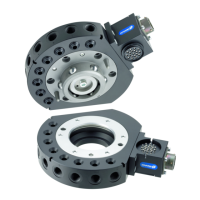
5.9.8 Flat B Optional Module Removal - SWS-021
Ø Dock the tool safely in the tool stand and uncouple the tool
changer to allow clear access to the SWK or SWA.
Ø Turn off all energized circuits (electrical, air, water, etc.).
Ø Disconnect any cables, air line, etc. if required.
Ø Supporting the module, remove the four M4 socket head cap
screws.
Ø Remove the module from the adapter plate.
Ø Remove the two M4 socket head cap screws securing the
adapter plate to the SWK or SWA.
Ø Remove the adapter plate.


 To Next Page
 Loading...