EasyManua.ls Logo

SCHUNK PGN Series - User Manual

SCHUNK PGN Series
48 pages
Print Icon
To Next Page IconTo Next Page
Loading...
Translation of the original assembly and operating manual
Assembly and Operating Manual
PGN
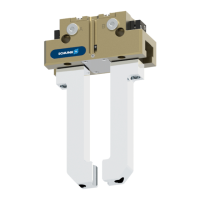
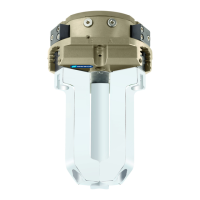
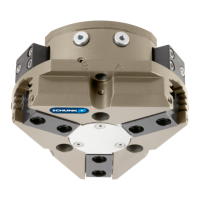
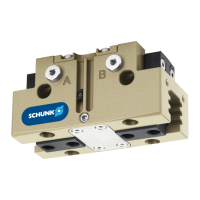
2-Finger Parallel Gripper

Table of Contents

Questions and Answers

  • A
    amy41Jul 28, 2025
    What to do if SCHUNK Industrial Equipment does not move?
    • S
      Shawn JonesJul 28, 2025
      If your SCHUNK industrial equipment isn't moving, several factors could be at play. First, the base jaws might be jammed due to an uneven mounting surface, so check the evenness of the mounting surface. Ensure the pressure hasn't dropped below the minimum required; if it has, check the air supply. Also, verify that the compressed air lines are correctly connected and that any unused air connections are closed. The proximity switch might be defective or incorrectly set, so readjust or replace the sensor. If none of these resolves the issue, a component part may be defective, requiring replacement or repair by SCHUNK. Finally, in cases of lateral attachment, verify that the air or control line is not swapped and check the adapter plate.
  • S
    shannonshahAug 3, 2025
    Why is the gripping force dropping in my SCHUNK PGN Industrial Equipment?
    • R
      rowereneeAug 3, 2025
      A drop in gripping force in your SCHUNK industrial equipment can stem from several causes. Firstly, compressed air might be escaping; inspect the seals and replace them if necessary after disassembling the product. Excessive grease in the mechanical movement space can also be a culprit, so clean and lubricate the product. Ensure that the pressure isn't dropping below the minimum required; if it is, check the air supply. Lastly, a defective component part could be the issue, necessitating replacement or repair by SCHUNK.
  • S
    Steve HayesAug 9, 2025
    What to do if SCHUNK PGN Industrial Equipment does not travel the entire stroke?
    • P
      Patrick MurphyAug 9, 2025
      If your SCHUNK industrial equipment isn't completing its full stroke, consider these potential causes. Dirt deposits between the cover and piston could be hindering movement; clean and re-lubricate the affected area. Insufficiently flat mounting surface may be the reason, so check the evenness of the mounting surface. Check the air supply, because the pressure may be dropping below the minimum. If these steps don't resolve the issue, a component part might be defective, requiring you to send the product with a SCHUNK repair order or dismantle it.
  • L
    Latoya ReevesAug 15, 2025
    Why is my SCHUNK Industrial Equipment opening or closing abruptly?
    • T
      Timothy KiddAug 15, 2025
      Abrupt movements in your SCHUNK industrial equipment can be attributed to a few key issues. Insufficient grease in the mechanical guiding areas may be the cause, so clean and lubricate the product. Blocked compressed air lines can also lead to abrupt actions, so check the compressed air lines for damage. Additionally, an uneven mounting surface can contribute to this problem, so check the evenness of the mounting surface.
  • J
    Joanna HallNov 19, 2025
    How to improve opening and closing times of SCHUNK PGN?
    • L
      Linda CookNov 19, 2025
      To optimize the opening and closing times of your SCHUNK industrial equipment, consider these points: 1. If present: Open the flow control couplings on the product to the maximum that the movement of the jaws occurs without bouncing and hitting. 2. Check compressed air lines. 3. Ensure inner diameters of compressed air lines are of sufficient size in relation to compressed air consumption. 4. Keep compressed air lines between the product and directional control valve as short as possible. 5. Ensure the flow rate of valve is sufficiently large relative to the compressed air consumption. 6. The throttle check valve must not be removed, even if the product has not reached the opening and closing times. 7. If, despite optimum air connections, the opening and closing times specified in the cata...

Summary

General Information

Presentation of Warning Labels

Explains the signal words and symbols used for safety notes like DANGER, WARNING, CAUTION, and NOTICE.

Basic Safety Notes

Intended Use

Defines the specific purpose and scope for which the product is designed.

Personnel Qualification

Details the necessary qualifications and training for personnel working with the product.

Personal Protective Equipment

Lists the essential personal protective equipment (PPE) required for safe operation.

Fundamental Dangers

Lists general fundamental dangers and necessary precautions during operation and maintenance.

Protection During Handling and Assembly

Safety measures to prevent injuries during handling, assembly, and lifting of loads.

Protection During Commissioning and Operation

Safety guidelines to prevent injuries from falling or ejected components during startup and operation.

Protection Against Dangerous Movements

Precautions to prevent injuries from unexpected movements of the product due to residual energy.

Protection Against Electric Shock

Guidelines for preventing injuries from electrostatic discharge and ensuring potential equalization.

Notes on Particular Risks

Highlights specific risks such as fatal injury from suspended loads, falling objects, unexpected movements, crushing, and sharp edges.

Technical Data

Assembly

Troubleshooting

Product Does Not Move

Addresses potential causes and corrective actions when the gripper fails to move.

Product Does Not Travel Entire Stroke

Provides solutions for issues where the gripper does not achieve its full movement range.

Product Opening or Closing Abruptly

Offers remedies for the gripper's erratic opening or closing behavior.

Gripping Force Dropping

Explains how to resolve issues related to a decrease in the gripper's gripping force.

Opening and Closing Times Not Achieved

Provides solutions for when the gripper's opening and closing times do not meet specifications.

Maintenance

SCHUNK PGN Series Specifications

General IconGeneral
ActuationPneumatic
Number of Fingers2
MaterialAluminum
TypeParallel gripper
Holding force without pressure0 N
Operating pressure4 bar - 8 bar

Related product manuals