EC4 series integrated I/O user manual Use
Copyright © Nanjing Solidot Electronic Technology Co., LTD. 2023
3、 scanner
a. Run the T win CAT3 software
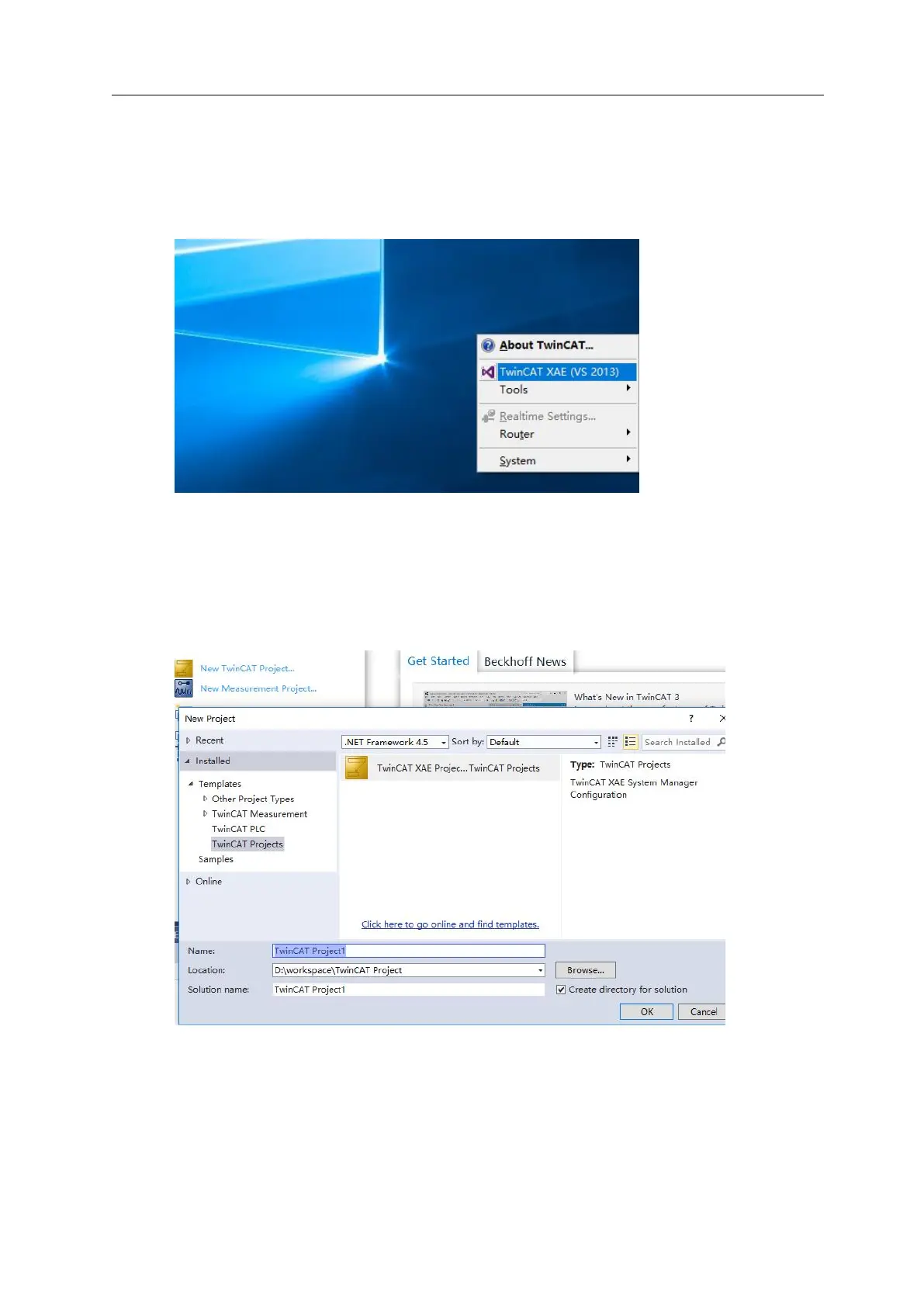
Click the TwinCAT icon in the lower right corner of the desktop, select "TwinCAT XAE (VS xxxx)",
and open the TwinCAT software, as shown in the figure below.
b. Create the project
Select "New TwinCAT Project", "Name" and "Solution name" will correspond to the project name
and solution name respectively, "Location" will correspond to the project path, these three items
can choose the default, and then click "OK", the project has been successfully created, as shown in
the following figure.



 To Next Page