EC4 series integrated I/O user manual Use
Copyright © Nanjing Solidot Electronic Technology Co., LTD. 2023
c. scanner
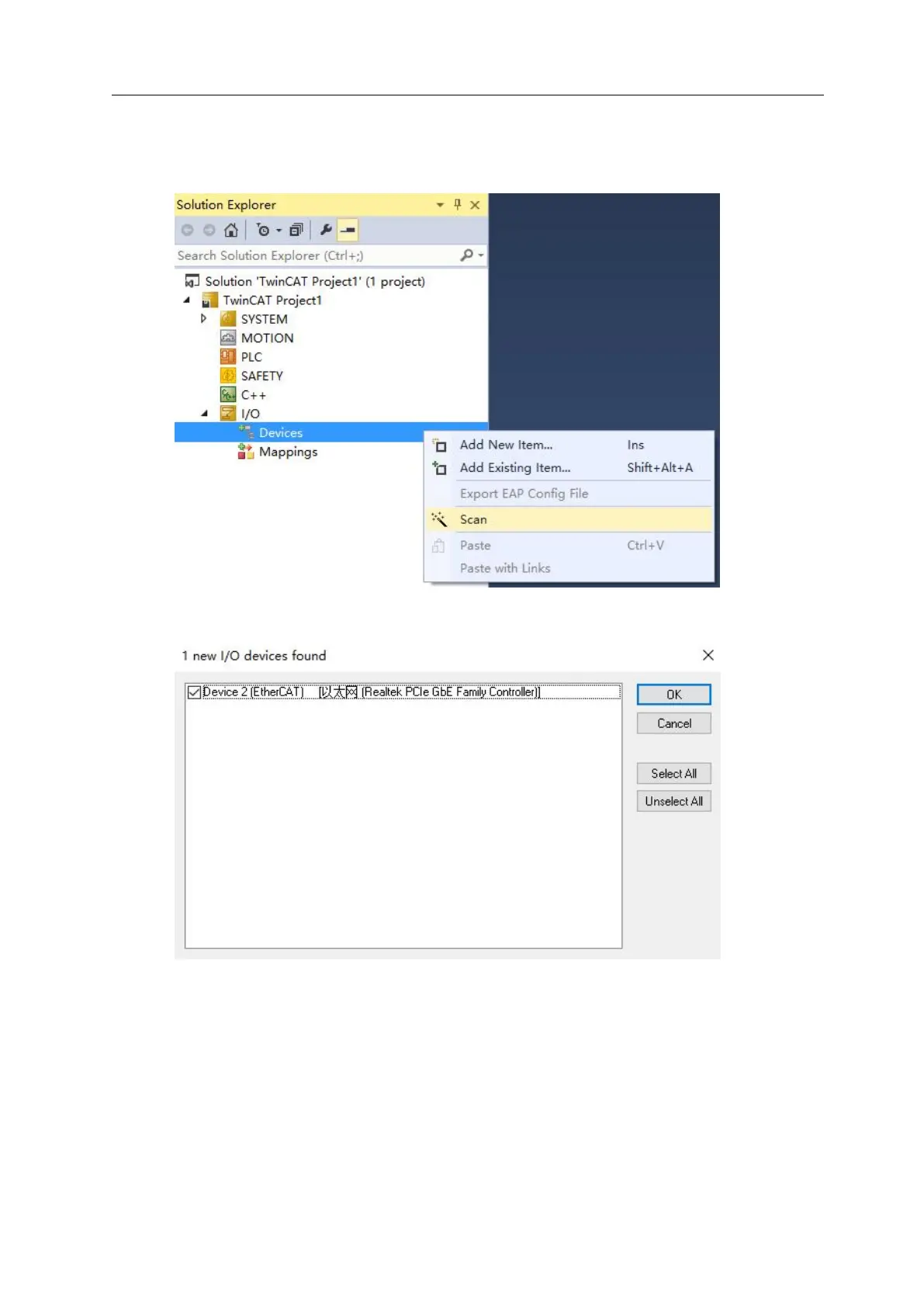
After creating the project, right-click the Scan option under I / O-> Devices to scan the station
device, as shown in the figure below.
Check the "local connection" network card, as shown in the figure below.
Scan for boxes Select Yes, and Activate for Run select Yes, as shown in the figure below.



 To Next Page