EC4 series integrated I/O user manual Use
Copyright © Nanjing Solidot Electronic Technology Co., LTD. 2023
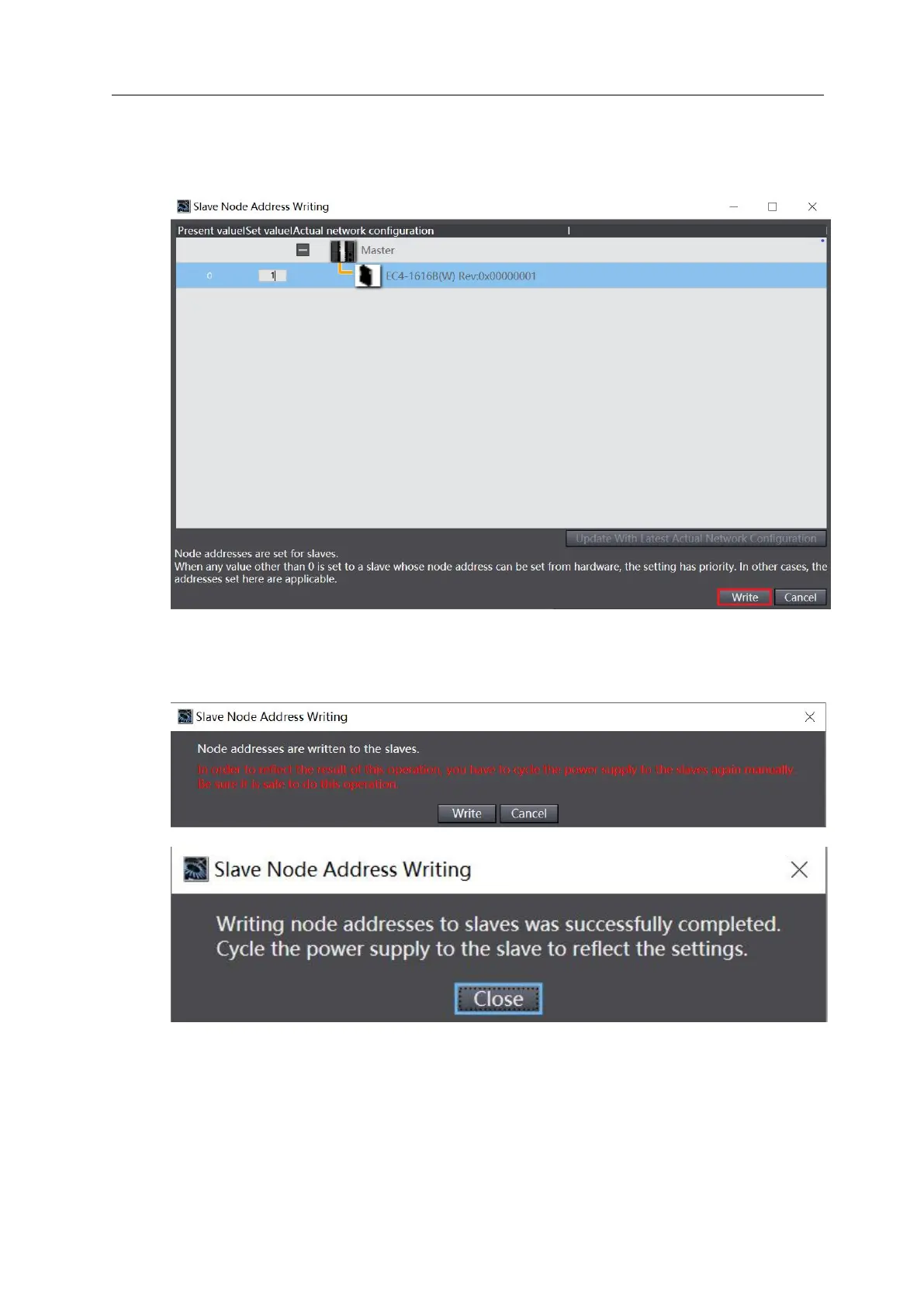
c. In the window that sets the node address, click the numerical value under the setting value, enter
the node address, and click the "Write" button to change the slave device node, address, as shown
in the figure below.
d. After writing, the pop-up prompt appears again, as shown in the figure below, click "Write", and
then restart the power supply from the device according to the prompt.



 To Next Page