EC4 series integrated I/O user manual Use
Copyright © Nanjing Solidot Electronic Technology Co., LTD. 2023
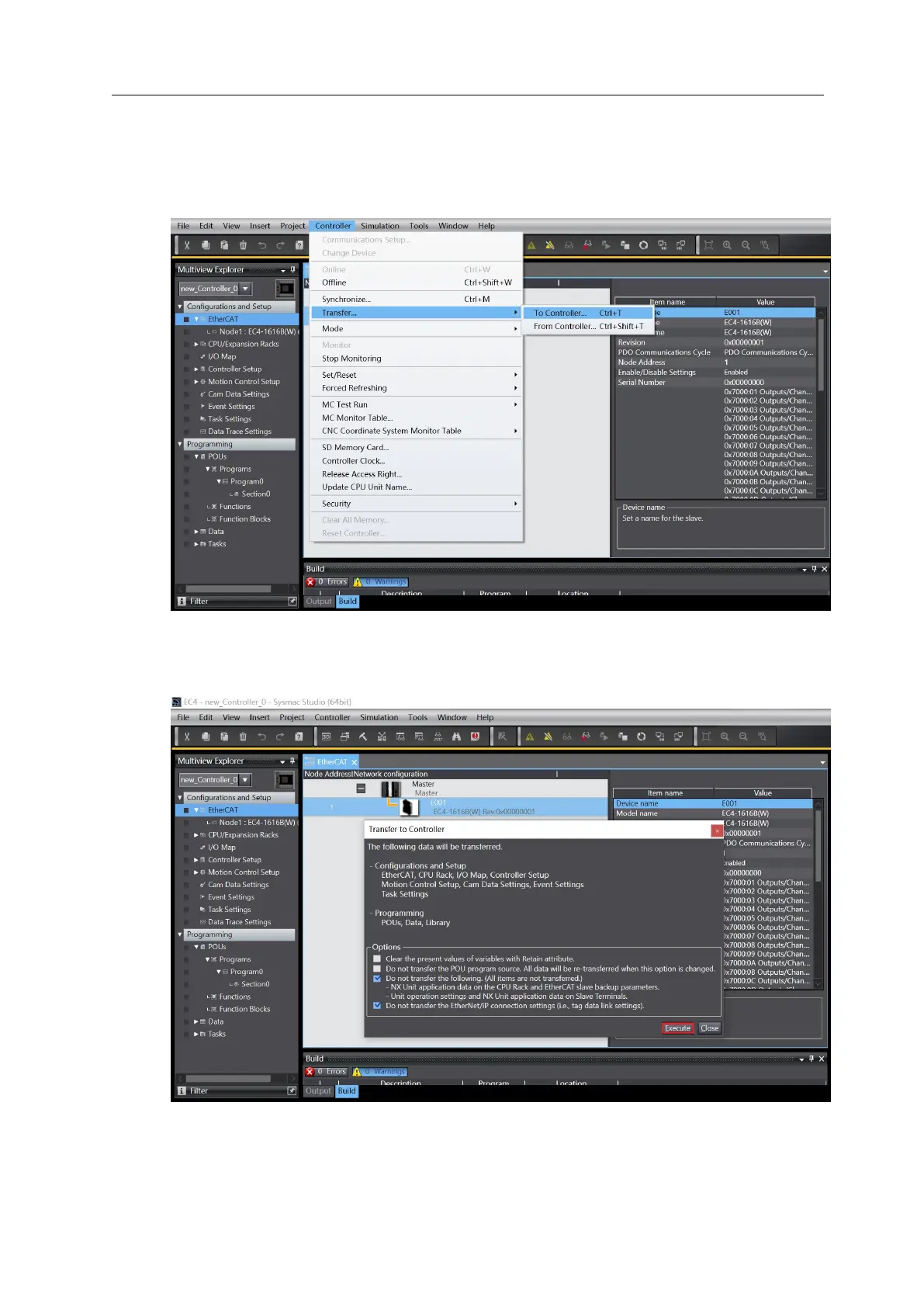
7、 Downloads the configuration to the PLC
a. Click the menu bar "Controller-> Transfer(A) -> To Controller (T)" button to transfer the
configuration to the controller, as shown in the figure below.
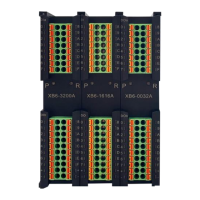
b. Popup the transmission confirmation window, click the "Execute" button, and then the popup will
click "Yes / OK", as shown in the following figure. After downloading, you need to power on again.



 To Next Page