EC4 series integrated I/O user manual Use
Copyright © Nanjing Solidot Electronic Technology Co., LTD. 2023
8、 Module parameter configuration
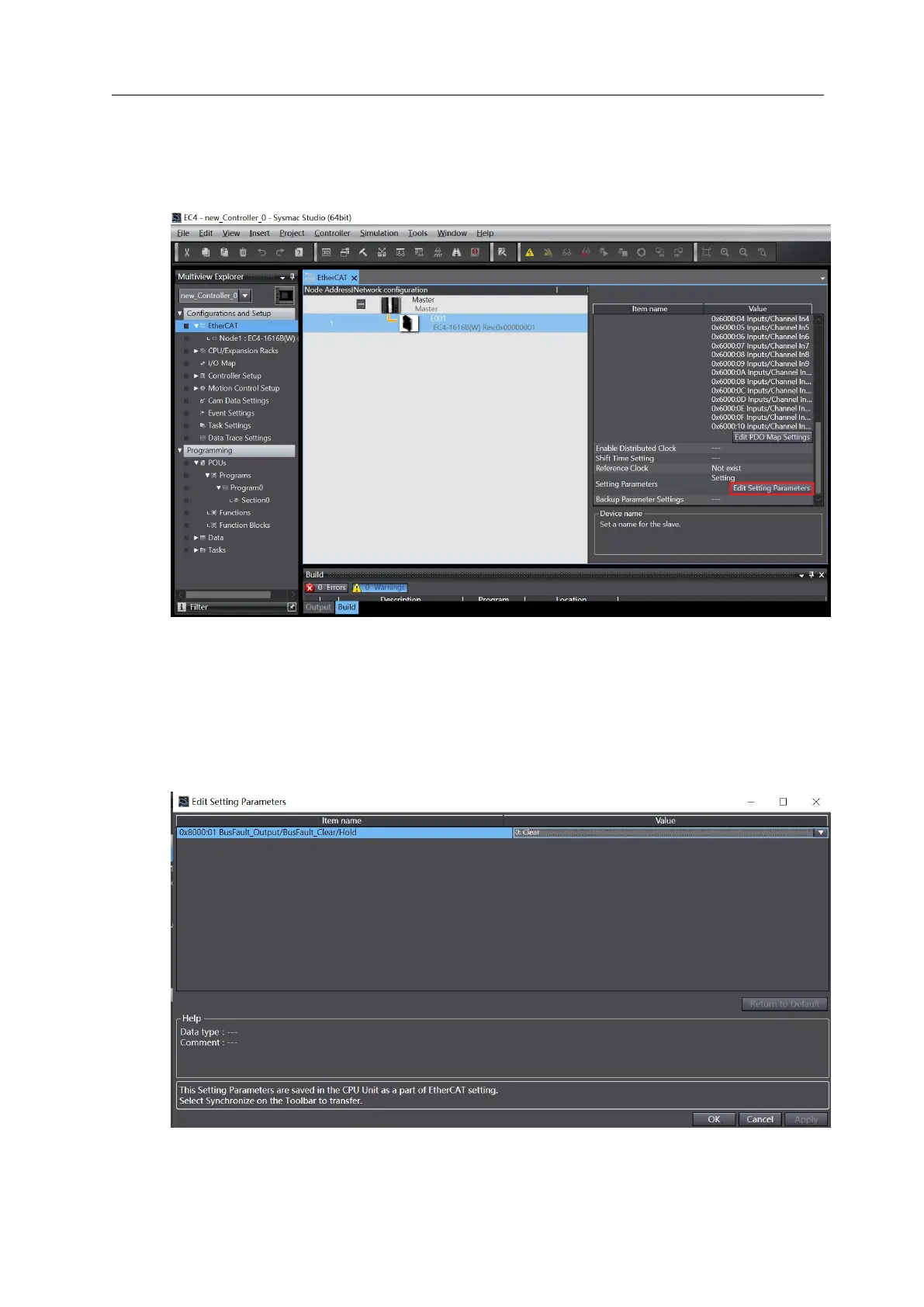
a. Switch the configuration to the offline state, in the EtherCAT main page, select EC4 module and
click "Edit Setting Parameters", as shown in the figure below.
Note: If the PLC firmware version is too low, write and read the EC_CoESDOWrite and
EC_CoESDORead instructions for the SDO address.
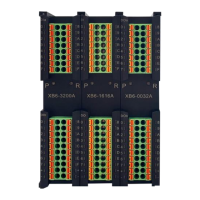
b. On the parameter setting page, the output point signal empty / hold function can be configured
for "0" and after the configuration, click OK and click Apply. After all the parameters are configured,
the program needs to be downloaded again to the PLC. The PLC and the module need to be
powered on again.



 To Next Page