EC4 series integrated I/O user manual Use
Copyright © Nanjing Solidot Electronic Technology Co., LTD. 2023
9、 Test the IO module
a. After switching on again, the lower right corner can see the PLC as the operation mode.
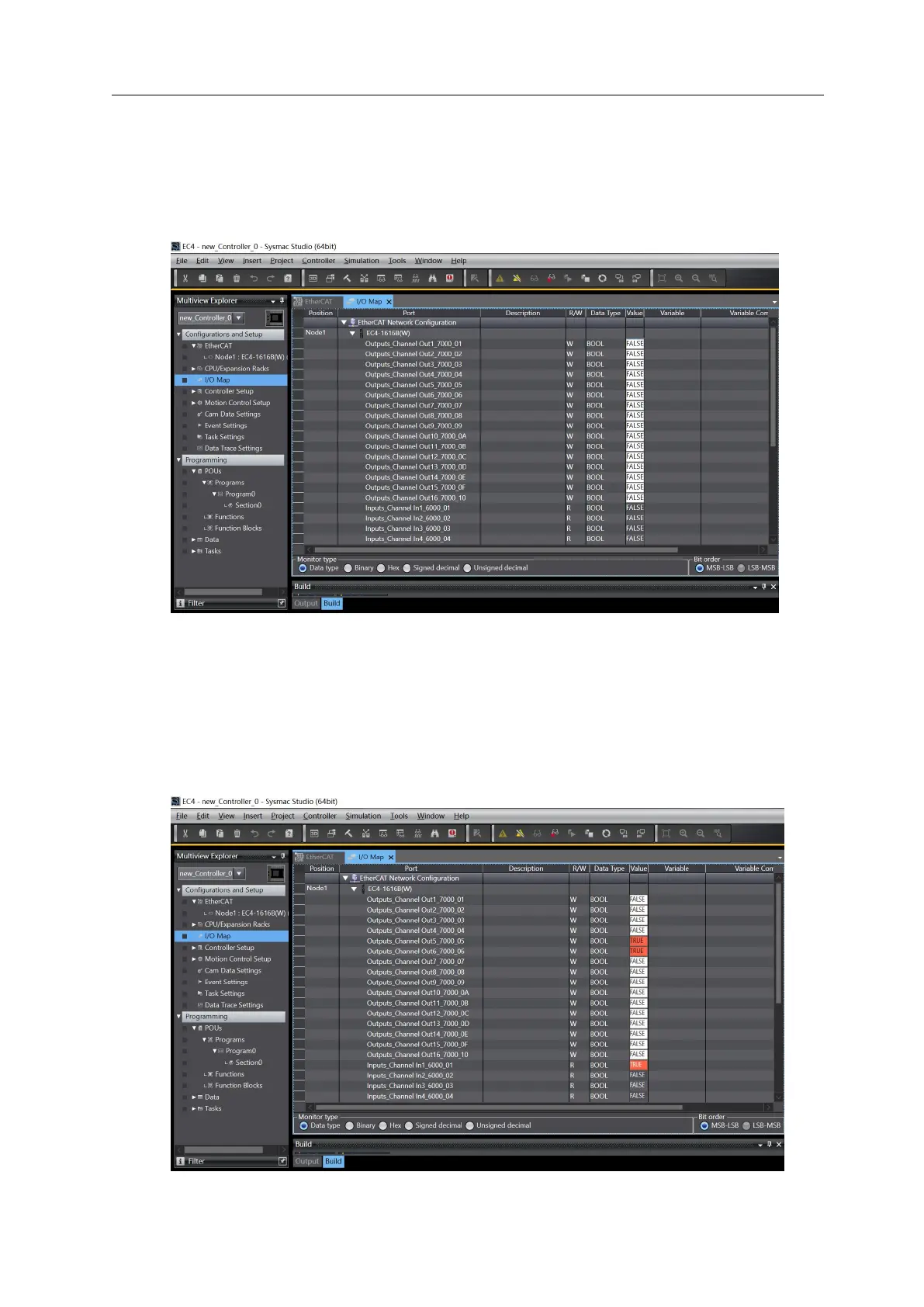
Double-click the "I/O Map" in the left navigation tree to monitor and force the input and output
signals, as shown in the figure below.
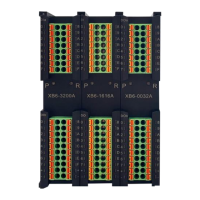
b. For the digital input channel 1, if the slave device input channel 1 has an effective voltage input, it
can be observed in Input points_Channel In 1_6000_01 in the I / O map. If you want to output
channel 5 and channel 6 output, you can write "1" on Out put points_ Channel Out 5_7000_05 and
_ Out put points_ Channel Out 6_7000_06. After the operation, you can see the corresponding
channel light is on, as shown in the figure
below.



 To Next Page