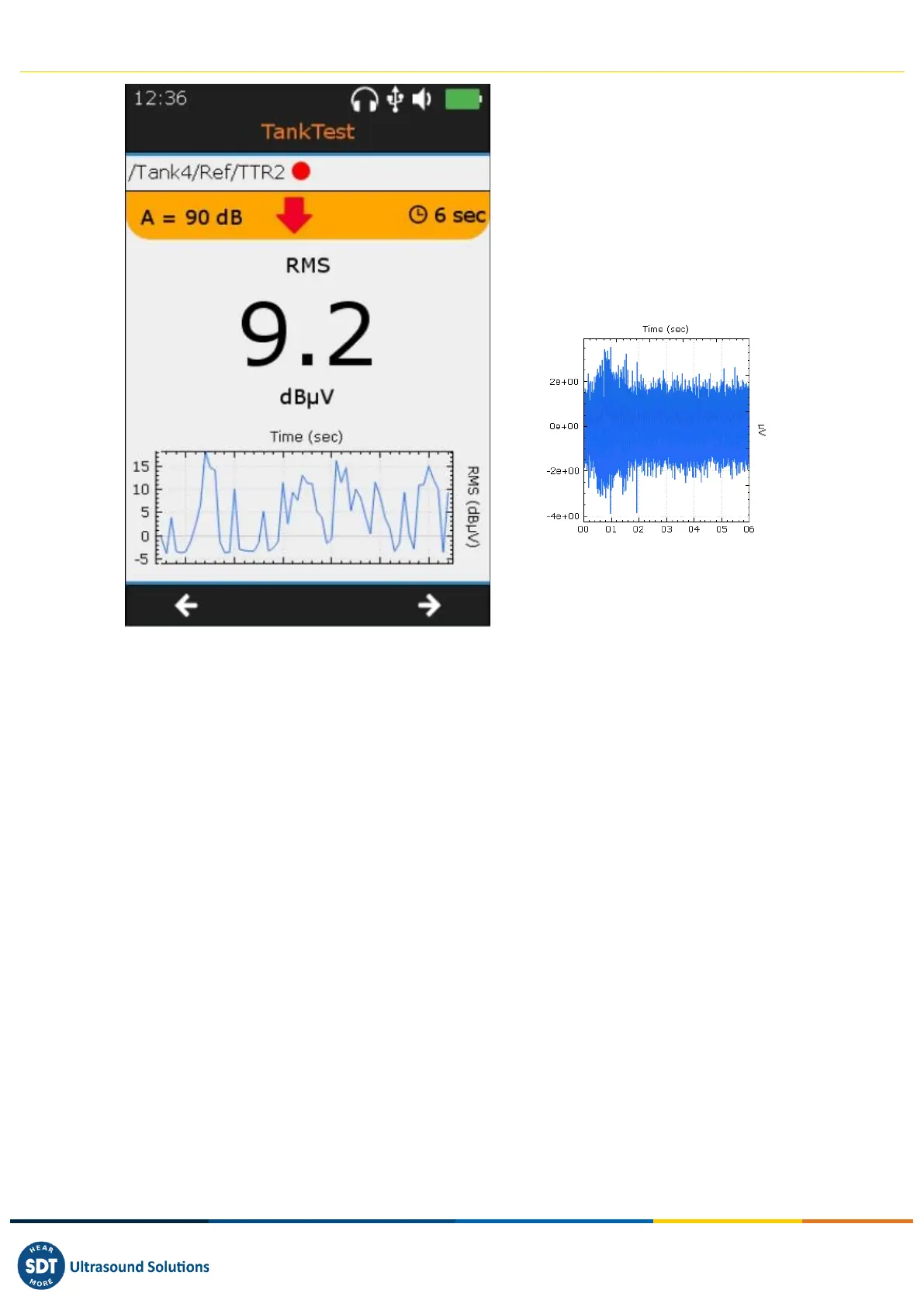
❶ Example of the taking of the reference
on the TTBR2 sensor •
❷ Summary screen. The measurement is
frozen on the screen after an acquisition.
Press the Enter key to validate the
acquisition or ignore the present
acquisition with the Esc key then restart a
collection with Enter.
❸ Switch to the signal display screen with
the F2 key
❹ Measured RMS trend
❺ Display of the 10 most important signal
samples with F1 (from the TIME screen)
❻ Switch to the red sensor (i.e. TTR2 •=
liquid phase) with F3
Once at least one reference measurement has been saved per sensor, the operator can access the
"continuity test" screen with the F3 key or repeat the acquisition of reference measurements.
The continuity test consists of applying a slight vacuum to the tank to be tested to ensure that the
entire system, including the pipes, is considered "closed". The ends must be properly sealed with
dedicated plugs. The operator can see the suction effect of the vacuum at each end. At the end of this
operation, release one end completely in order to restore the ambient pressure in the installation. At
the same time, make sure that this disturbance associated with a leak is recreated by the device, both
in the signal trend monitoring and in the audio.



 To Next Page