EasyManua.ls Logo

Seaside 9357 - System Setup and Safety Tests

Seaside 9357
43 pages
Print Icon
To Next Page IconTo Next Page
To Previous Page IconTo Previous Page
Loading...
28
1SYSTEM SETUP
T
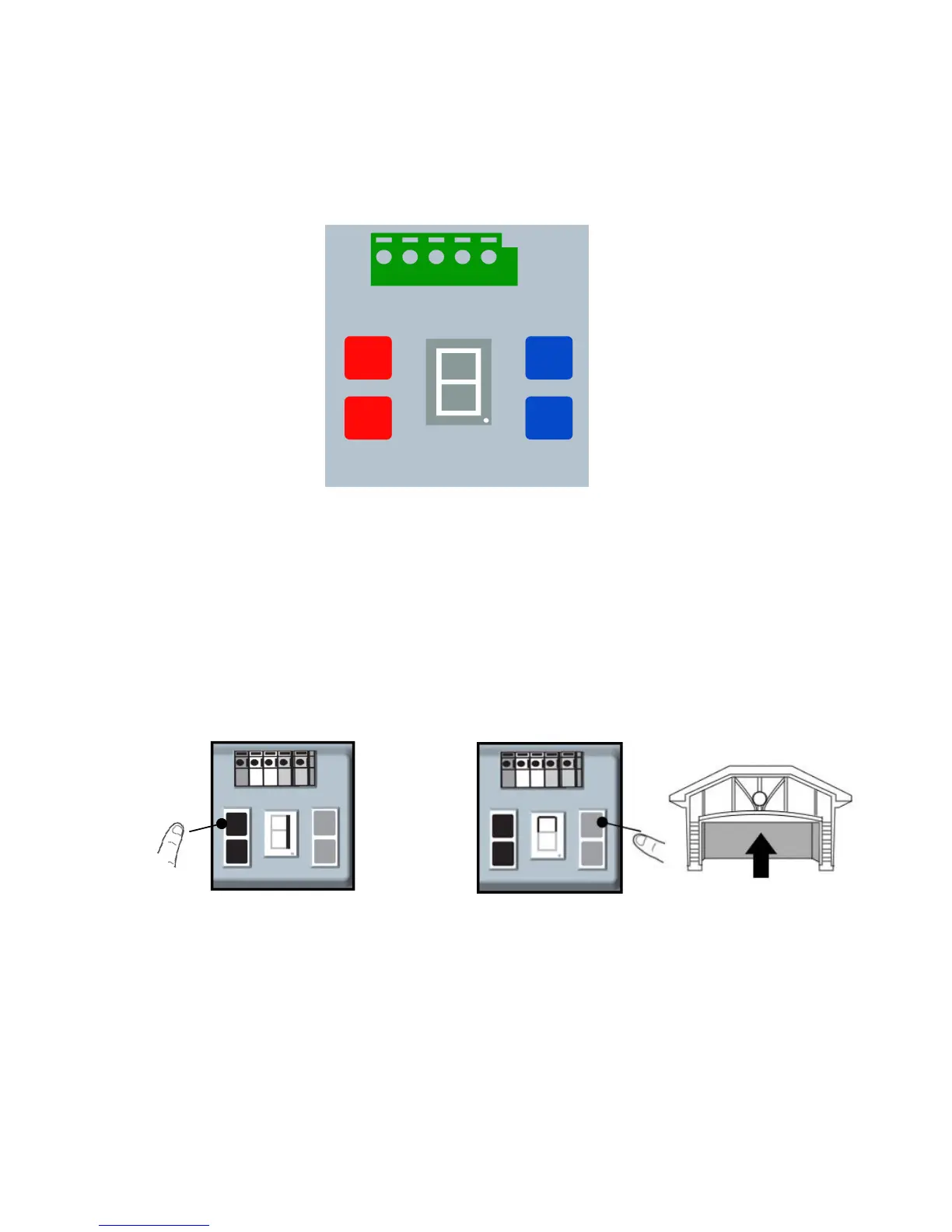
he Setting Panel is located on the left side of the garage door operator. To use the
setting panel, remove the left light cover.
Setting the Travel Limits
During the initial setting,adjustments,or testing, always make sure the doorway is
clear.

1.3 Use UP button and Down button to adjust until the desired open position is
found.
SETTING PANEL
1 2 3 4 5
SETTING BUTTON
CODE BUTTON
+
(UP BUTTON)
-(DOWN BUTTON)
THE SCREEN
1.1 Press and hold the SETTING
Button until the screen show 1”.
1.2 Press and hold the UP Button to bring
the door to the desired open position.

Other manuals for Seaside 9357

Related product manuals