35
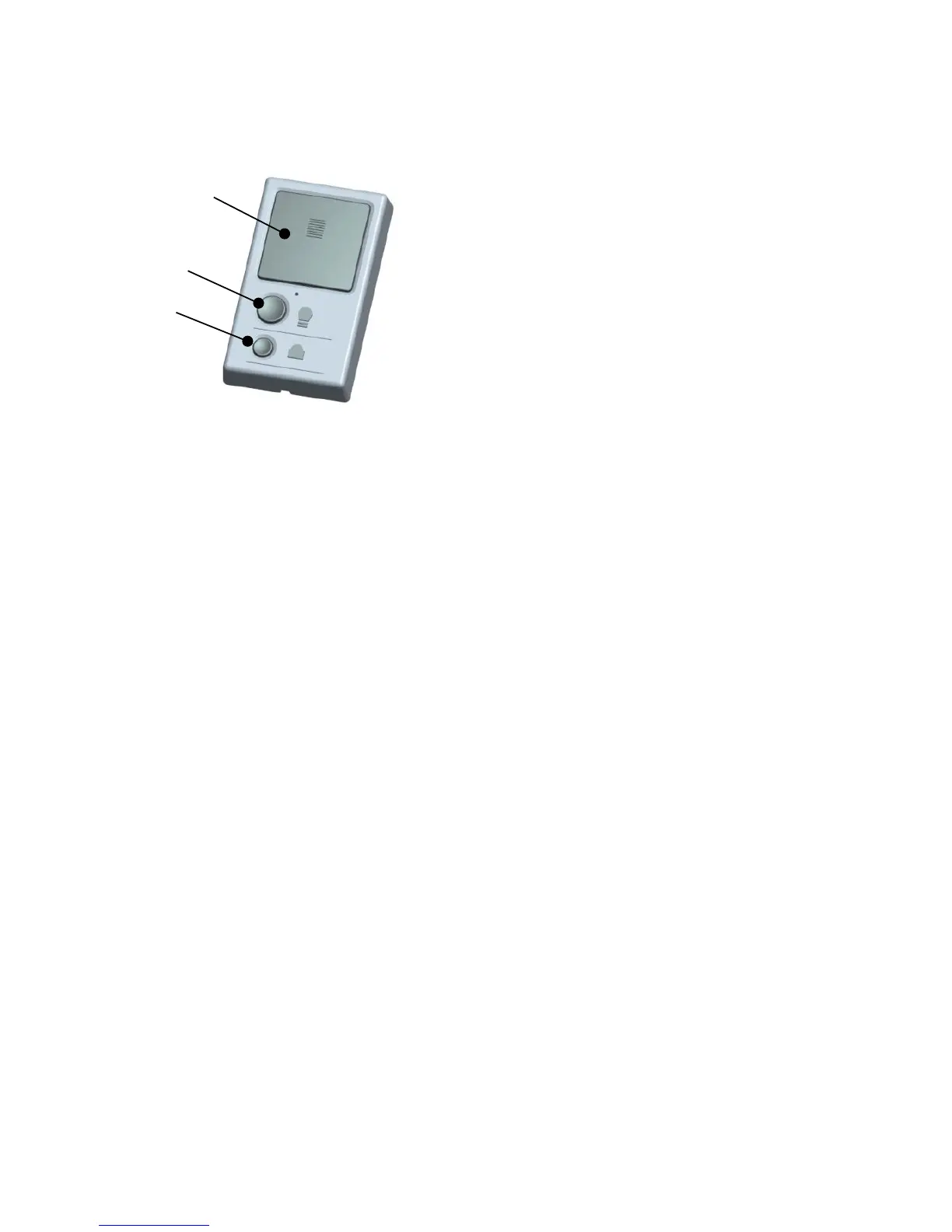
5、 WALL CONTROL
Note: If the door is fully open, and the reversing safety sensors are not installed or are
misaligned, the door will not close from a remote control. However, you can close the
door if you hold the push bar on the wall control until the door is fully closed. The
reversing safety sensors do not affect the opening cycle.
Open/Close Button
To open and close, press the open/close button
LIGHT BUTTON
To turn the garage door operator lights on or
off, use the light button. Once the lights are
on ,they will switch off after three minutes.
Lock button
Use the Lock button to disable the remote controls from opening or closing the
garage door.
1. Press and hold the Lock button until the LED is flashing. The garage door
will not be operated by remote controls.
2. Press and hold the Lock button until the LED stops flashing, the remote
controls will be able to control the garage door .


 To Next Page