24
13.2 Connect the photo eye Sensors to operator head
14. Connect the operator to power
1. Draw a line from the floor, no more than 6 inch(15cm).
2. Locate the mounting bracket against the wall as figure, and mark the mounting
points, with sensor holder facing each other from left to the right of the door.
3. Fasten the mounting bracket to the wall using lag screws.
4. Run the wire from the sending sensor and receiving sensor to the operator head.
5. Use insulated staple to fasten wires to the wall and ceiling.
6. Make sure the beam passage is clear.
To prevent electrocution or fire, installation and wiring must comply with all
local electrical and building codes.
· Please make sure power is NOT connected to the operator.
· Make sure the operator is grounded, do not modify the plug.
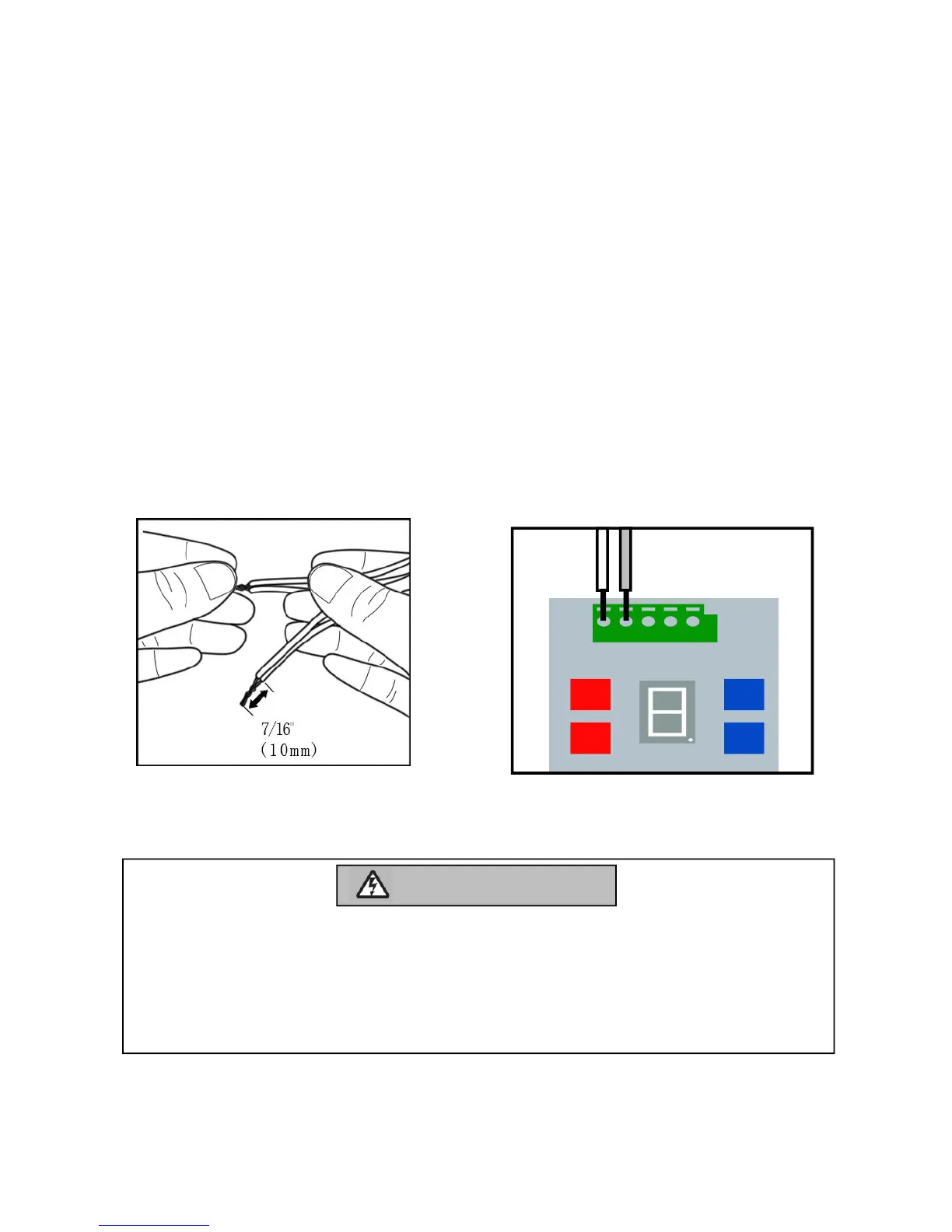
a. Strip back 10mm of ends of
sensor wires . Split the wires.
Twist the white wires together.
Twist the white/red wires together.
b. Insert the white wires into the
#1 terminal on the garage door
operator. Insert the white/red
wires into the #2 terminal on
the garage door operator.


 To Next Page