64 •
4. OVERVIEW
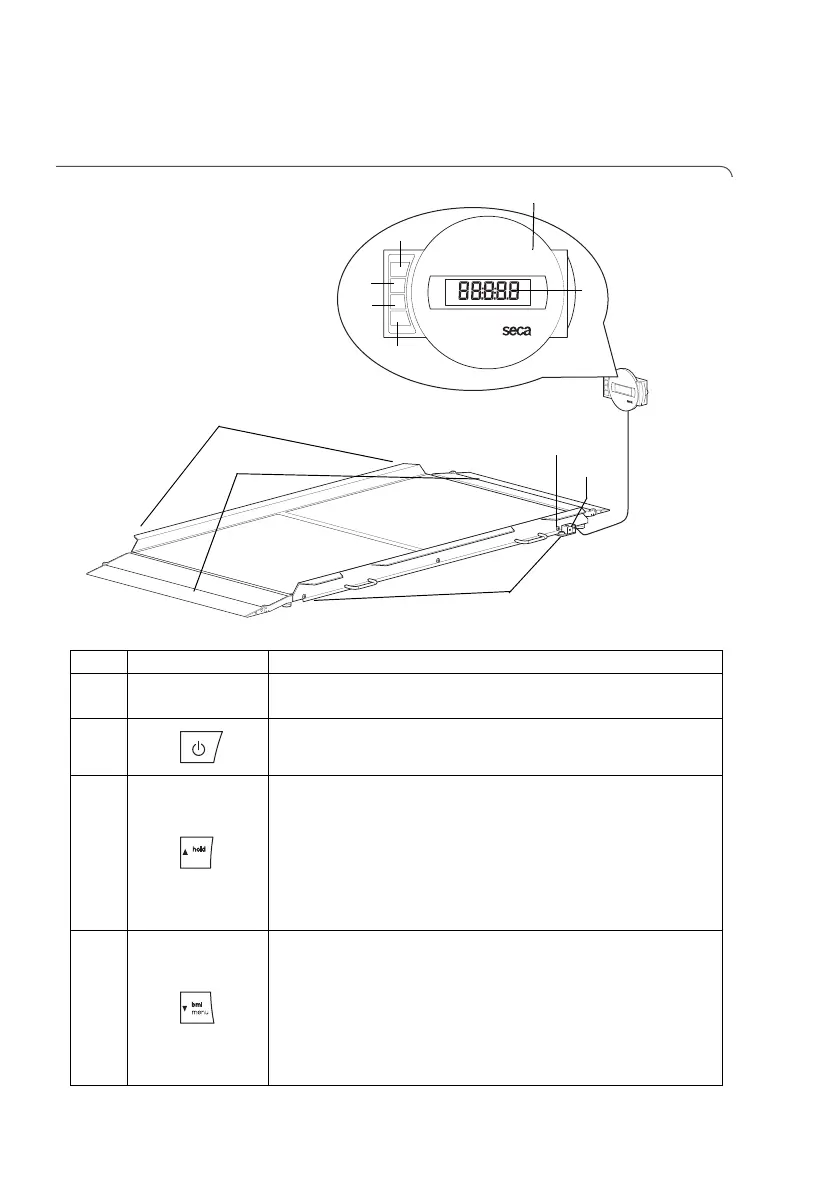
4.1 Controls
No. Control Function
1
Display housing
• Central control and display element
• Can be set up on a work surface or fitted to a wall
2
Switch scale on and off
3
Arrow key
• During weighing:
- press briefly: activate hold function
- press and hold: activate tare function
•In the menu:
- select submenu, select menu item
- increase value
4
Arrow key
• During weighing:
- press briefly: activate BMI function
- press and hold: call up menu
•In the menu:
- select submenu, select menu item
- reduce value



 To Next Page