70 •
ATTENTION!
Incorrect measurement due to force shunts
If the cable of the display housing contacts the
weighing platform, the patient's weight cannot
be measured correctly.
– Route the cable in such a way that it cannot
contact the weighing platform.
3. Set up the display housing on a work surface.
5.3 Making display housing ready for use (wall-mounted
display)
ATTENTION!
Damage to device
The angle adapter cannot be removed once
fitted.
– Ensure before fitting that the display housing
is to be wall-mounted.
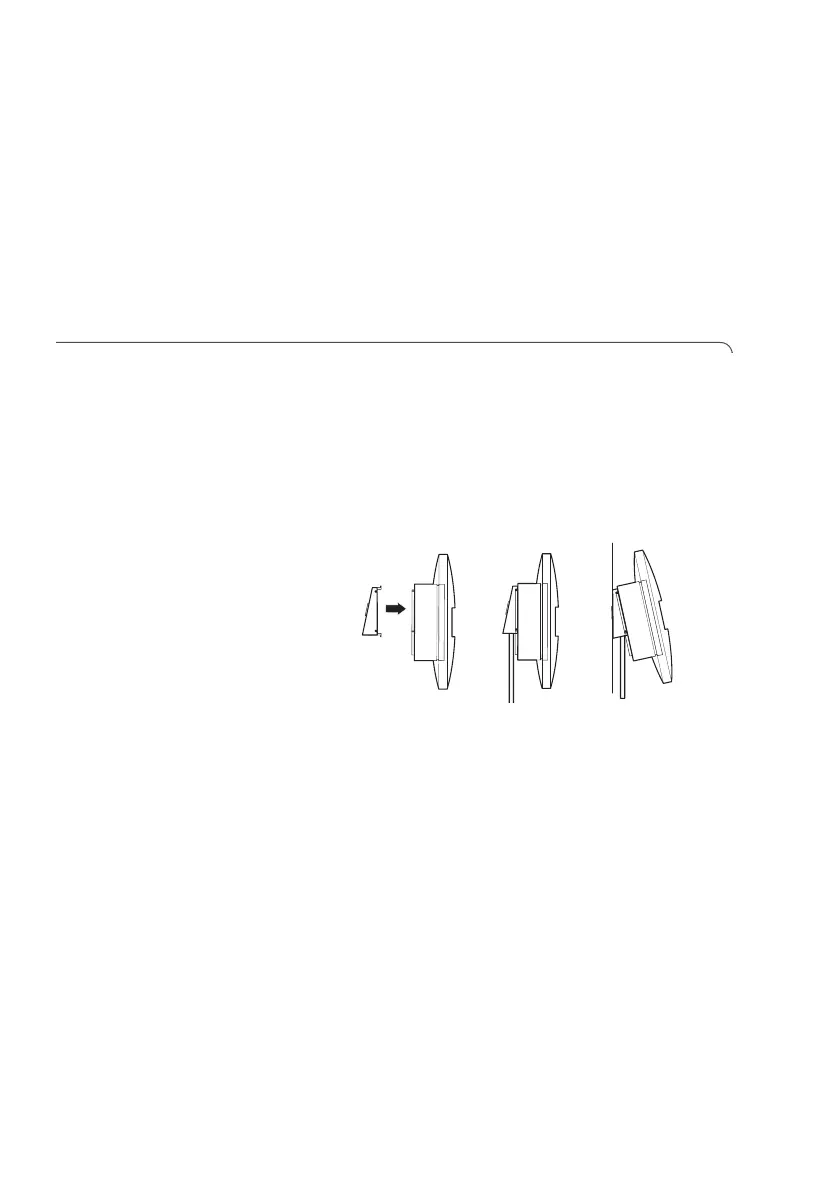
Fitting the angle
adapter
1. Hold the angle adapter against the display housing
in the position shown.
2. Ensure that the connecting cable is running in the
guide groove of the angle adapter.
3. Push the angle adapter onto the display housing
until all four lugs engage audibly.



 To Next Page