Overview • 65
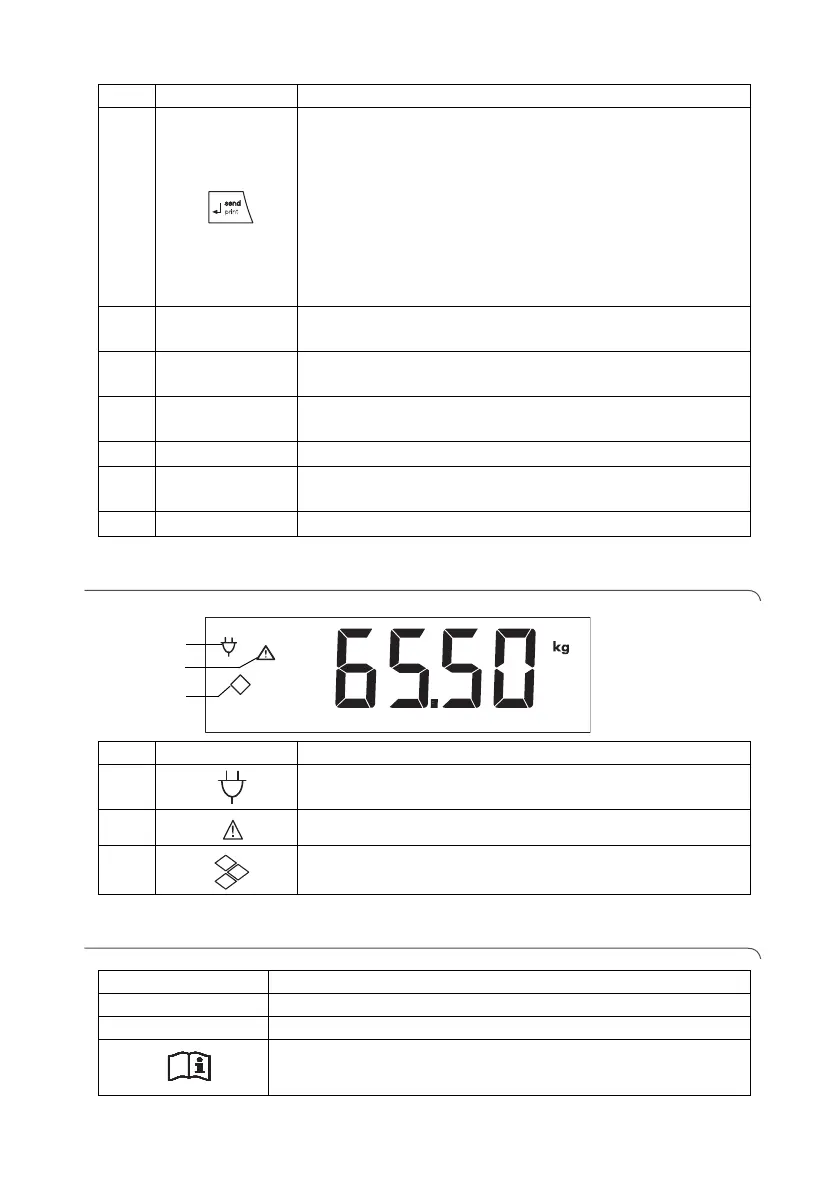
4.2 Symbols in the display
4.3 Marking on the device and on the rating plate
5
Enter key
• During weighing (if wireless network is set up):
- press briefly: send measuring result to devices ready
to receive it (PC with USB wireless adapter)
- press and hold: print out measuring result (wireless
printer)
• In the menu:
- confirm selected menu item
- save set value
6
Display
Display element for measuring results and to configure
the device
7
Transport
casters
The scale can be moved on these casters.
8
Ramps
• Can be folded up
• Make it easier to access the scales with a wheelchair
9
Spirit level Shows whether the device is horizontal
10
Power supply
connection
Serves to connect the power pack supplied
11
Foot screw 4 pcs, for precise alignment
No. Control Function
2
Symbol Meaning
A
Operation with power pack
B
Non-calibratable function active
C
Memory location currently in use
2
1
3
Text/symbol Meaning
Model Model number
Ser. no. Serial number
Follow instructions for use



 To Next Page