16 •
17-10-07-651-100a/07-2019S
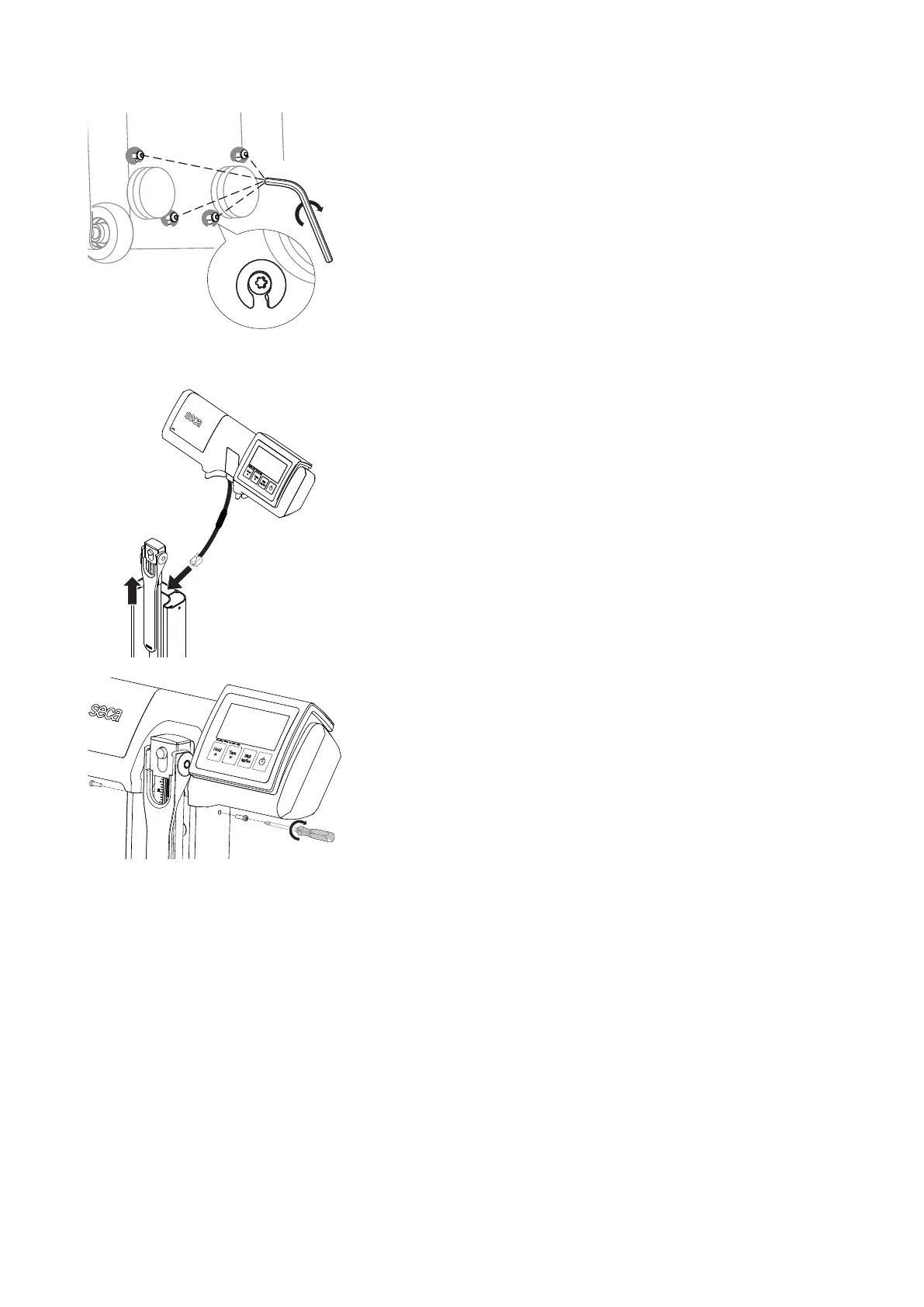
5. Tighten the screws using the T20 hex key supplied (recommended tight-
ening torque: 3 Nm).
6. Set the measuring station in an upright position.
Fitting the display head Proceed as follows to fit the display head to the column.
1. Extend the upper telescopic element of the measuring rod approx.
10 cm.
2. Guide the connecting cable of the display head through the center
channel of the column as far as the lower part of the device.
3. Put the display head on the column.
4. Push the upper telescopic element into its lowest position.
5. Place one cross-head screw in each of the two side bores of the column.
6. Tighten the cross-head screws.
7. Place the measuring station on the floor with the display unit facing
upward.



 To Next Page