Operation • 25
English
17-10-07-651-100a/07-2019S
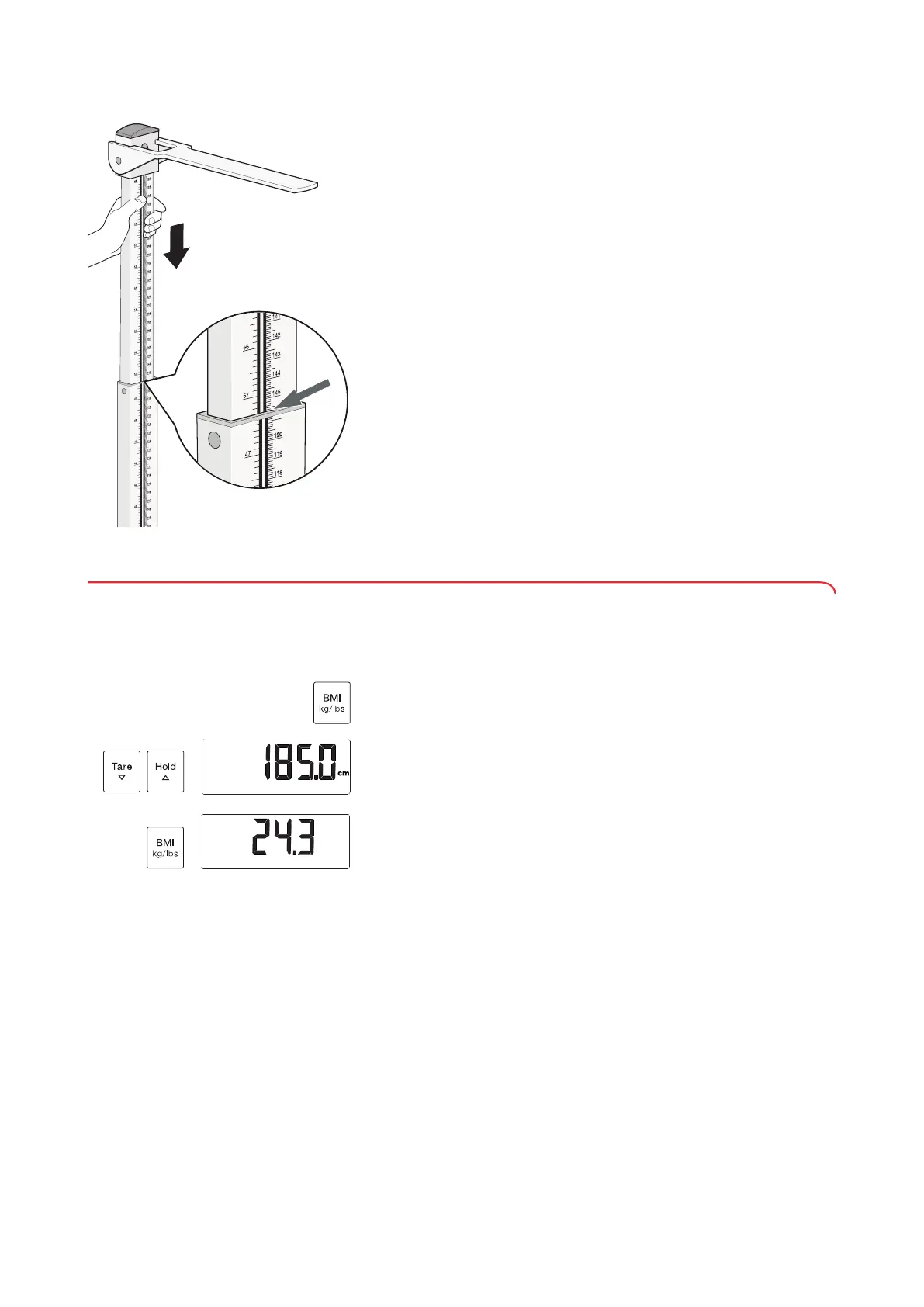
4. Push the upper telescopic element down until the measuring flap is in
contact with the patient's head.
5. Read off the measuring result on the lower telescopic element (read-off
edge 2) (in this case: 145.7 cm).
You have the following options for continuing:
► Make a note of the measuring result
► Enter the measuring result on the display unit (➔ “Calculating and
displaying body mass index (BMI)”, page 25)
6. Ask the patient to step off the weighing platform.
7. Push the upper telescopic element into its lowest position.
8. Fold down the measuring flap.
5.5 Calculating and displaying body mass index (BMI)
Body mass index puts height and weight in a relationship to one another.
1. Determine the patient’s weight value (➔ “Measuring weight”, page 22).
2. Determine the patient’s height value (➔ “Measuring height”, page 23).
3. Press the
BMI kg/lbs key briefly.
The last height entered in cm and
BMI are displayed.
4. Use the
Tare and Hold keys to enter the height value in centimeters.
5. Press the
BMI kg/lbs key briefly.
BMI is calculated and displayed automatically.
6. Press the
BMI kg/lbs key briefly.
The display returns to the weight value.
.
BMI



 To Next Page