Universal Radiographic System
Service Manual
SM-0524R4
16
4.2.1 SWIVEL ARM BALANCE IN HORIZONTAL POSITION
1. T urn the unit ON. Place the Swivel Arm in horizontal position and open
SID at maximum meters.
2. Press the “Rotation” button and check that the Swivel Arm is balanced,
that is, the Swivel Arm should not tilt in any direction without force applied
at any point.
If the Swivel Arm is correctly balanced, check the next section. If not,
perform the following steps:
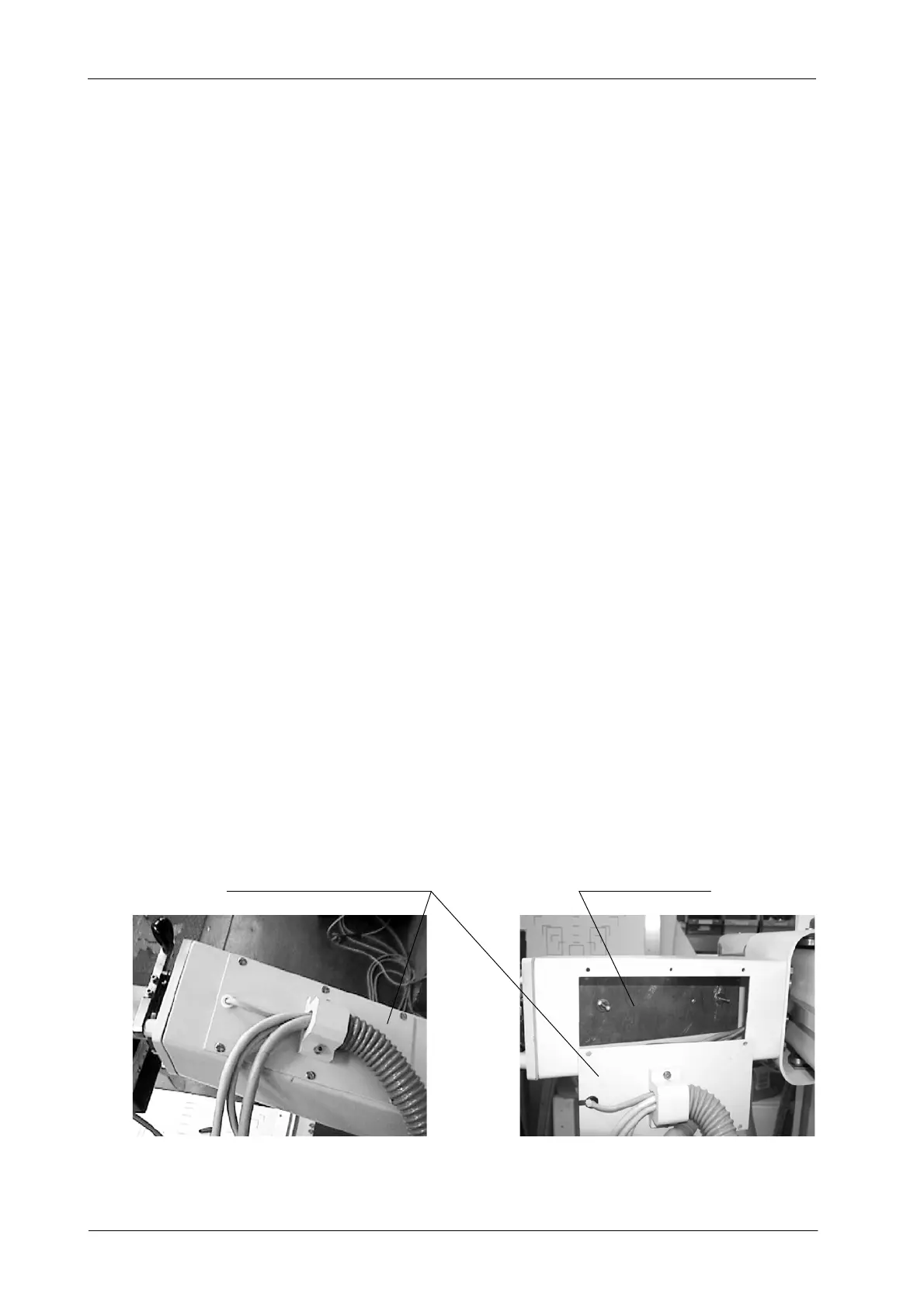
a. Remove the Top Cover of the T ube-Collimator Assembly Support.
b. Install or remove the Counterweight Plates required to balance the
Swivel Arm, so that the Tube-Collimator Assembly end weights
the same than the Bucky Assembly end. Re-install the Top Cover.
c. If all Counterweight Plates are removed and it is required to
increase the weight of the Bucky Assembly end, install additional
Counterweights inside or outside of the Bucky Assembly as closer
as possible to the Bucky Axis.
Illustration 4 -1
Counterweights Housing
TOP COVER OF THE ASSEMBLY SUPPORT COUNTERWEIGHT PLATES



 To Next Page