LAMPS AND LIGHTING
13
93
4
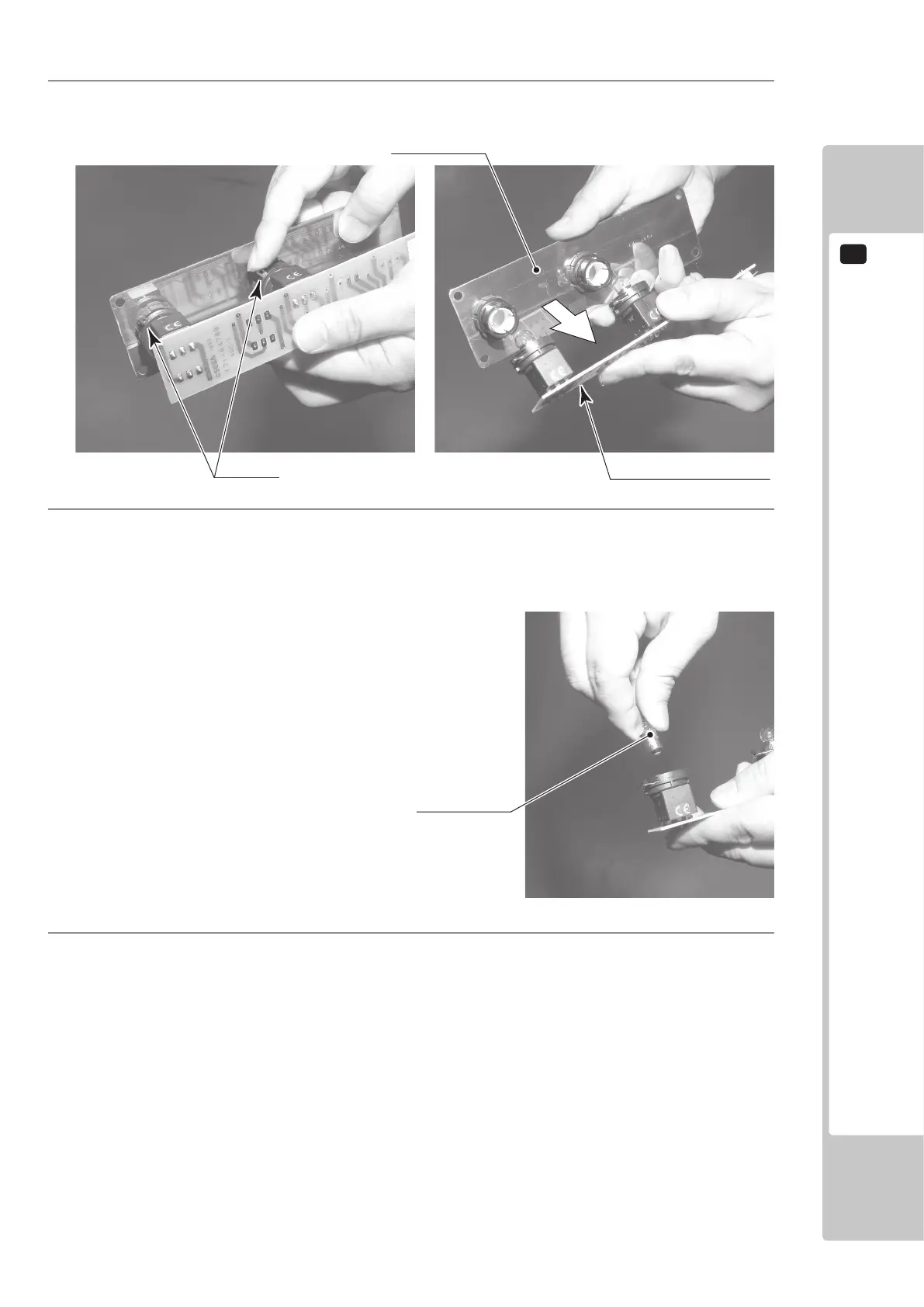
There is a metal tting at the base of the buttons on the Button Plate. Rotate this metal tting to unlock it,
then remove the printed circuit board from the Button Plate.
5
Press and turn the lamp counter-clockwise to remove it.
Unlock.
PRINTED CIRCUIT BOARD
BUTTON PLATE
START LAMP 12V 2W (Pt No LT1060)
VIEW LAMP 12V 2W (Pt No LT1060)
CREDIT LAMP 12V 1.2W (Pt No LT1061)
6
Replace the bulb with one matching the specication stated , then reassemble the Unit in the reverse order
and ret the Button Unit to the control Panel.













 To Next Page