GRAPHICS DISPLAY
71
11
11-3ADJUSTMENTMETHOD
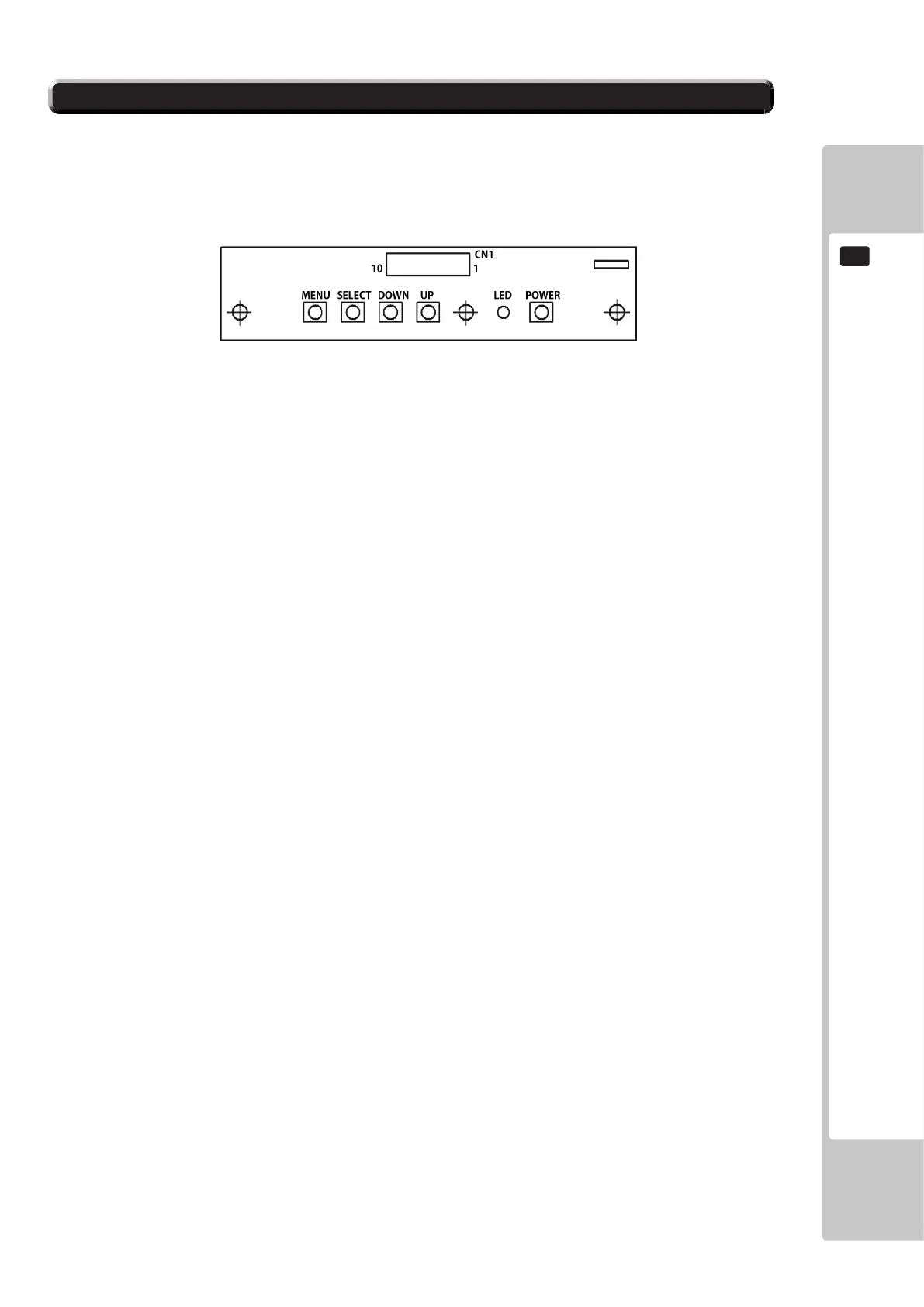
Button Names and Functions
MENU: Turn the Picture Menu display ON and OFF.
SELECT: Gains entry to the Item selected in the menu. (Highlights in Yellow when selected)
Exits the Item adustment. Any changes made during this
operation are actioned.
DOWN: Moves the cursor (Black Bar) down to select a menu item.
Decrease the value of, or change, a selected menu item.
UP: Move the cursor (Black Bar) up to select a menu item.
Increase the value of, or change, a selected menu item.
LED: LED illuminates green: Monitor is operating.
LEDashesred:Powerisoff.
POWER: Turns the LCD Display ON and OFF. (Usually, it’s not necessary to operate.)
11-3 Fig. 03













 To Next Page