EXPLANATION OF TEST AND DATA DISPLAY
51
9
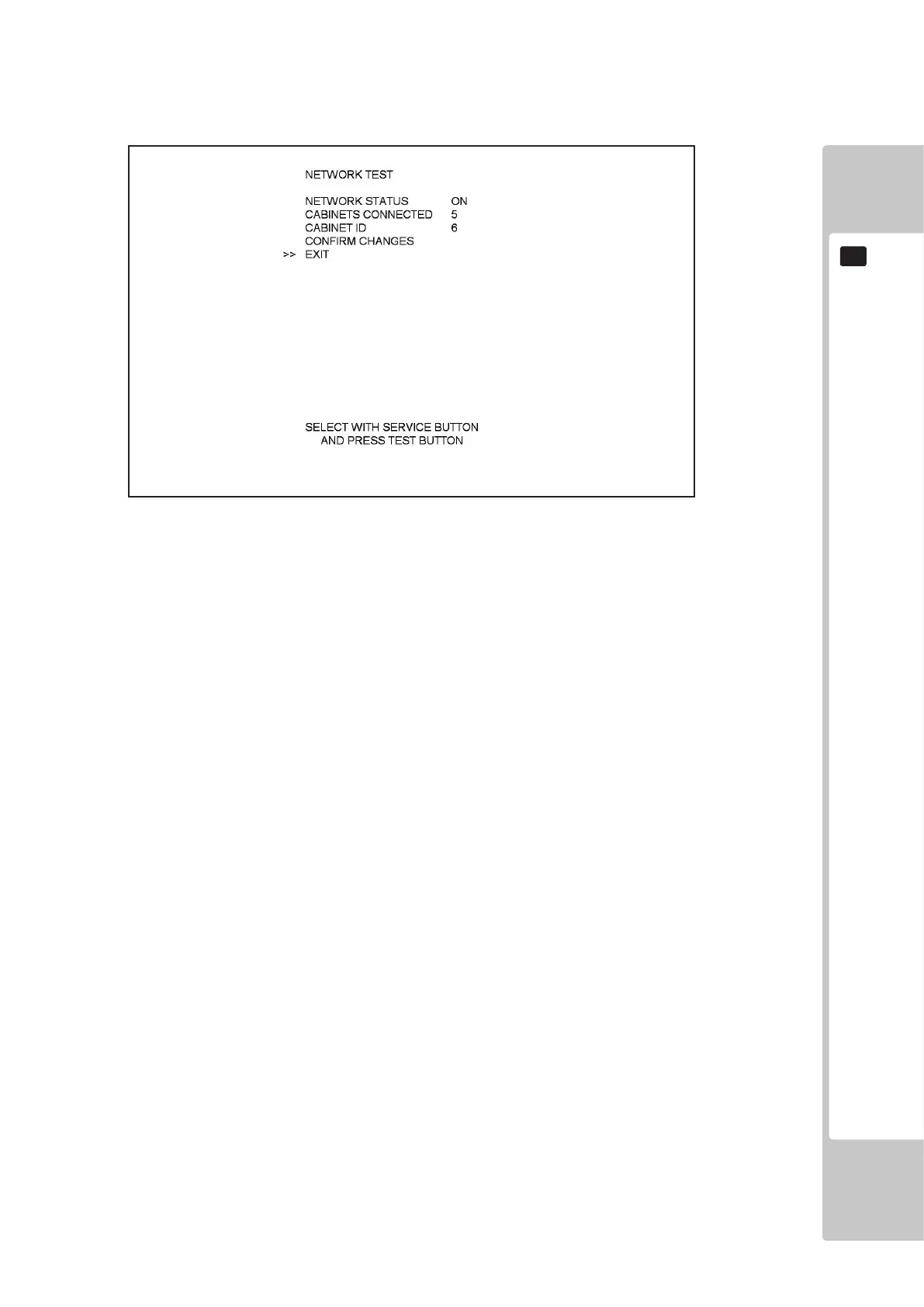
9-2-8 NETWORK TEST
Select ‘Network Test’ from the Test Menu to display the Network Test menu.
This test is used to check the Network link between cabinets (if connected).
Use the SERVICE button to move the cursor to the desired test item.
Press the TEST button to enter the selected item.
NETWORK STATUS: ON if network hardware is OK. FAILED if network hardware is faulty.
CABINETS CONNECTED: The number of cabinets connected EXCLUDING the current one. (So if
two cabinets are linked, this will show 1 cabinet connected).
CABINET ID: ID Cabinet from 1 to 6. If this value is changed, the user must use
CONFIRM CHANGES below in order to conrm the new ID of the
cabinet.
CONFIRM CHANGES: The user will be prompted to press the TEST button again to conrm.
If the user presses the TEST button again, the action is conrmed and
the PC will reset. If the user presses the SERVICE button, the action is
aborted and settings are discarded.
EXIT: Exit to the Test Menu.
Move the cursor to EXIT and press the TEST button to return to the Test Menu screen.
9-2-8 FIG. 01













 To Next Page