CONTROL UNIT
63
10
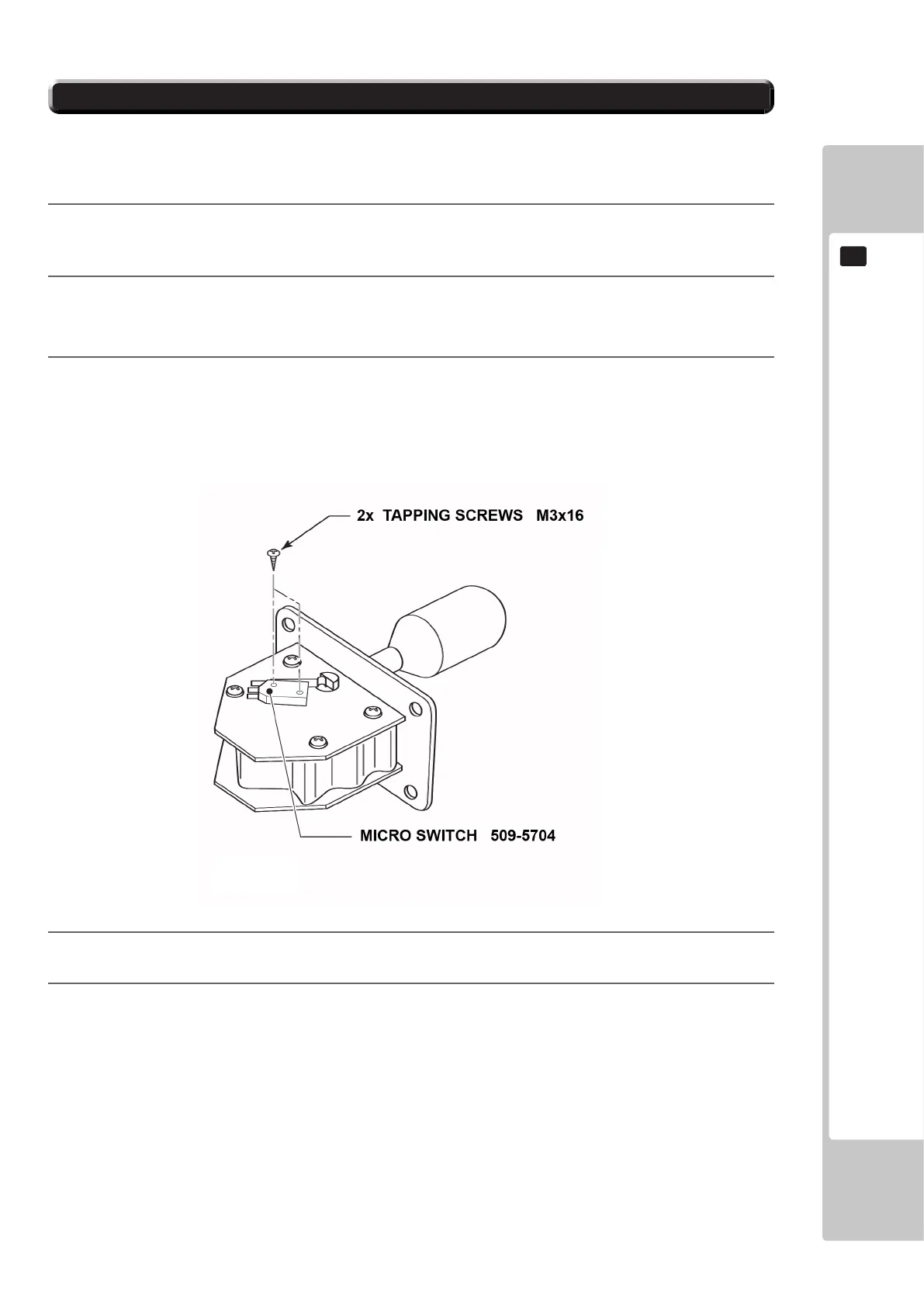
Follow the instructions below to change the microswitch.
10-2-2 SHIFT SWITCH REPLACEMENT
1
Unscrew and remove the M3x16 Self Tapping Screws which secure the microswitch to the Gear Shift base.
2
Remove the microswitch
3
Remove the wiring harness from the old microswitch and re-attacj it to the replacement switch in the same
manner
4
Using the M3x16 Self Tapping Screws, ret the replacement microswitch to the Gear Shift base.
5
The unit is now ready to be retted into the Control Panel, to do this follow the instructions in reverse order













 To Next Page