Installation Instructions TM50/TM80 - MO911/1V0
Page 15
Programming
Adjusting the Lighting Duration
Automatic Closing
Further Safety Advice for Automatic Closing
Once the user gets into the car, he might not recognize the operators‘ integrated blinking light before the automatic closing
starts� This may be down to light conditions or the cars‘ roof� Therefore it is strongly recommended to install an external
warning-light which is visible from inside the car�
This is similar for users approaching the garage; dependant on light conditions the blinking integrated lighting might not be
recognized in time� Therefore a further warning-light should be installed outside the garage in order to maximize the safety
in use�
The integrated lighting will be switched on with every incoming command� The adjusted time will run from the moment the
command was received�
Factory pre-set the light will stay on for 3 minutes� This time may be changed in steps of 10 seconds up to a total of
10 minutes�
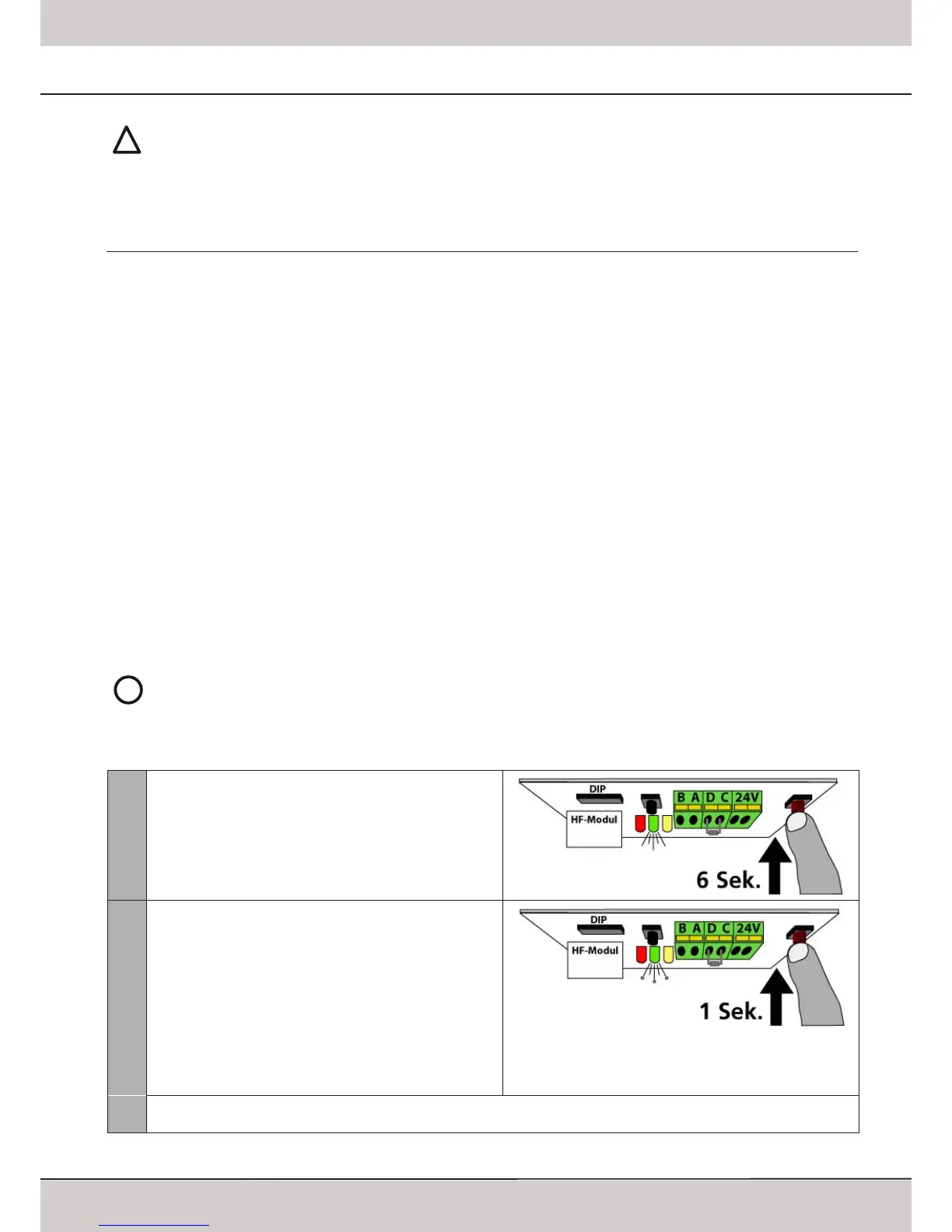
To change the time proceede as follows:
1
Keep the red LEARN-button pressed for 6 seconds�
Release the button once the green LED comes on�
2
Press the red LEARN-button once again shortly�
The green LED now starts blinking: each blink stands for 10
seconds of lighting duration�
6 blinks = 1 minute
12 blinks = 2 minutes
18 blinks = 3 minutes
24 blinks = 4 minutes
30 blinks = 5 minutes
����
100 blinks = 10 minutes
3
Press the red LEARN-button shortly once the require time is reached� The green LED stops blinking and the new
duration for the integrated lighting has been stored�
www.thegaragedoorcentre.co.uk
www.thegaragedoorcentre.co.uk
www.thegaragedoorcentre.co.uk
www.thegaragedoorcentre.co.uk



 To Next Page