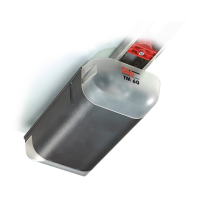
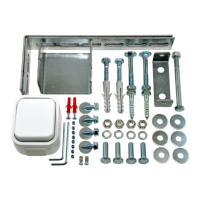
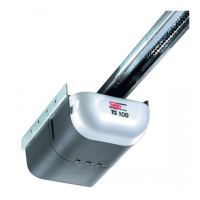
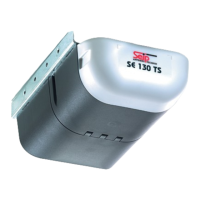
Installation Instructions TM50/TM80 - MO911/1V0
Page 2
Content
Quick Reference for experienced Installers ���������������������3
Information and Remarks
Regulations and Usage ��������������������������������������������������4
Directives and Regulations
Use of the operators
Garage Doors
The installers declaration of conformity
Older Garage Doors
Instruction for the users
Safety Advises for the Installation ����������������������������������5
Installation
Conditions for Installation ����������������������������������������������6
Minimum Headroom
Door Hight
Door Arm Extension
Dimensions
Pre-Mounting ����������������������������������������������������������������6
Installation ���������������������������������������������������������������������7
Installation
Adjusting the Limit Blocks ����������������������������������������������8
The Emergency Release �������������������������������������������������9
When the garage door is the only entrance
When there is a second entrance to the garage
Printed Circuit Board: Adjustments and Connectors
Control Elements ���������������������������������������������������������10
Connectors ������������������������������������������������������������������11
Push Button
Photo Cell / Hatch Door Contact
Printed Circuit Board: Adjustments and Connectors
Standard Programming ������������������������������������������������12
Programming Forces and Running Distance
Choosing the type of door
Programming Remote Components
Free Programming �������������������������������������������������������13
Setting the speeds
Setting the opening speed
Changing the length of Soft Stop
Automatic Closing �������������������������������������������������������14
Setting the time
Pre-Warning by internal lighting
Connecting a Photo-Cell
Performance of Control Devices
Avoiding automatic closing temporarily
Further Safety Advice for Automatic Closing
Adjusting the Lighting Duration �����������������������������������15
Remote Control
Registering and deleting Remote Devices ���������������������������������16
Starting the Registry
Registering a Device
HomeLink™
Erasing Remote Devices
General Remarks ���������������������������������������������������������������������17
Useable Batteries
Changing the transmitters‘ battery
Changing the wall push-buttons‘ battery
Synchronisation of the Rolling Code
Technical Information
Technical Data �������������������������������������������������������������������������18
Wiring Diagram �����������������������������������������������������������������������18
Internal Wiring
External connections
Devices for adjustments
Others
Troubleshooting �����������������������������������������������������������������������19
Error Messages
Messages by blinking integrated lighting
Additional messages from the LED „Diag“ only
If... then...
Declarations
EC-Declaration of Conformity ��������������������������������������������������20



 To Next Page