174
K600000000SE 030804 011018
16.8 Replacing the printer paper
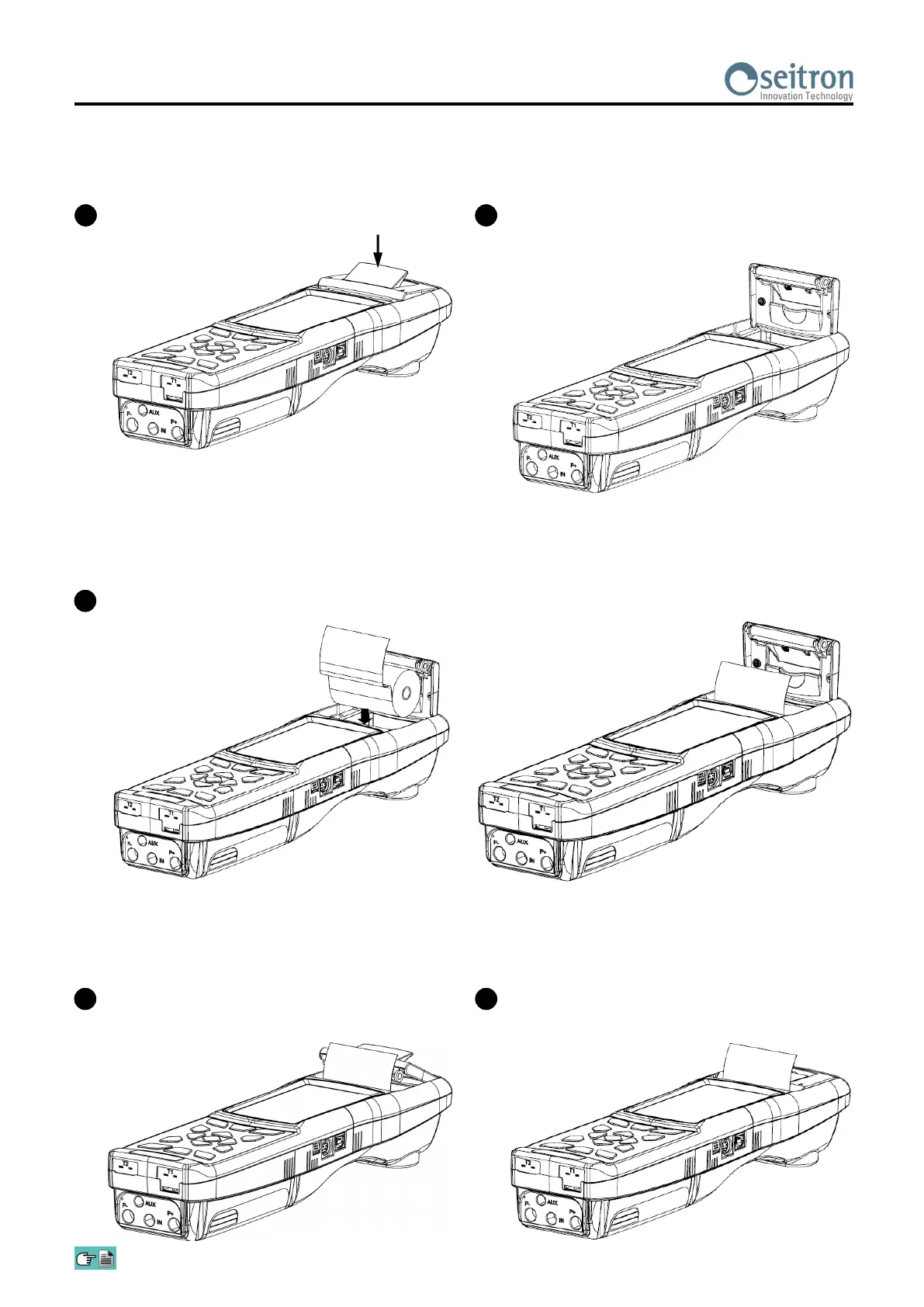
Follow these instructions to change the paper roll in the printer.
4
Close the whole block of the lid of the printer,
pressing it lightly so as to hook it on to the device.
5
At this point it is possible to use the printer. See
the parameter "Print".
1
Lift the shiny tile, indicated by the arrow.
2
Lift the whole block of the lid completely.
3
Insert the roll of printing paper as shown in the following figures.


 To Next Page