34
K600000000SE 030804 011018
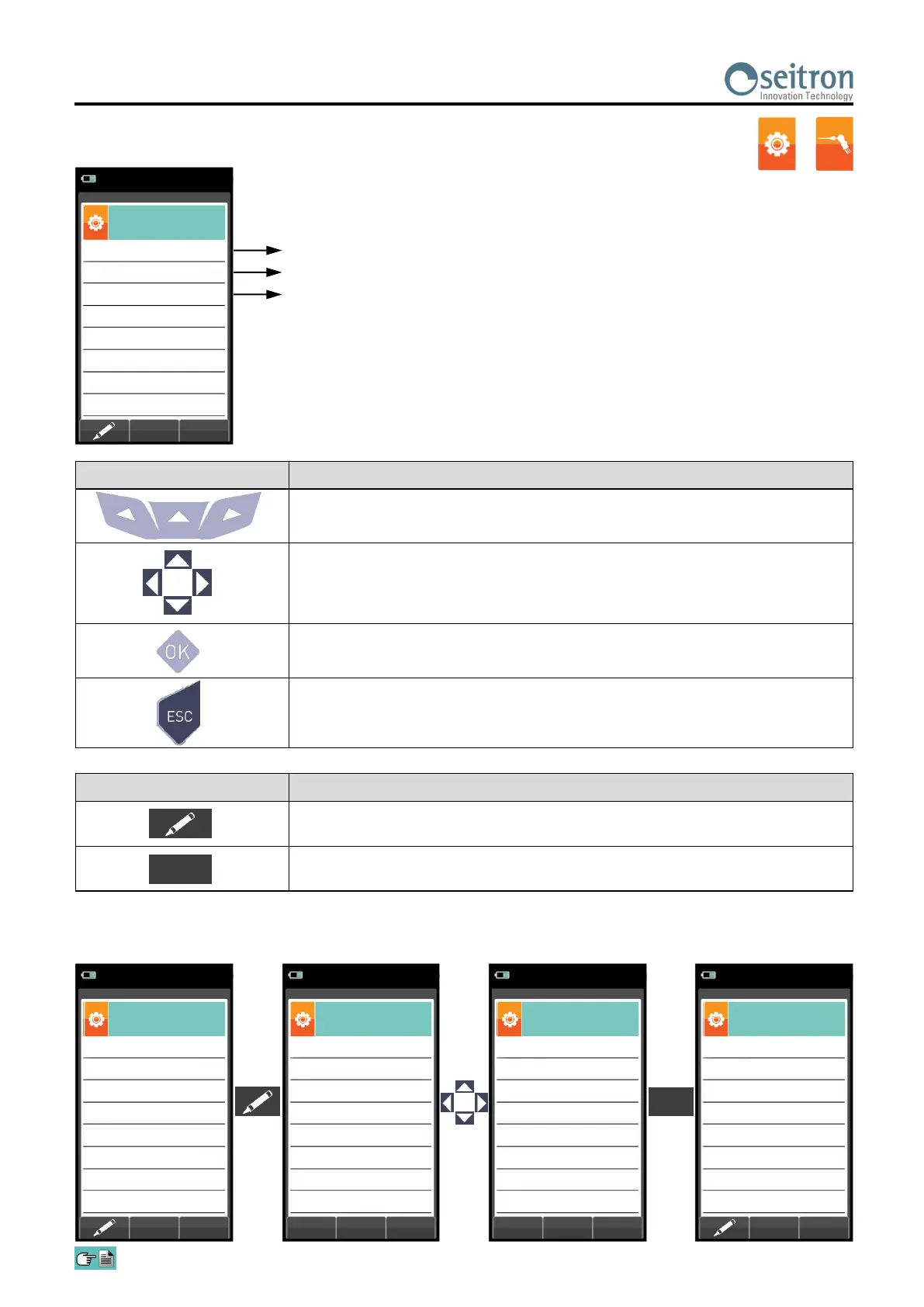
10.2.3 Configuration→Analysis→Reference O
2
CONTEXT KEY FUNCTION
Enters the modify menu for the selected parameter.
Confirms the modification.
OK
Percentage of Oxygen in CO measurement
Percentage of Oxygen in NO
X
measurement
Example:
Percentage of Oxygen in SO
2
measurement
KEY FUNCTION
Activate the context keys shown on the display.
Keys '▲' and '▼' select any line shown on the display (the selected line is
displayed in red).
When in modify mode, sets the desired value.
Enters the modify mode for the selected parameter, then confirms the
modification.
When pressed in modify mode cancels the selection made, otherwise
returns to the previous screen.
OK
→
SO
2
%
0.0
NO
X
%
0.0
CO
%
0.0
Configuration
O
2
reference
15/01/14
10:00
SO
2
%
0.0
NO
X
%
0.0
CO
%
0.0
Configuration
O
2
reference
15/01/14
10:00
SO
2
%
0.0
NO
X
%
0.0
CO
%
0.0
Configuration
O
2
reference
15/01/14
10:00
OK
SO
2
%
0.0
NO
X
%
0.0
CO
%
1.0
Configuration
O
2
reference
15/01/14
10:00
OK
SO
2
%
0.0
NO
X
%
0.0
CO
%
1.0
Configuration
O
2
reference
15/01/14
10:00



 To Next Page