54
K600000000SE 030804 011018
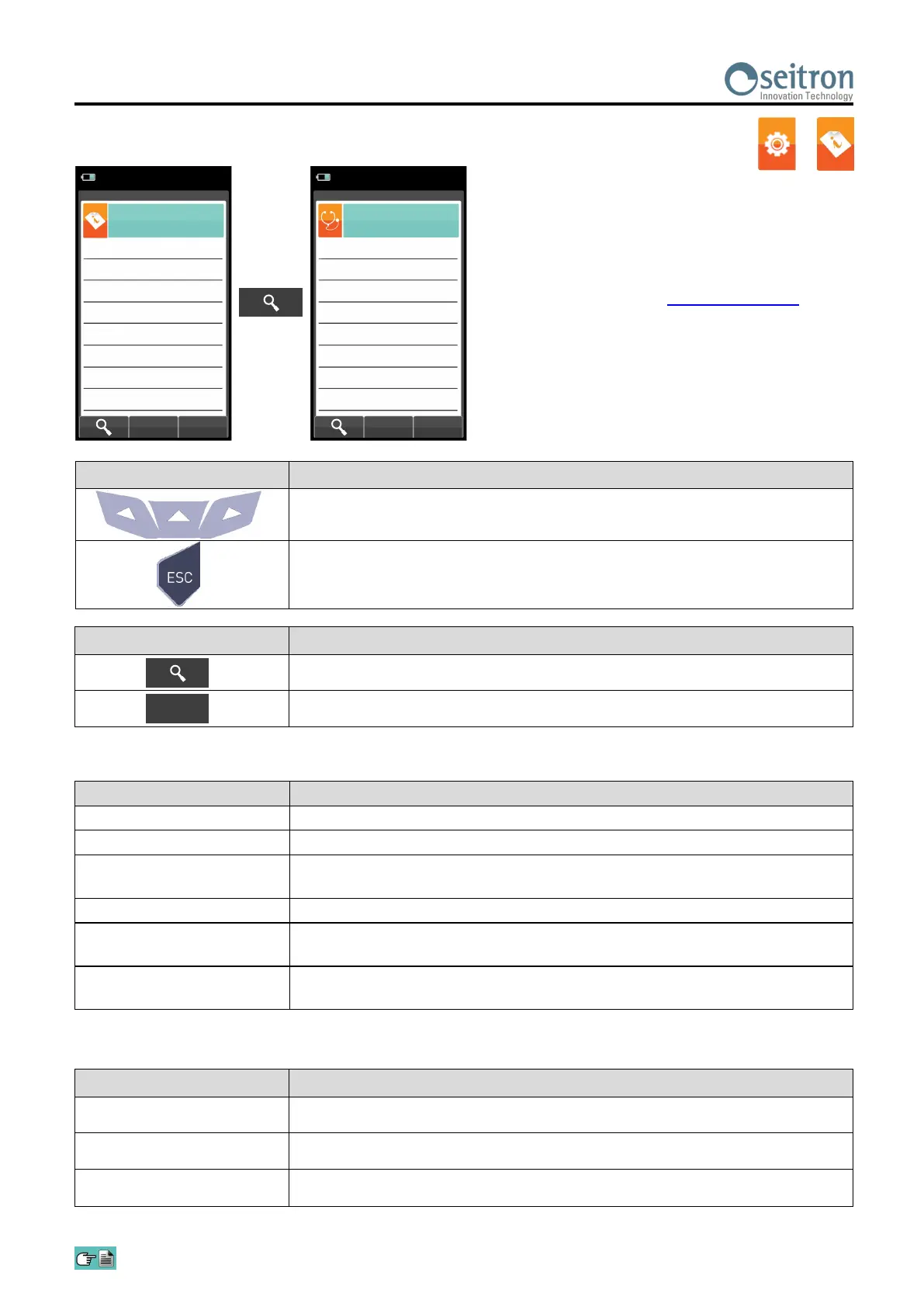
10.6.2 Configuration→Information→Sensor
→
CONTEXT KEY FUNCTION
Displays the details of the main features of the sensors installed.
Returns to the previous screen.
Esc
KEY FUNCTION
Activate the context keys shown on the display.
Returns to the previous screen.
For further information, see section 10.7.1.
Information
Sensors
S4: NO
2
OK
S3: NO OK
S2: CO OK
S1: O
2
OK
04/03/16
10:00
S5: SO
2
OK
S6: H
2
S OK
Diagnostic
Sensors
S4: NO
2
OK
S3: NO OK
S2: CO OK
S1: O
2
OK
04/03/16
10:00
S5: SO
2
OK
S6: H
2
S OK
Error messages displayed:
MESSAGE DESCRIPTION
Cal err Calibration error.
Data err Sensor not recognized.
No cal Sensor not calibrated.
This screen displays, for each position, the following messages:
MESSAGE DESCRIPTION
OK Sensor configured OK (normal operation).
----- Sensor is not communicating or has been removed.
The name of the detected
gas is flashing
New sensor detected.
Pos err Detected sensor in wrong position.
Volt err Detected voltage is out of the normal operating range; repeat the autozero.
Curr err Detected current is out of the normal operating range; repeat the autozero.


 To Next Page