Description of keys (WF110)
* Encoder E1:
confirms selection of the program displayed, obtained by rotating the encoder.
* Key K2: selection of welding process.
MIG Short/Spray MIG Pulsed (WF 110)
MMA ARC-AIR
TIG Lift
The following table summarises numbering of the synergic curves available on WF 110:
The following table summarises numbering of the synergic curves available on WF 111:
1.3.3 Quick menu
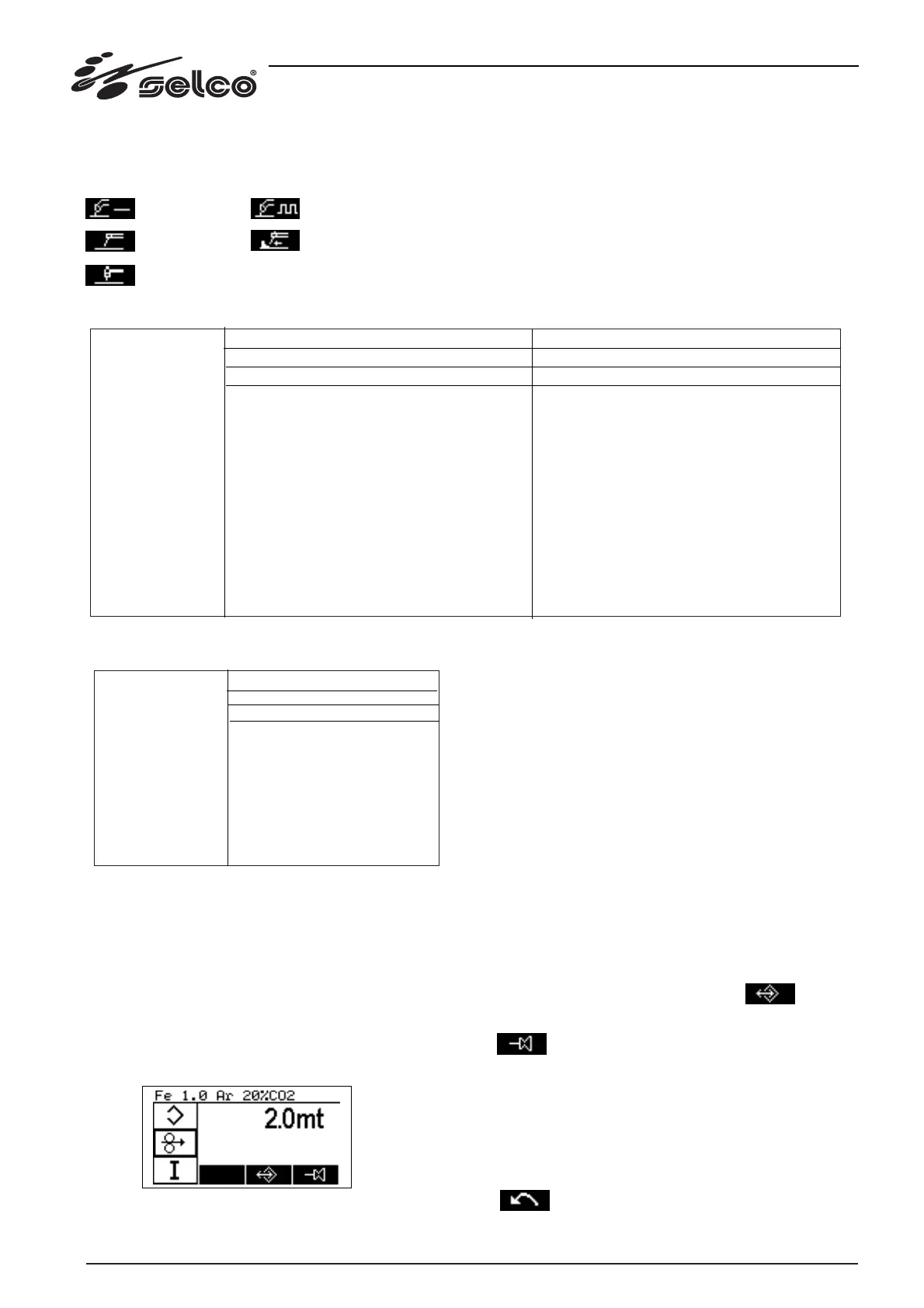
This menu is accessed from the main menu. The quick menu
contains a collection, for each welding procedure, of the para-
meters which the user may need to consult rapidly. The collec-
tion can be customised by the user himself.
On the left of the display D1 a circular list of symbols appears,
each one associated with a parameter. In the centre, with the
edge highlighted, is the active parameter; the previous and sub-
sequent parameters are also shown. In the centre of the display
D1 the value of the selected parameter is shown.
A typical screen for MIG procedure appears as follows:
The side list is scrolled by rotating the encoder anticlockwise to
move down the list or clockwise to move up.
After choosing the parameter, press the encoder E1 key to switch
to the "modify parameter" mode. The value is highlighted by the
symbols "[" and "]". During the "modify parameter" mode, the
meaning of the function keys also changes: it is possible to return
to the main menu, cancel modification of the parameter or
select another parameter.
The list of parameters in the quick menu can be customised,
taking new parameters from the set-up menu.
Every time you enter the quick menu, the last parameter modi-
fied is shown again.
During display of the quick menu via key K4 it is possible to
transfer the parameter selected to the main menu screen. In this
way, the user can choose the two most important parameters.
Description of keys
* Encoder E1:
select parameter and confirm modification.
* Key K1: quit and return to main menu; the key is hidden and
has no symbols.
* Key K3: access to program storage menu.
* Key K4: display of selected parameter on main menu.
Description of keys with selected parameter
* Encoder E1: confirms parameter modifications and returns to
the parameter list selection.
* Key K1: return to main menu with confirmation of parameter
modifications; the key is hidden and has no symbols.
* Key K4: cancels the last modification made, restoring the pre-
vious value and returns to the parameter list selection.
24
MANUAL
Fe CO2
Fe Ar20%CO2
Ss Ar 2%CO2
SS Ar 2%O2
Al Ar
AlSi Ar
AlMg Ar
CuAl Ar
CuSi Ar
MCWFe Ar 20%CO2
BFCWFe Ar 20%CO2
RCWFe Ar 20%CO2
FCWSs Ar 20% CO2
0,8mm
1
5
9
13
-
25
29
33
-
-
-
-
-
0,9mm
-
-
-
-
-
-
-
-
-
-
-
-
57
1,0mm
2
6
10
14
22
26
30
34
38
-
-
-
-
1,2mm
3
7
11
15
23
27
31
35
-
43
48
53
59
1,4mm
-
-
-
-
-
-
-
-
-
44
49
54
-
1,6mm
4
8
12
-
24
28
32
36
-
45
50
55
60
MIG SHORT
Off (0)
0,8mm
-
5
9
13
-
25
29
33
-
-
-
-
-
0,9mm
-
-
-
-
-
-
-
-
-
-
-
-
-
1,0mm
-
6
10
14
22
26
30
34
38
-
-
-
-
1,2mm
-
-
7
11
15
23
27
31
35
-
43
48
53
59
1,4mm
-
-
-
-
-
-
-
-
-
44
49
54
-
1,6mm
-
8
12
-
24
28
32
36
-
45
50
55
60
MIG PULSED
-
MANUAL
Fe CO2
Fe Ar20%CO2
Ss Ar 2%CO2
AlSi Ar
AlMg Ar
MCWFe Ar 20%CO2
BFCWFe Ar 20%CO2
RCWFe Ar 20%CO2
0,8mm
1
5
9
13
17
-
-
-
1,0mm
2
6
10
14
18
-
-
-
1,2mm
3
7
11
15
19
23
27
31
1,6mm
4
8
12
16
20
-
-
-
MIG
Off (0)



 To Next Page