508.366.1488 | www.semshred.com
12
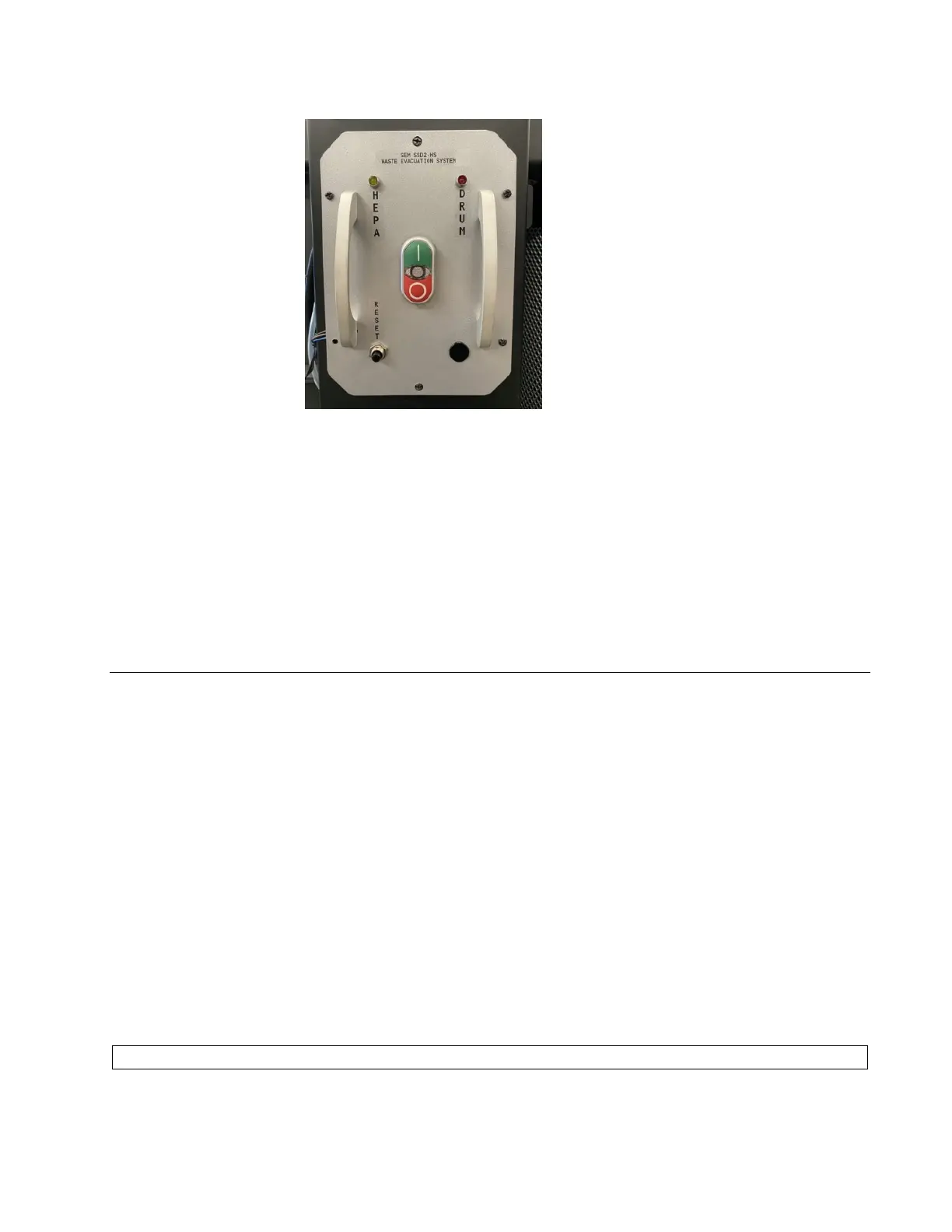
Vacuum Fan System Control Panel
Figure 3. Vacuum fan system control panel
• I: Turns the vacuum on.
• 0: Turns the vacuum off.
• HEPA: Indicates that the filter needs to be changed. For details, refer to Changing the HEPA Filter,
page 19, for details.
• DRUM: Indicates when drum is full and needs bag replacement. Refer to Changing the Waste
Collection Bag, page 14, for details.
Operating Procedure
PPE: Each facility should determine its own PPE. At a minimum, SEM recommends wearing safety glasses,
hearing protection, a mask, and gloves while operating this unit.
1. Disengage the E-STOP located next to the disintegrator control panel by turning the key until the button
pops out.
2. Once you disengage the E-STOP, press the CONTROL POWER ON button on the side of the unit. The ON
light on the CONTROL POWER buttons and the STOP button both illuminate, indicating power to the
disintegrator.
3. Turn on the vacuum fan system by pressing the I button on its control panel.
4. Press the START button on the disintegrator control panel to start the dual stage system. Once the
button is pressed, the START button will illuminate and the STOP light will extinguish.
5. Once you see the FEED button illuminate, begin feeding solid state drives through the feed chute. Press
the FEED button after feeding the drives and wait to feed more until the FEED light re-illuminates.
Continue this process for all drives.
Caution: Feeding drives too quickly may cause a jam or damage the screen.



 To Next Page