SPIDER ST1 Motorcycle Mesh Communication System | 8
2. INSTALLING THE HEADSET ON YOUR
HELMET
2.1 Helmet Installation
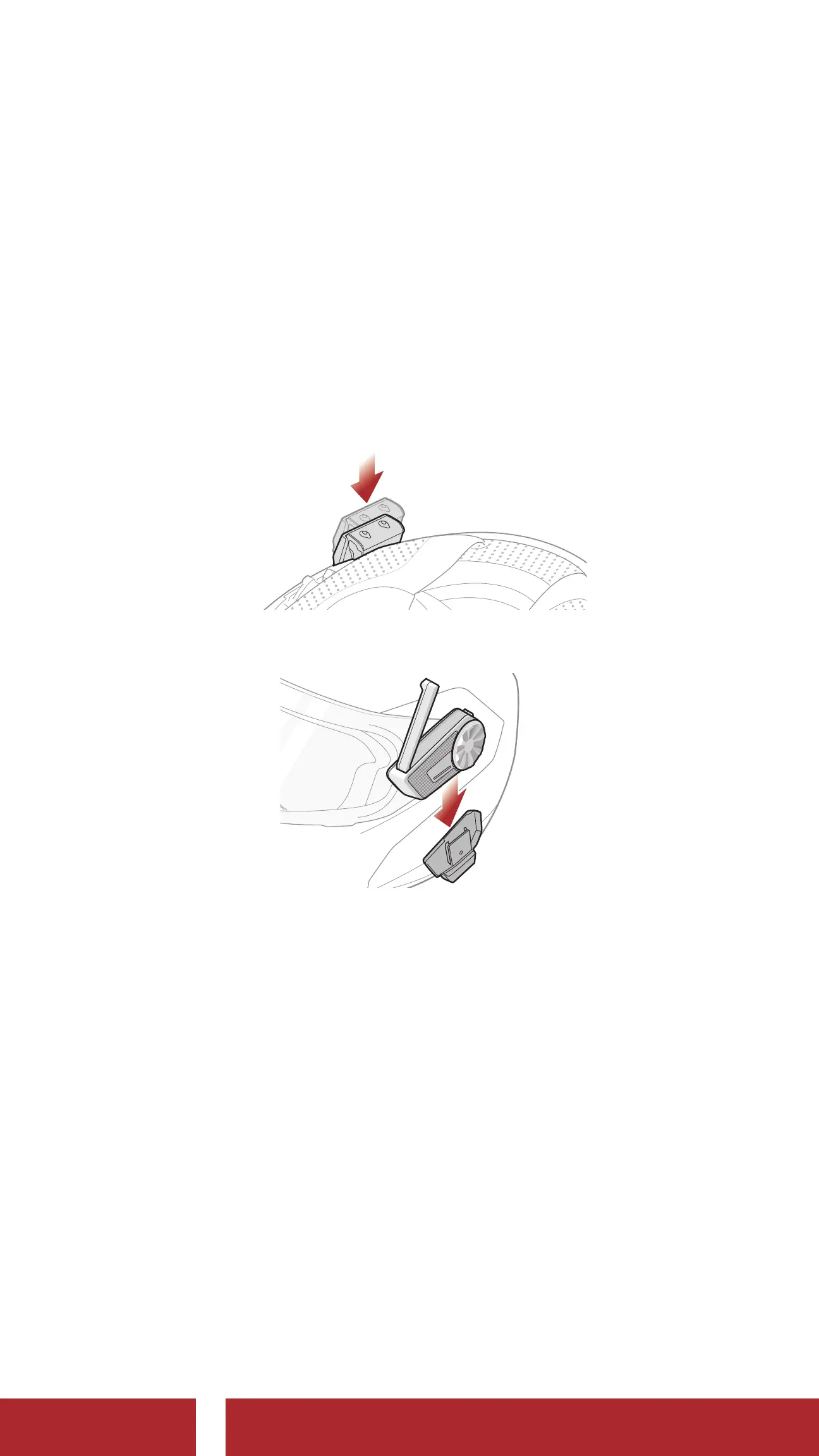
2.1.1 Using the Clamp Unit
1. Insert the back plate of the clamp unit between the internal padding
and external shell of the left side of the helmet.
2. Attach the main unit to the clamp unit until you hear a click.
2.1.2 Using the Glued Surface Mounting Plate
If you cannot install the clamp unit on the helmet, you can use the glued
surface mounting plate to attach the clamp unit to the surface of the
helmet.
1. Clean the area on the left side of the helmet where you will attach
the glued surface mounting plate with a moistened towel and dry
thoroughly.
CHAPTER



 To Next Page