SPIDER ST1 Motorcycle Mesh Communication System | 10
2 INSTALLING THE HEADSET ON YOUR HELMET
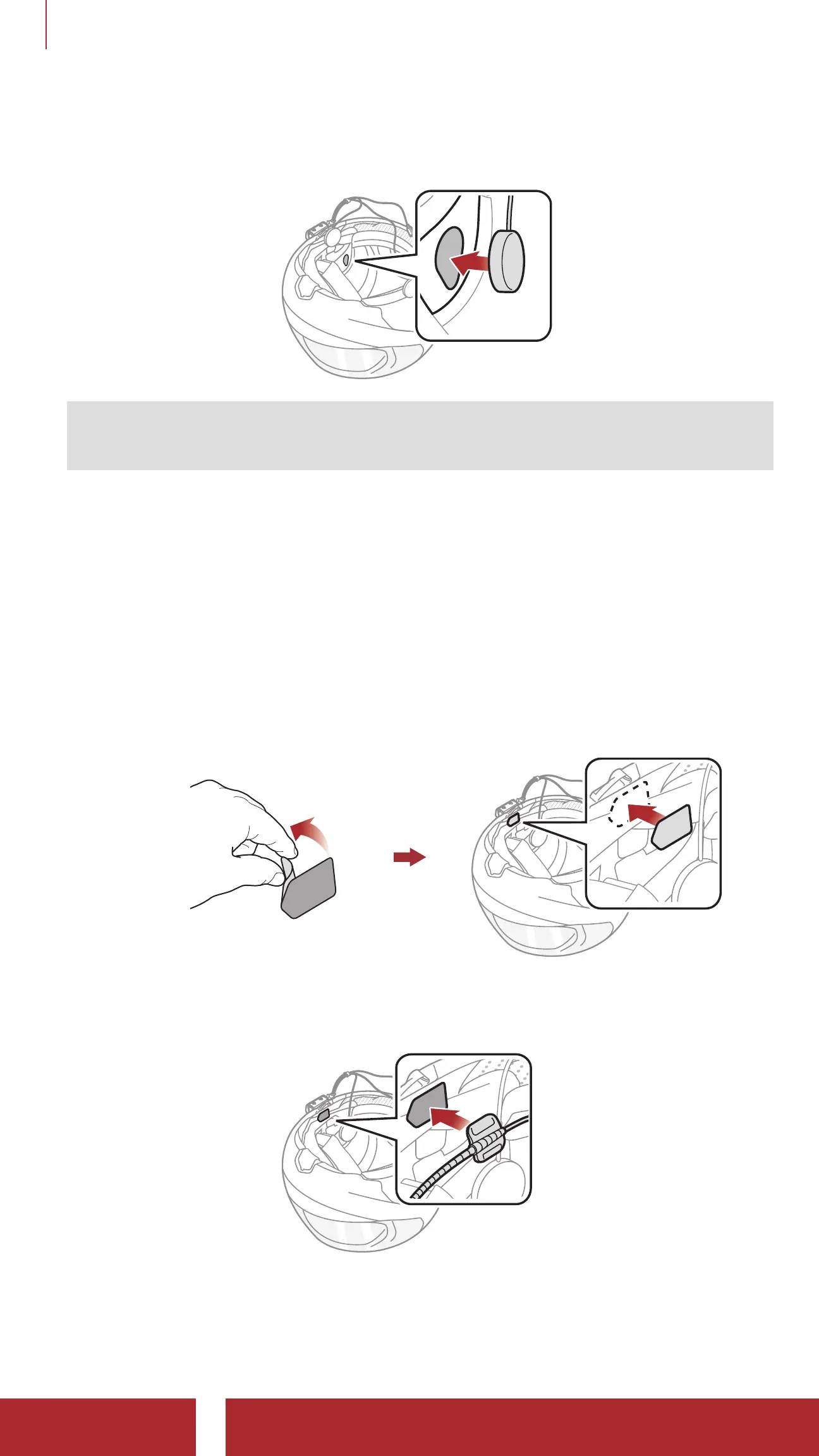
2. Attach the speakers to the hook and loop fasteners for speakers
inside the helmet.
Note: If the helmet has deep ear pockets, you can use the speaker
pads to bring the speakers closer to your ears.
2.3 Installing the Microphone
2.3.1 Installing the Wired Boom Microphone
1. Peel off the cover of the hook and loop fastener for wired boom
microphone to expose the adhesive tape. Then, attach the hook and
loop fastener on the inside surface of the left external shell.
2. Attach the wired boom microphone’s mounting plate to the hook and
loop fastener.



 To Next Page