44
Servicing the HE 1 | Calibrating the mechanical components
Calibrating the mechanical components
If the mechanical components of the HE 1 are decalibrated (e.g. the rotary
switches do not switch correctly, the glass cover does not open or close
correctly or the amplier tubes do not extend or retract correctly), it might be
necessary to recalibrate them:
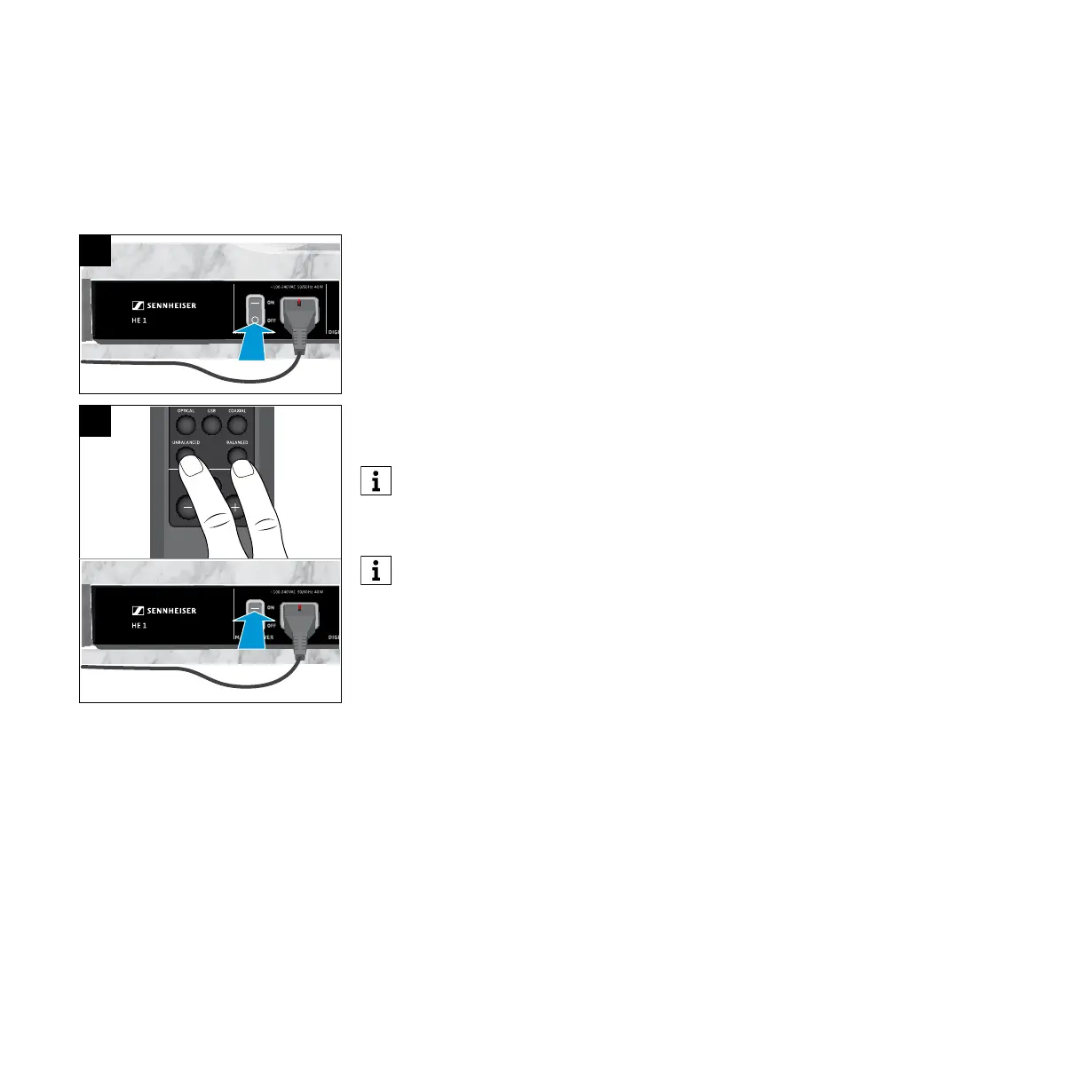
1. Set the power switch to OFF to switch the HE 1 off and wait until the status
LED goes off (up to 30 seconds).
2. Simultaneously press the UNBALANCED and the BALANCED button on the
remote control and then set the power switch to ON to switch the HE 1 on.
The status LED ashes green. The mechanical components are calibrated
(the rotary switches switch through all the settings one after the other, the
glass cover opens and closes, and the operating elements and the amplier
tubes extend and retract). Once the calibration process is completed, the
status LED lights up red. The HE 1 is switched off (standby).
When calibrating the mechanical components, make sure to point the
remote control at the remote control sensor located on the front bottom
of the amplier. Otherwise the amplier switches on normally.
In order to ensure proper functioning of the HE 1, the mechanical
components are automatically calibrated at predetermined time
intervals. The automatic calibration process starts during switch-off
(standby) of the HE 1.
OUTPUT
USB COAXIALOPTICAL
BALANCEDUNBALANCED
LOW HIGHOFF
LINEPHONES
BOX CONTROL
BOX 2 O/CBOX 1 O/C
OFF
ON
1
2



 To Next Page