PXC 550 | 37
Listening to music
X
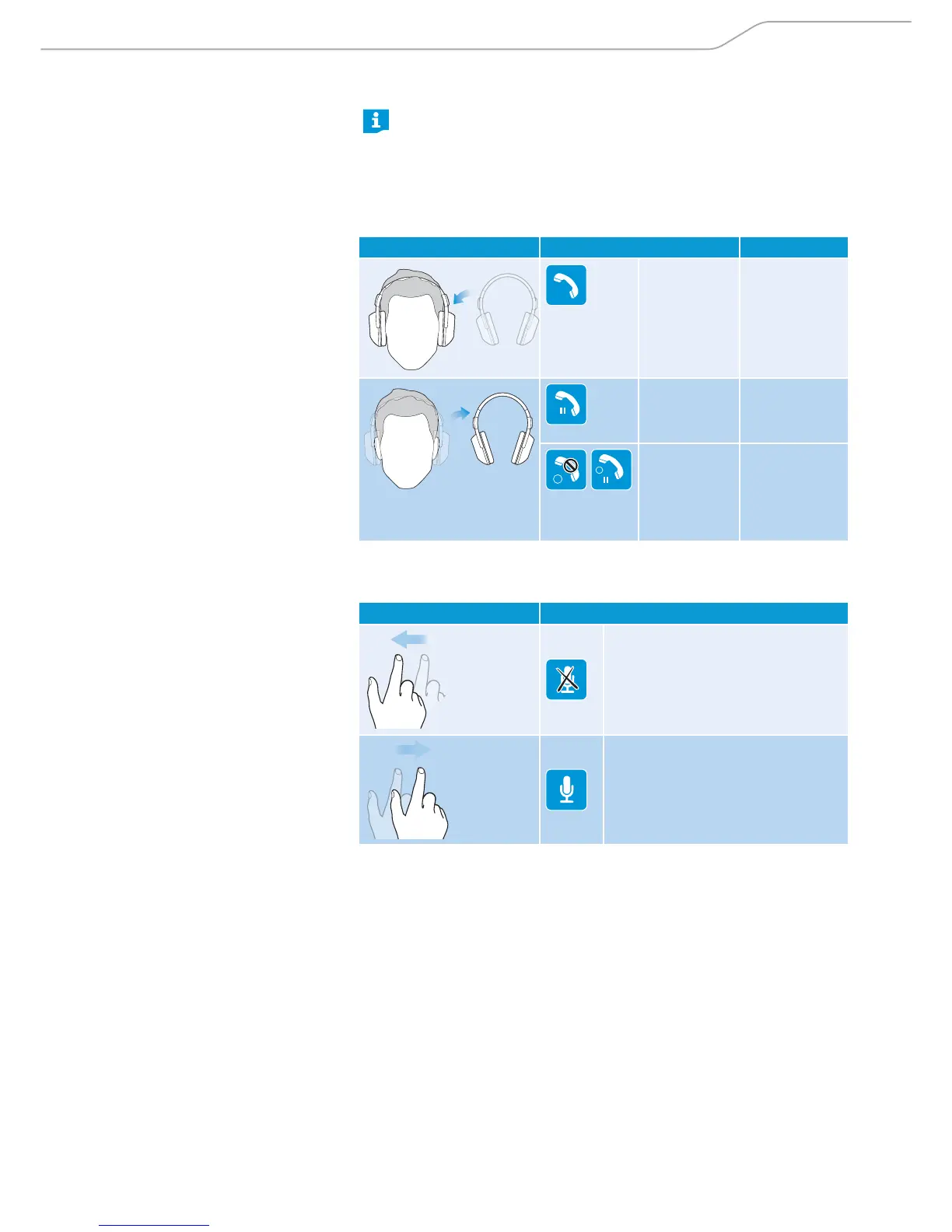
Wearing/removing headphones.
Smart Pause is a feature that enables the headphones to respond to
gestures such as placing the calls on hold when the headphones are
taken off the head, or accept calls when they are worn back.
By factory default, Smart Pause is inactive. For the headphones to
respond to these gestures, ensure that Smart Pause is activated from
the CapTune app.
Gesture Function Signal
Accepts a call
HOLD
Puts the call
on hold
2
HOLD
1
Rejects an
incoming
call and keep
holding the
held call
While on call, you can mute or unmute the microphone using the following
gestures.
Gesture Function
Puts the microphone on mute
Unmutes the microphone




 To Next Page