40 | PXC 550
Listening to music
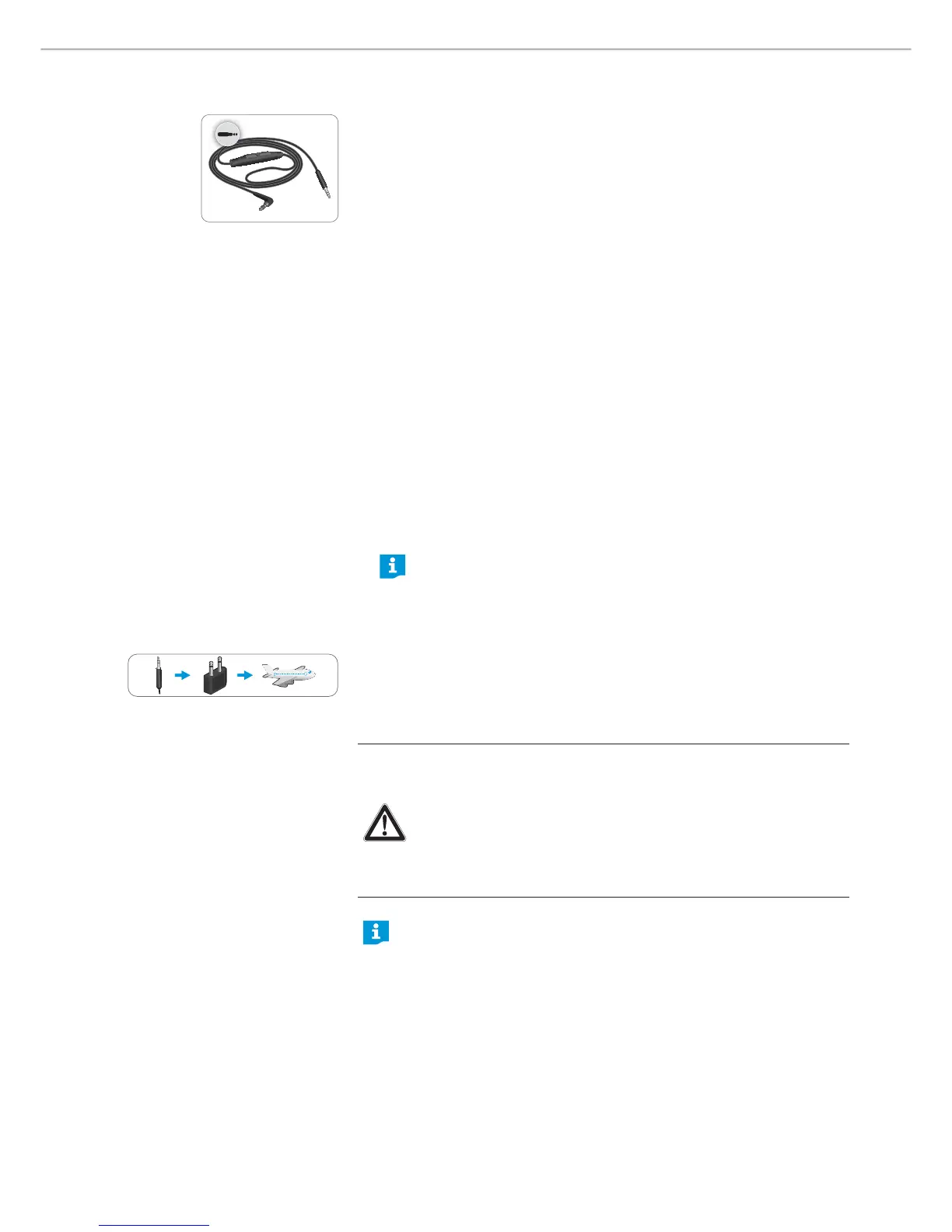
Using the audio cable
There are 2 connection modes when you use the audio cable:
X Act ive mode - the audio cable is used on the headphones with sufficient
battery life.
The touch control panel and the control buttons operate normally.
X Passive mode - the headphones go to passive mode when the audio cable is
used on the headphones with empty battery.
Whether the Bluetooth switch is turned on or off, Bluet ooth wireless
transmission is disabled and the headphones automatically go to flight mode if
the audio cable is used. Same goes for USB transmission, once the audio cable is
inserted, the headphones go to flight mode and the transmission using the USB
cable is disabled.
Primarily, use only the audio cable when wireless transmission is not allowed,
e. g. during aircraft take-off and landing or, in some cases, during the entire
duration of the flight.
Using t he audio cable’s push-to-talk but ton
Optionally, you can answer/end calls or play/pause music by pressing the push-
to-talk button of the provided audio cable.
Using t he PXC 550 on flight mode
1.
Insert the 2.5 mm jack plug into the audio input of the headphones.
The Bluetooth connection is disabled.
If you are listening to a music on the headphones via Bluetooth and
the audio cable is plugged in, the Bluetooth wireless transmission is
diabled and the music is stopped.
2. Connect the 3.5 mm jack plug to:
– the audio output of your smartphone
– the in-flight adapter if you want to use the headphones with an in-flight
entertainment (IFE) system
In act ive mode, the NoiseGard active noise cancellation feature is enabled; in
passive mode, the active noise cancellation feature is disabled.
CAUTION
Bluetooth may t ransmit radio waves when the audio cable is pulled off!
Use only the product in environments where Bluetooth® wireless
transmission is permitted. To ensure that the Bluetooth headphones
do not transmit radio waves when the audio cable is pulled off,
switch the the Bluetooth connectivity off. To switch the Bluet ooth
connectivity off, see page 26.
You can also play higher resolution music mid-air/in-flight by
connecting your headphones to your smartphone or device using
the provided USB cable. To use the USB cable to listen to music on
environments where Bluetooth wireless transmission is not allowed
or restricted, ensure that the Bluetooth functionality is switched off.
To switch Bluetooth off, see page 26.




 To Next Page