eMotion in-depth guide
Re-position
take-off location
Clicking this button and then clicking on a location
in the Map Area simulates the action of connect-
ing the battery to the drone in a new location. The
drone is returned to the ground at the new location
and runs through its pre-flight checks before enter-
ing Idle mode.
Initiate take-off Clicking this button simulates a take-off procedure,
including the motor power-up sequence and the
hand launch³¹.
Instant rechargeof
battery
Clicking this button will instantly recharge the bat-
tery of the drone. Note: This is a simulated action
that is not possible with the real eBee RTK while
it is in flight.
Wind speed and
direction
These fields are used to input a simulated wind speed
and direction. A random wind speed and direction is
set when eMotion connects to a simulated drone.
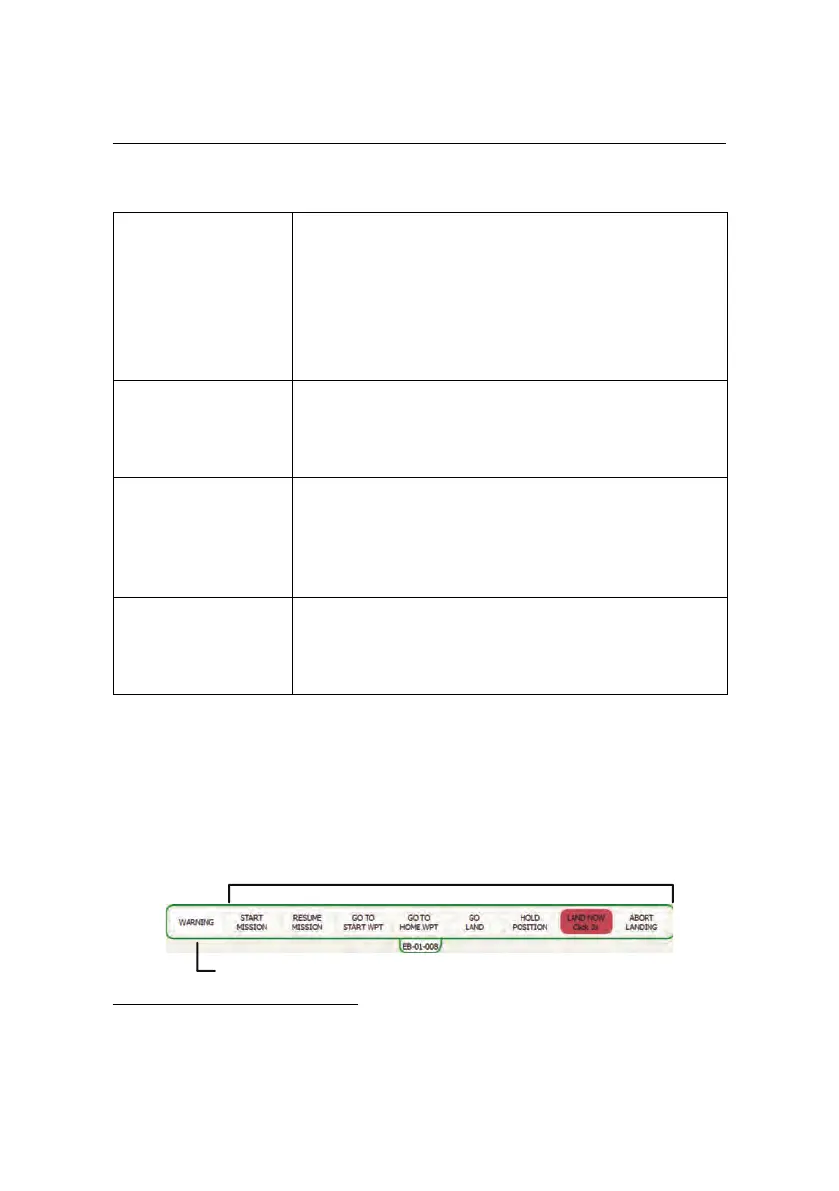
7.3 Control Bar
Command buttons
Warning indicator
³¹ see section ‘Take-off’ on page 54 for a description of the take-off procedure
109



 To Next Page