Advanced functionalities
The main eMotion interface is composed of a Map Area, a Toolbar and a Sidebar³⁰.
The Map Area displays the current location of the eBee RTK, a Status Panel with
important information on the drone’s current status, and a Control Bar used to
send commands to the drone (section ‘Control Bar’ on page 109).
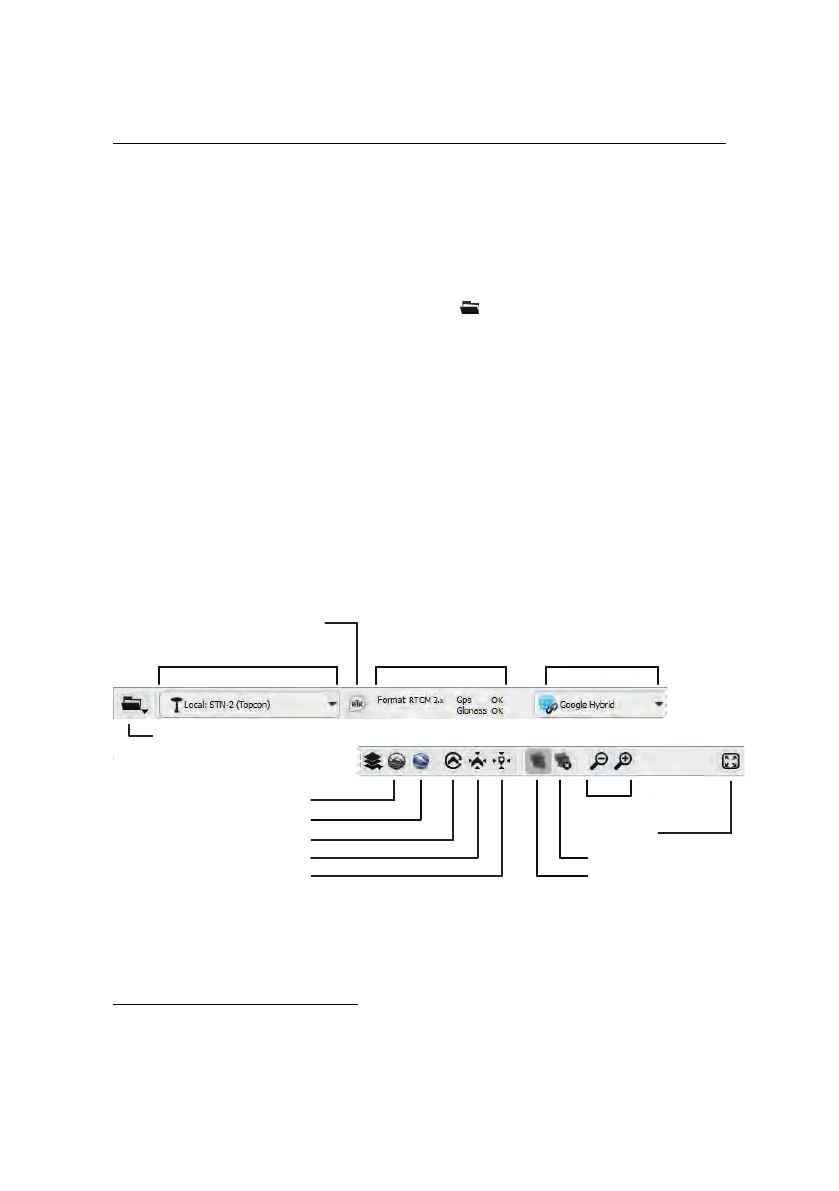
The Toolbar above the Map Area includes the File menu, controls for selecting
the sourceof map data, the display of picture footprints and various other controls
(section ‘Toolbar’ ).
The Sidebar is separated into six individual tabs that are used during different
phases of planning and monitoring a flight. The Sidebar tabs can be hidden at
any time by clicking on the left-hand edge of the Sidebar. Each tab is described
in detail in the following chapter. The Sidebar also contains controls for the Sim-
ulator (section ‘Simulator’ on page 107)
7.1 Toolbar
Map source
Zoom
Custom map source
Google Earth display
Follow drone position
Center on drone
Center on coordinate
File
Show/hide footprints
Choose RTK Source
Set Up RTK
RTK Status
Clear all footprints
Full Screen
³⁰ for an overview of the eMotion interface see section ‘The eMotion interface’ on page 21
104



 To Next Page