eMotion in-depth guide
7.7 Mission Waypoints tab
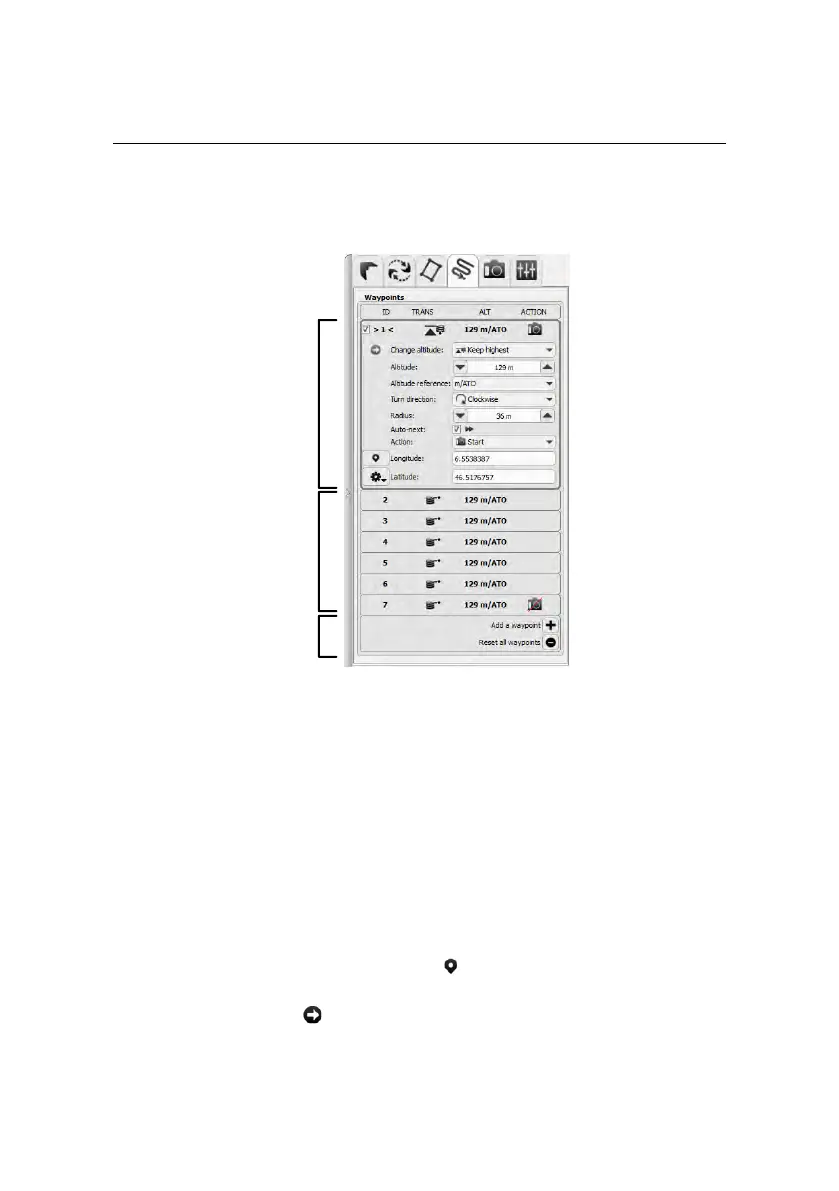
Selected mission
waypoint
parameters
Remaining
mission
waypoints
Add or reset
waypoints
The Mission Waypoints tab contains a list of all mission waypoints currently on
the drone autopilot. It can be used for finer control of individual waypoints in the
current mission. The list of waypoints displays the ID, Change altitude parameter,
Altitude and Action related to each mission waypoint.
Clicking on a mission waypoint in the list or in the Map Area will expand the panel
to display all the parameters related to that waypoint. These parameters are ex-
plained in detail in section ‘Waypoints and their properties’ on page 72. Changes
made to the selected waypoint are sent to the drone immediately after selecting
an item in the popup menu or upon hitting the ‘Enter’ key in the text fields. You
can reposition the waypoint by clicking the button and then clicking at the de-
sired position in the Map Area. You can make the selected waypoint the current
waypoint by clicking the button.
129



 To Next Page