Maintenance and repair of the eBee RTK
of the eBee RTK follow these steps:
1. Connect the battery to the drone.
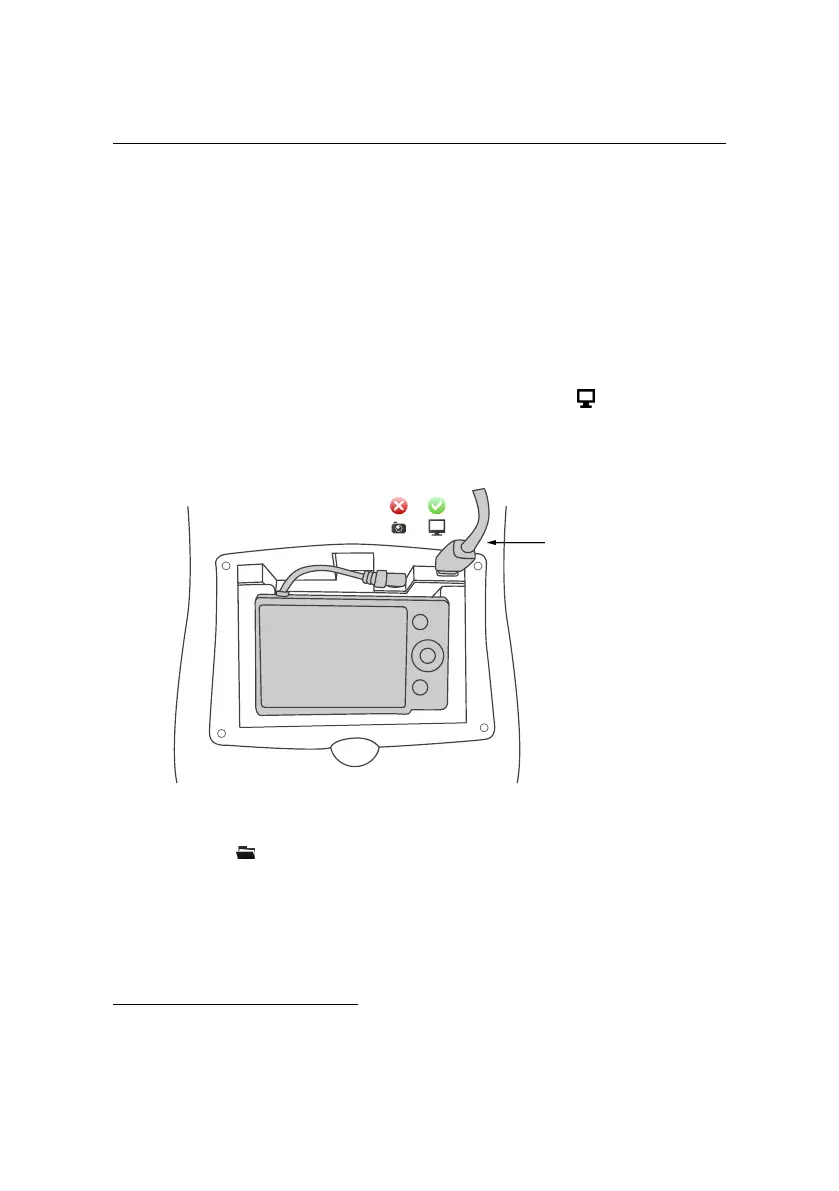
2. Connect the USB cable between the computer on which you installed eMo-
tion and the autopilot of the eBee RTK as shown in the figure. The connector
is beside the camera connector and is marked with a icon. The status
LED will turn white as soon as you connect the cable.
connect USB cable
to autopilot
3. Click the icon and select ‘Updater eBee RTK...’⁵³.
4. Click ‘Update’ to begin the updating process. Wait until the process is com-
plete, which is indicated by the text ‘File downloaded successfully’.
⁵³ also available in the Windows Start menu
149



 To Next Page