Quick start guide
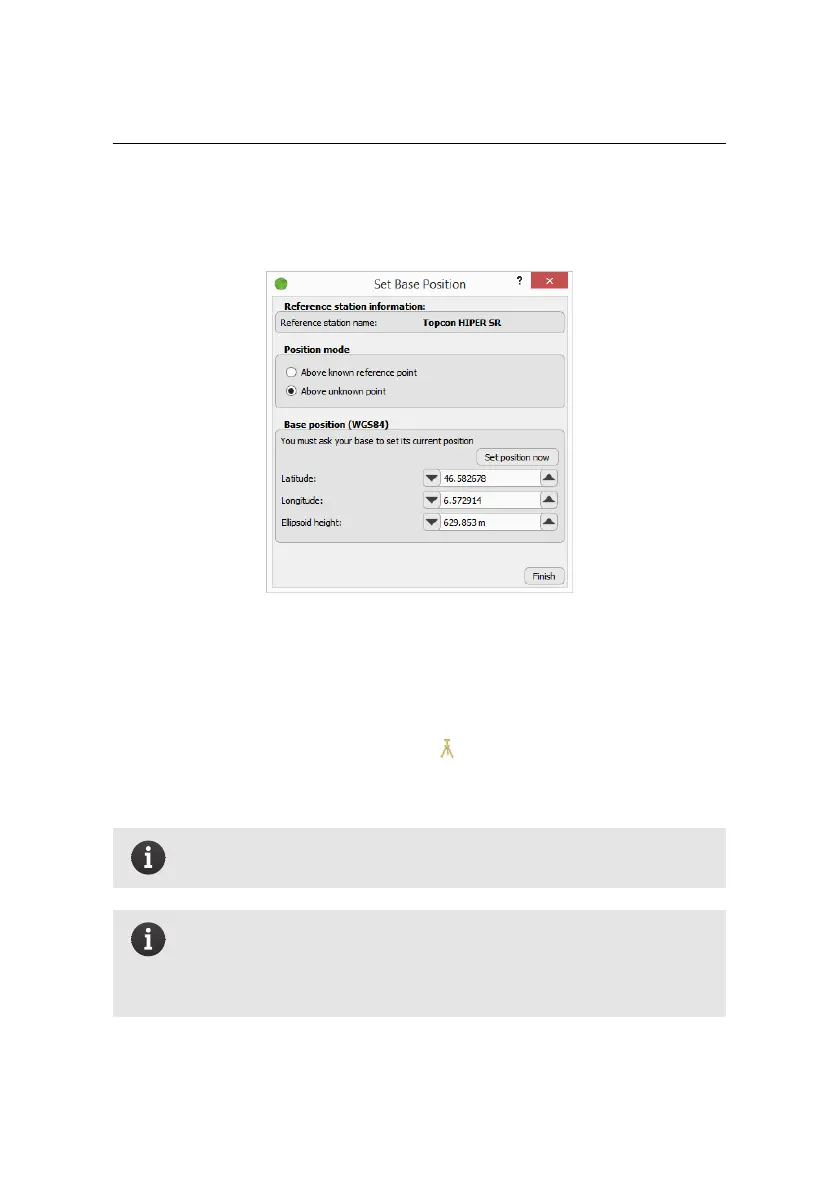
If your Base Station’s Position is Unknown or Imprecise:
Step 3 Choose Above unknown point.
Step 4 Click Set Position Now to take coordinates from the connected base sta-
tion.
Step 5 Click Finish. A base station icon ( ) appears on your map at the base
station’s coordinates.
Note: The absolute precision of the coordinates obtained from your
base station will be greatly improved in post processing.
Note: If the base-eMotion automation features that allow eMotion
to communicate with the base are unavailable, the Set Base Position
dialog will appear greyed-out, and you must set the base’s position
manually using its own positioning function.
38



 To Next Page