Quick start guide
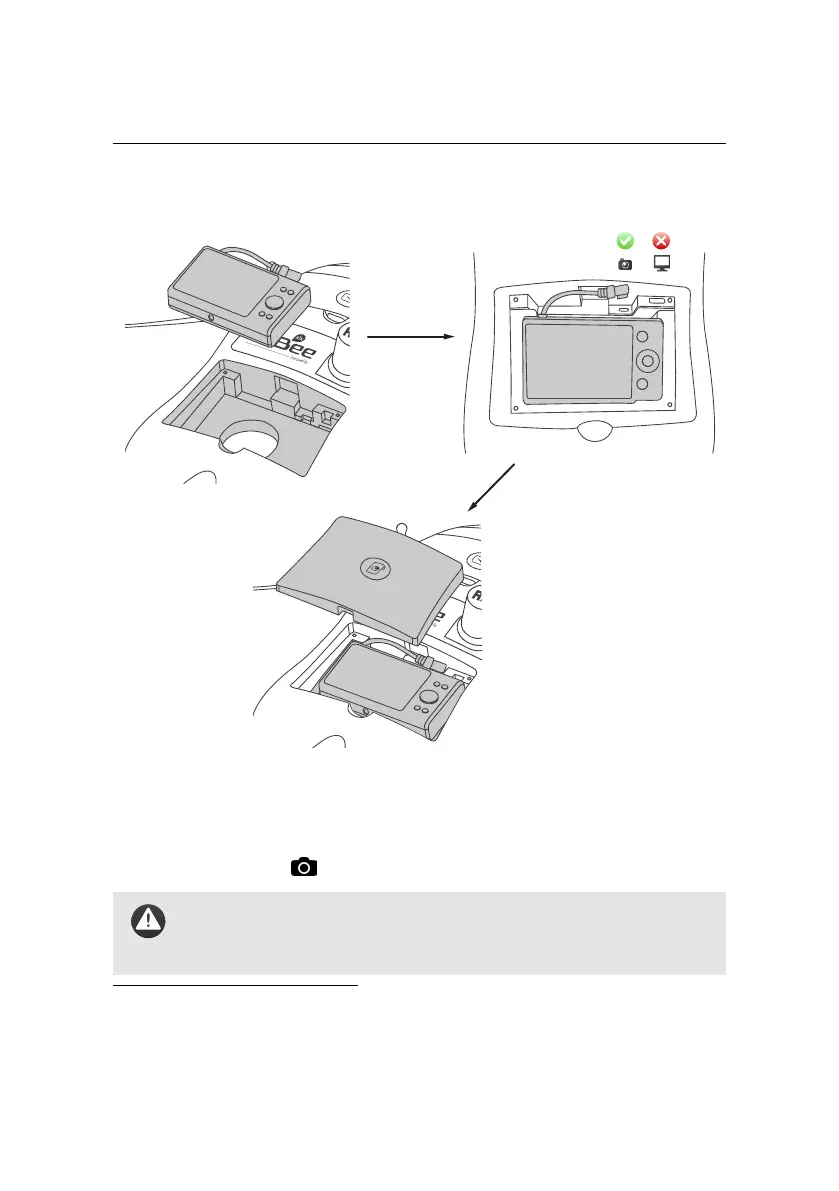
insert camera into
compartment
plug in camera connector to camera plug
close camera
compartment lid
Step 3: Install the camera
Install the camera into the payload bay⁶ within the eBee RTK and close the camera
compartment lid. If the camera connector is not already connected, plug it into
the connector with the icon on the eBee RTK.
Caution: TheeBee RTK hasnot been designed to fly without the cam-
era. Attempting to fly without the camera may render the drone un-
stable, which may eventually lead to a crash.
⁶ Some payloads may require a separate battery or SD card to operate properly. Please refer to the
User Manual of the camera or other payload for proper installation instructions.
44



 To Next Page