Quick start guide
preflight checks failed
blue
pulse
status LED:
green
solid
status LED:
ready for startup
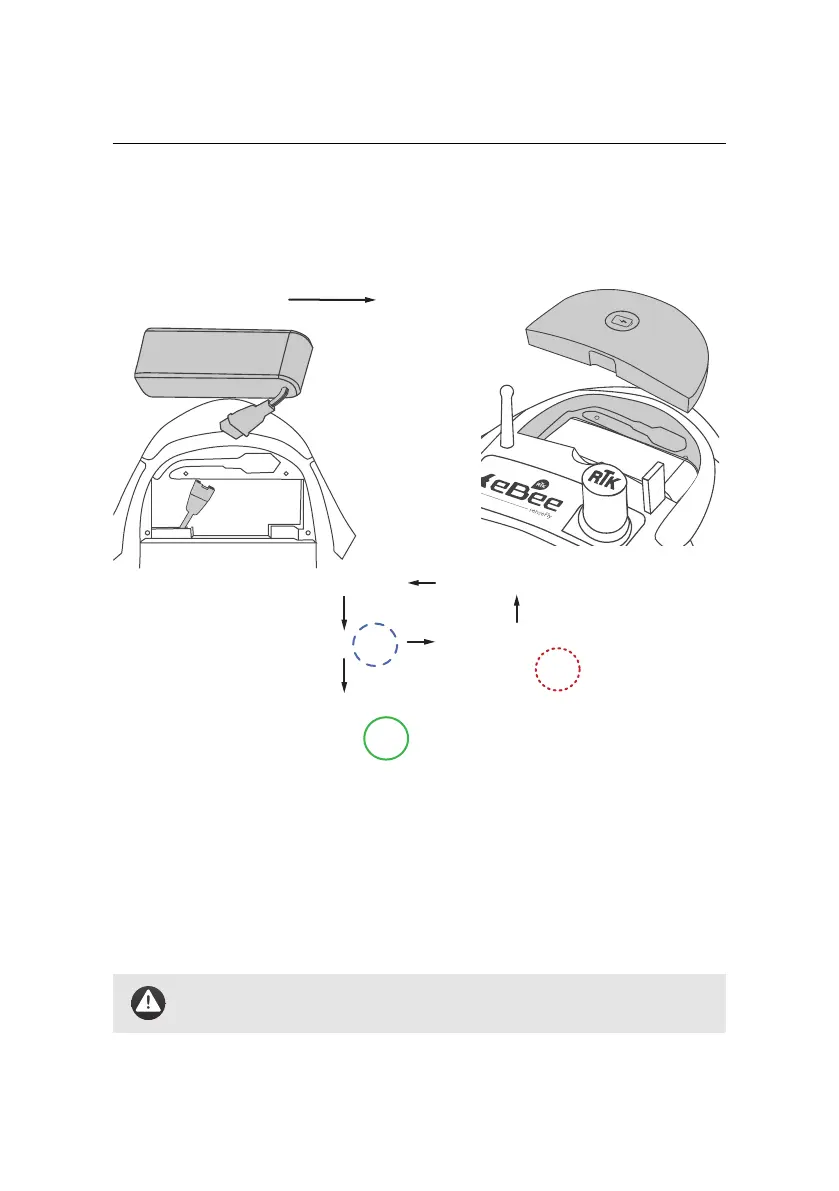
connect battery
red
blink
status LED:
disconnect battery
connect battery and
insert into
compartment
close battery
compartment
Startup
process:
Step 5: Install and connect the battery
Lay the eBee RTK horizontally on the ground outside in the vicinity of the take-
off location, with the top face up. To install the battery, begin by connecting the
power cables to the battery. Insert the connectors firmly to the end in order to
avoid undesired disconnection when in flight. Once connected, insert the battery
into its compartment and close the compartment lid.
Caution: Take care to keep the propeller area clear, in case it sud-
denly starts spinning.
46



 To Next Page