< Next >
< Continued >
M1 Drive Monitor Menu Page
Indication of status for digital input.
Indication of status for digital output.
Indication of Analog Voltage(0[-10]~10V) or
Analog Current (0[4]~20mA) for AI 1 port
Indication of AI 2 Analog Voltage(0[-10]~10V)
or Analog Current (0[4]~20mA) for AI 2 port
Indication of Analog output current
(0[4]~20mA)
Do not use(for Motor control)
Do not use(for Motor control)
Indication of the source where start/stop signal
for the motor comes from. (KEYPAD, I/O
Terminal, communication, etc.)
Do not use(for Motor control)
Indication of the Power Supply rated power
Indication of the Power Supply Voltage Range
Indication of option card number
(0: not installed / over 1 : number of the
installed option card)
Indication of the Power Supply program
version
Indication of the option program that is
installed to the Power Supply.
(0: standard VD Program / over 1 : the installed
option program)
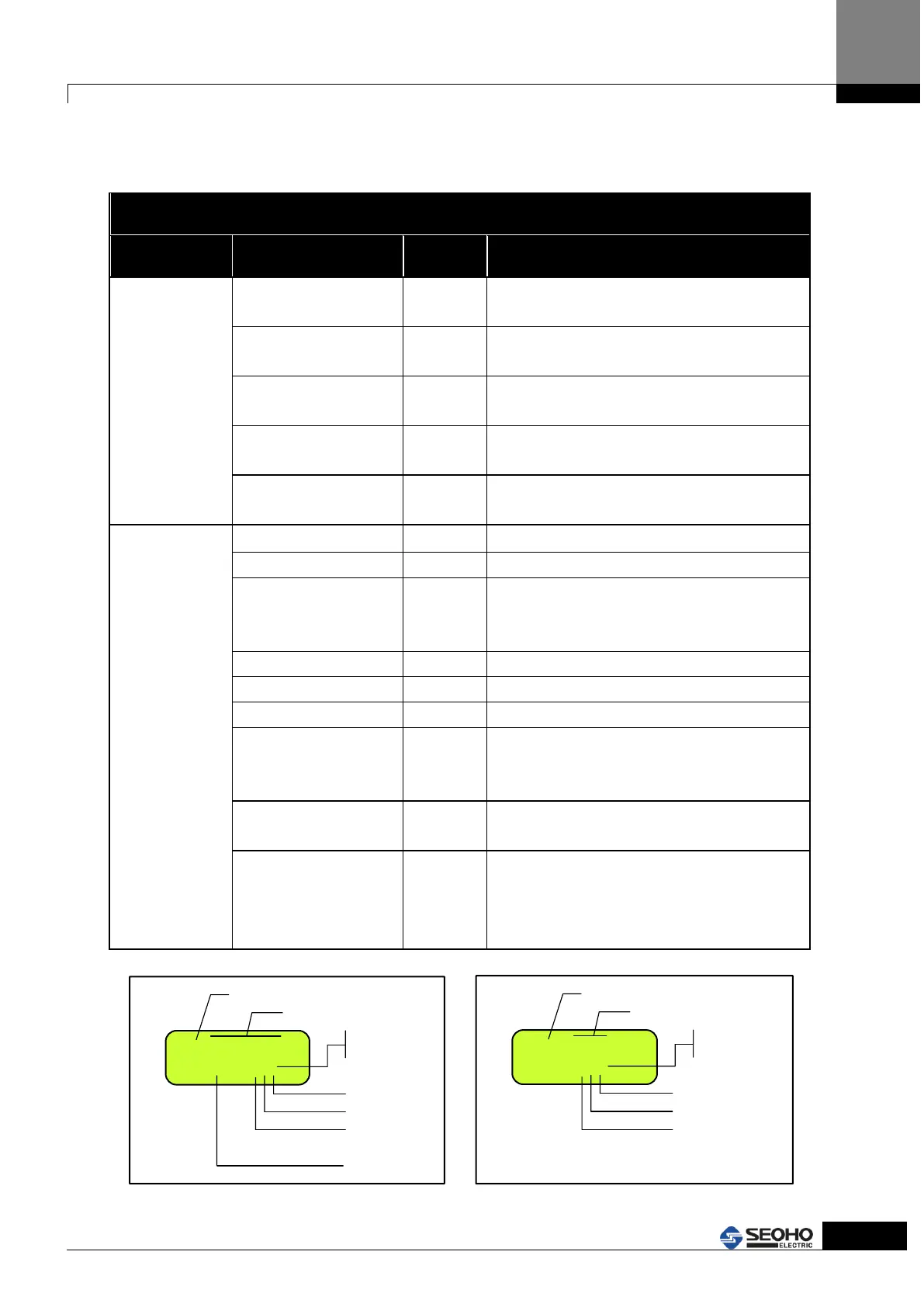
[0] DI [8. . . . . . .1]
10001001
Digital Input
0 = OFF
1 = ON
DI 1 = ON
DI 2 = OFF
DI 3 = OFF
.
.
.
DI 8 = ON
.
.
.
Port Number
[1] DO [3 . 1]
001
Digital output
0 = OFF
1 = ON
DO 1 = ON
DO 2 = OFF
DO 3 = OFF
Port Number



 To Next Page