01440D Light Industrial Gas Analyser Service Manual.2.14
2.13 Replacing the Internal Pump (S1420940)
1. Disconect the pump switch at the front panel of the analyser.
2. Remove the Transducer as described in section 2.3.1.
3. Cut the cable ties holding down the pump and lever the pump and pads off the
tranducer mounting bracket.
4. Installation is the reverse of the removal process.
2.14 Replacement Plumbing Kits
2.14.1 01440D1FTX
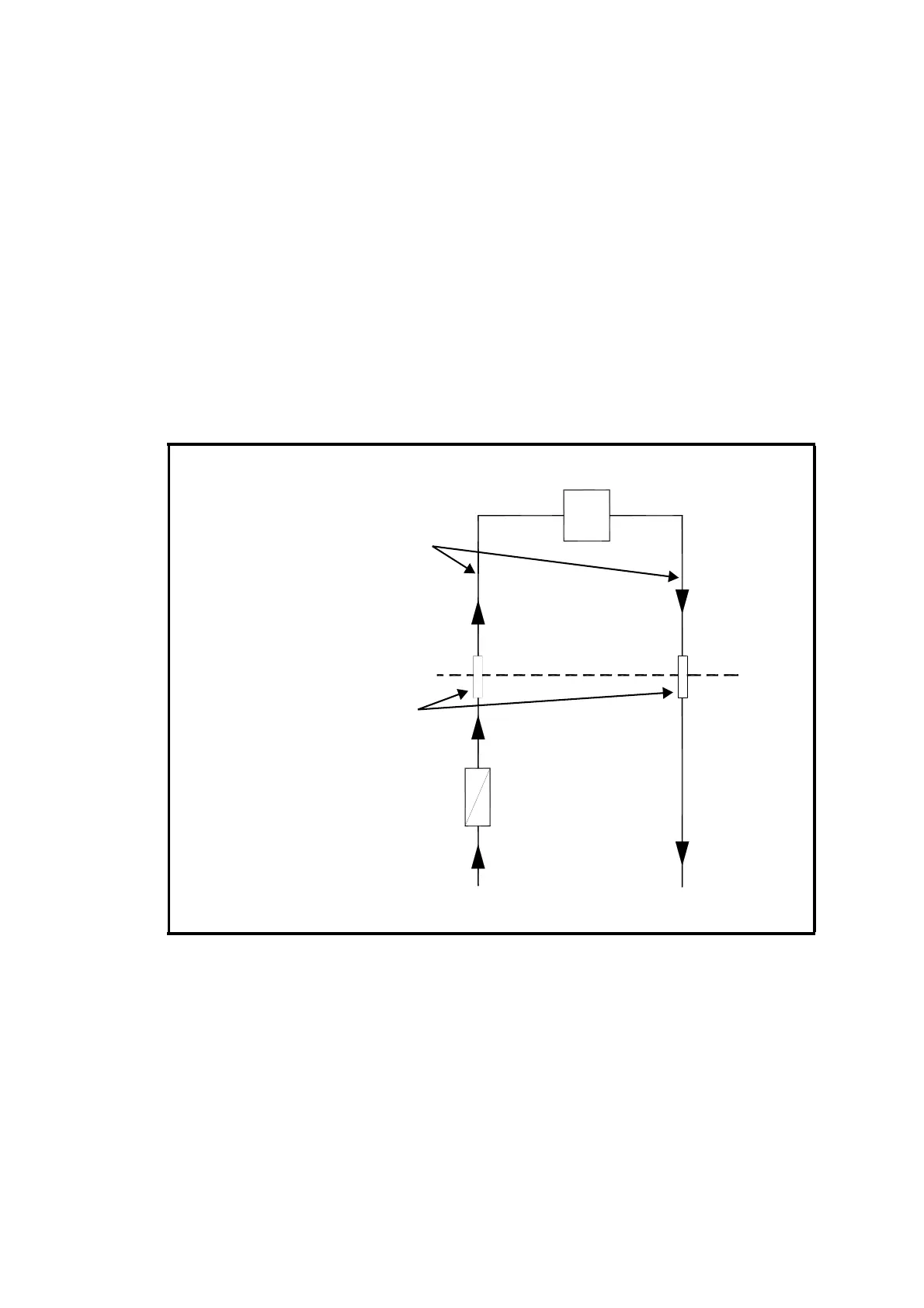
1. Follow the plumbing flow schematic shown in Figure 2.5.
2. Leak test by connecting together the sample 'IN' and 'OUT' gas
connections and connect a water manometer to them. Pressurise the
system to approx. 500mm water gauge and leave to stabilise. No
change in manometer level should be detected once the reading has
stabilised.
3. If a leak exists, check connections using a soap solution (max.
internal pressure 10psig). This testing should also include the oxygen
cell and its window.
4. Rectify leaks and re-check.
Figure 2.5 01440D1FTX Plumbing Schematic
3.2MM (1/8”) OD TUBES
FLOW RATE
100ML/MIN. TYPICAL
CELL
GAS CONNECTIONS
3.2MM (1/8”) OD TUBE
EXTERNAL FILTER
(NOT SUPPLIED)
IN
OUT













 To Next Page