3-59
PRINTER
Contents
DIRECTLY PRINTING A FILE IN A NETWORK FOLDER
You can use the machine's operation panel to select and print a file on a server or in a shared folder of an individual's
computer on the same network as the machine.
1
Access the network.
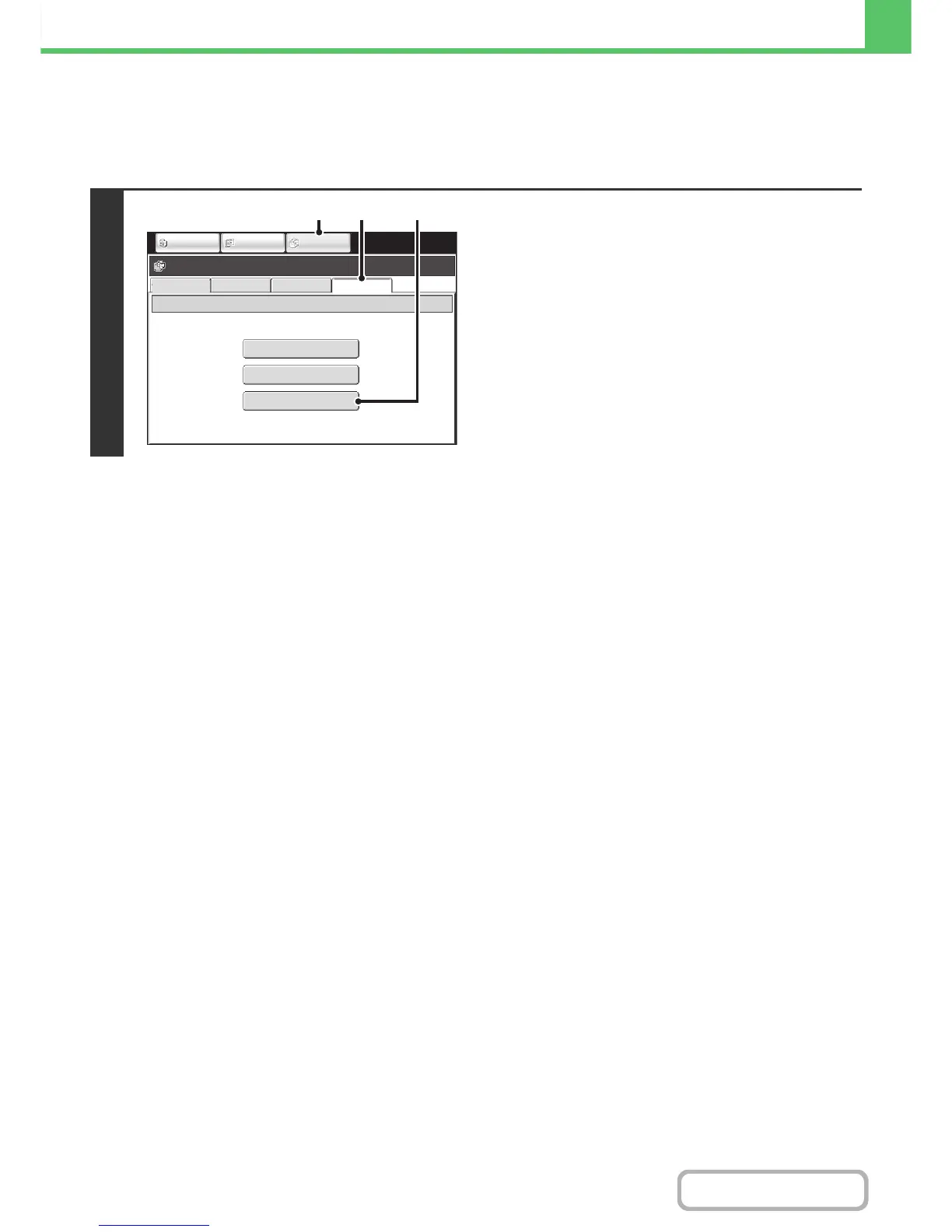
(1) Touch the [DOCUMENT FILING] key.
(2) Touch the [Ex Data Access] tab.
(3) Touch the [Network Folder] key.
FTP
Network Folder
USB Memory
External Data Access
File Retrieve
Scan to HDD HDD Status
Ex Data Access
IMAGE SEND
DOCUMENT
FILING
COPY
(2) (3)
(1)



 To Next Page