EasyManua.ls Logo

Sharp XE-A407 - Entries; Item Entries

Sharp XE-A407
116 pages
Print Icon
To Next Page IconTo Next Page
To Previous Page IconTo Previous Page
Loading...
16
HELP/FAQFunction
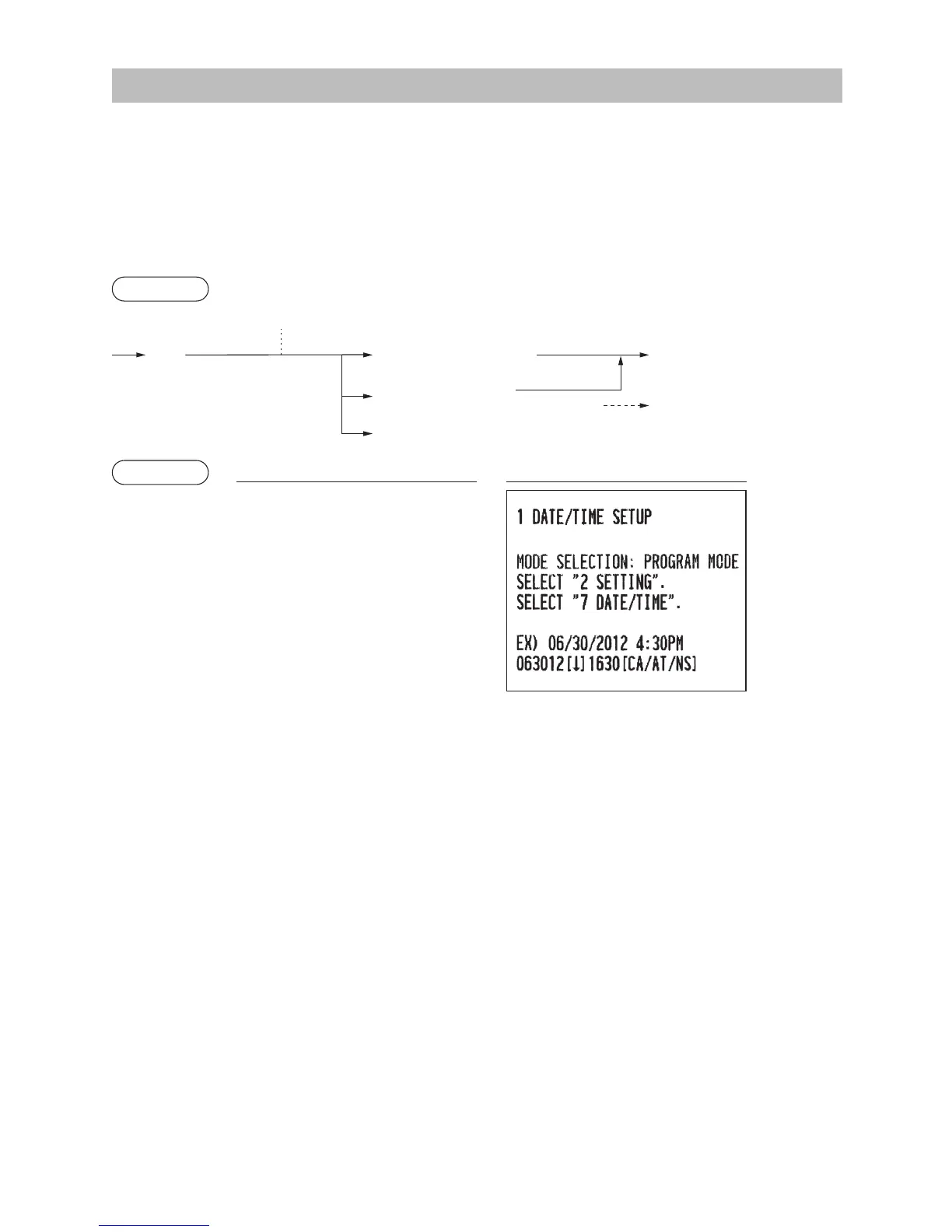
The HELP/FAQ function allows you to print guidance messages for basic operation procedure of the register.
FAQ function: only for the XE-A43S
TheHELPmenuandprintingguidancemessages
Press the
H
key to display the HELP menu. This menu provides a list of the procedures for which
you can print the guidance messages.
Procedure
H
Entry of the menu no.
(using the numeric N key (N: 1 to 10)) (N: 10)
a
To cancel
A

The HELP menu is displayed.
Selection of the function
(using the
I or F key)
Example
Keyoperation Print
(For the XE-A407)
H
1
A
HELP menu list 1 DATE/TIME
(for the XE-A407) 2 TAX
3 DEPARTMENT
4 LOGO
5 SALES REPORT
6 RECEIPT
7 CLERK
8 SD CARD
9 PC S/W INSTALL
10 OTHERS

Table of Contents

Other manuals for Sharp XE-A407

Related product manuals