70
OptionalFeatureSelection
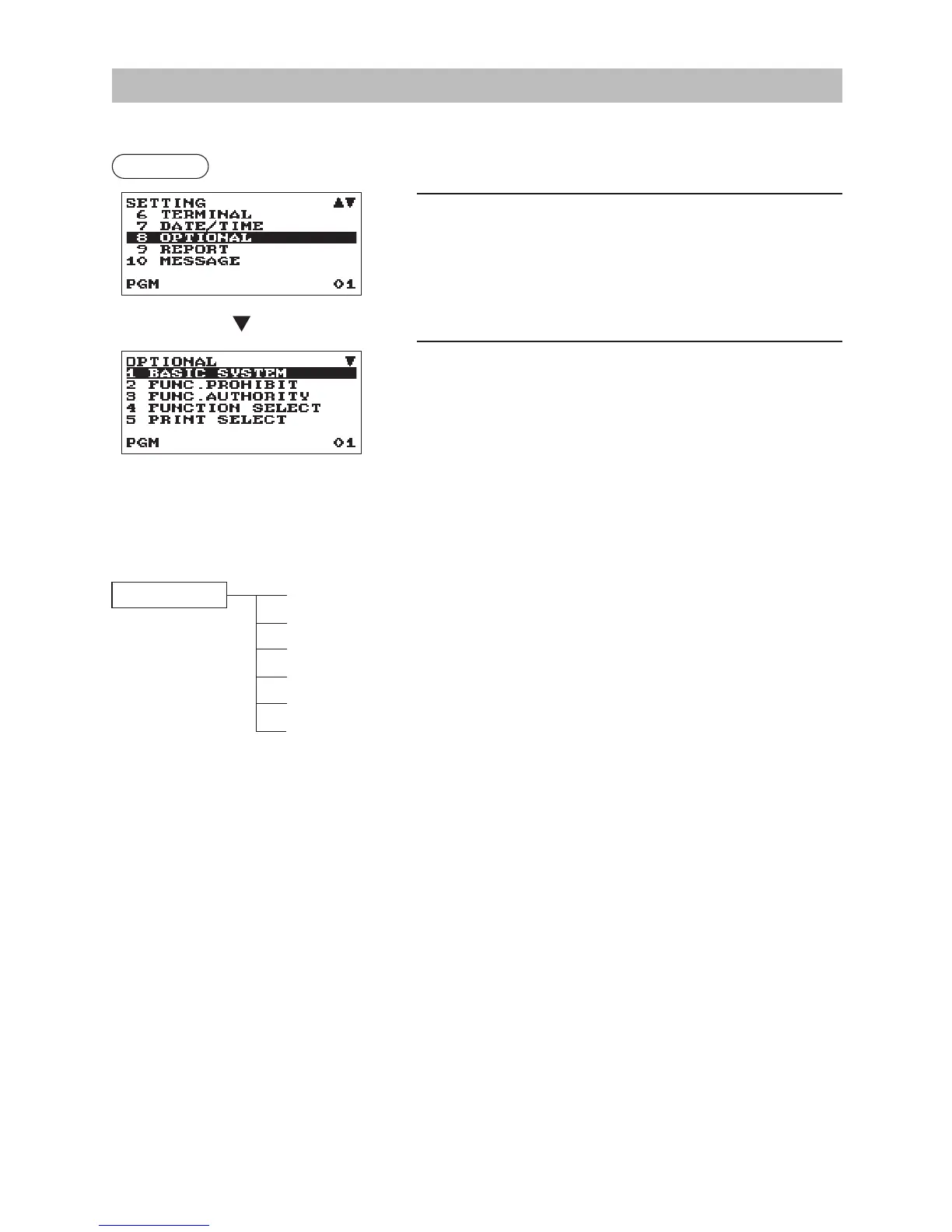
Use the following procedure to select any option included in the optional group:
Procedure
1.
In the SETTING window, select “8 OPTIONAL.”
• The OPTIONAL window will appear.
2.
Select any option from the following options list.
1 BASIC SYSTEM
Basic system
2 FUNC.PROHIBIT
Function prohibited
3 FUNC.AUTHORITY
Function authority
4 FUNCTION SELECT
Function selection
5 PRINT SELECT
Print selection
6 UPC FUNCTION
UPC function
The following illustration shows those options included in this programming group.
8 OPTIONAL 1 BASIC SYSTEM
l
See “Basic System” on page 71.
2 FUNC.PROHIBIT
l
See “Function Prohibit” on page 72.
3 FUNC.AUTHORITY
l
See “Function Authority” on page 73.
4 FUNCTION SELECT
l
See “Function Selection” on page 74.
5 PRINT SELECT
l
See “Print Selection” on page 75.
6 UPC FUNCTION
l
See “UPC Function” on page 76.
The screen continues.



 To Next Page