59
■
■
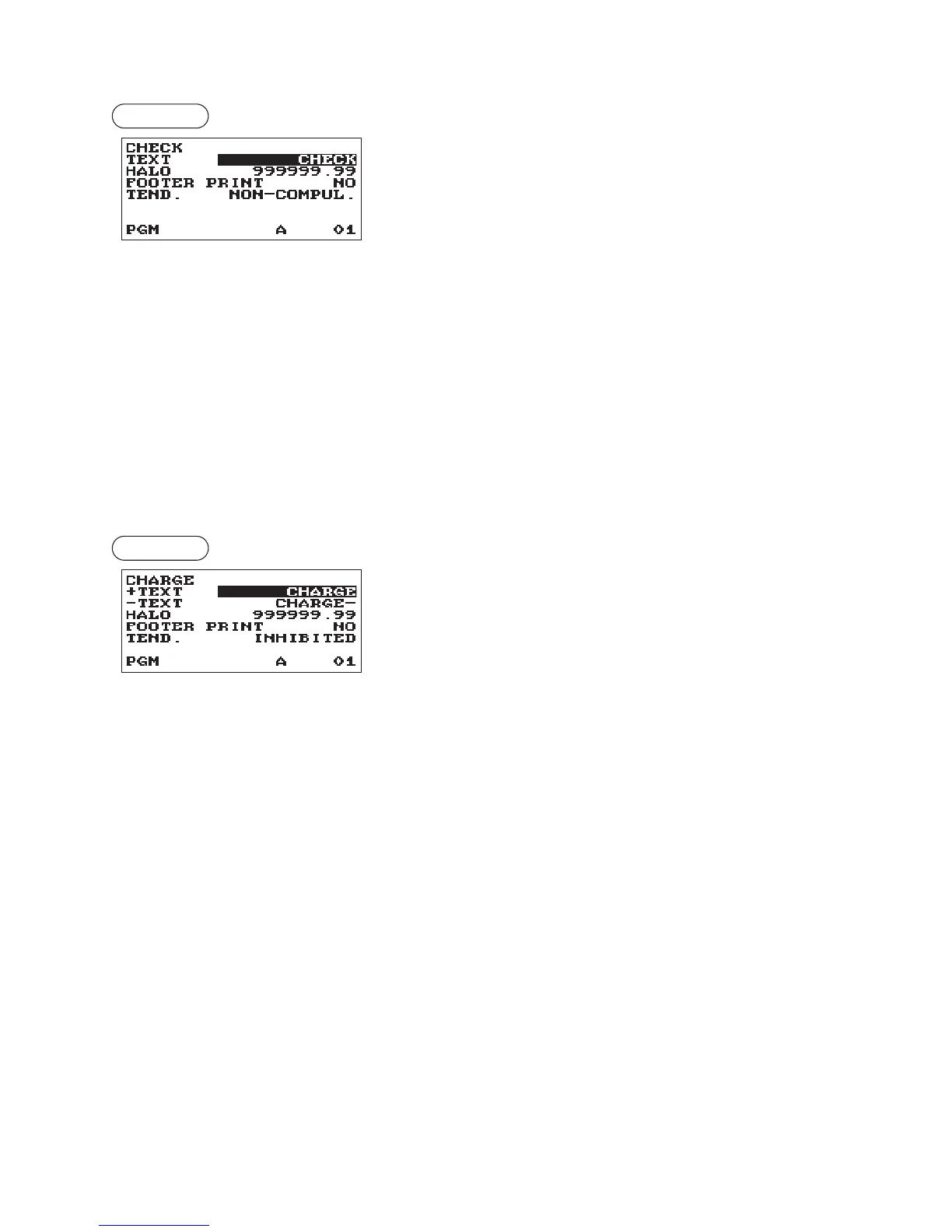
Check■key■(Check)
Procedure
Program each item as follows:
•■TEXT■(Use■the■character■entry)
Description for the check key. Up to 12 characters can be
entered.
•■HALO■(High■Amount■Lockout)■(Use■the■numeric■entry)
This function is intended for prevention of accidentally entered
unreasonably amounts.
Limit amount: 0.00 to 999999.99
•■FOOTER■PRINT■(Use■the■selective■entry)
YES: Enables footer printing on the receipt.
NO: Disables footer printing on the receipt.
•■TEND.■(Use■the■selective■entry)
NON-COMPUL.: Non-compulsory amount tendered entry.
COMPULSORY: Compulsory amount tendered entry.
■
■
Charge■key■(Charge,■Charge2)
Procedure
Program each item as follows:
•■+TEXT■(Use■the■character■entry)
Description for the gross charge. Up to 12 characters can be
entered.
•■-TEXT■(Use■the■character■entry)
Description for the refund charge. Up to 12 characters can be
entered.
•■HALO■(High■Amount■Lockout)■(Use■the■numeric■entry)
This function is intended for prevention of accidentally entered
unreasonably amounts.
Limit amount: 0.00 to 999999.99
•■FOOTER■PRINT■(Use■the■selective■entry)
This item decides whether or not your register should print a
message at the foot of a receipt when a specied charge key
is used.
YES: Enables footer printing on the receipt.
NO: Disables footer printing on the receipt.
•■TEND.■(Use■the■selective■entry)
COMPULSORY: Compulsory amount tendered entry.
INHIBITED: Inhibits amount tendered entry.



 To Next Page