85
AutomaticSequencingKeyProgramming
If you program frequently performed key operations for the
a
key, you can enter those key operations
simply by pressing the corresponding
a
key in key operations.
■
KeySequence
Procedure
1.
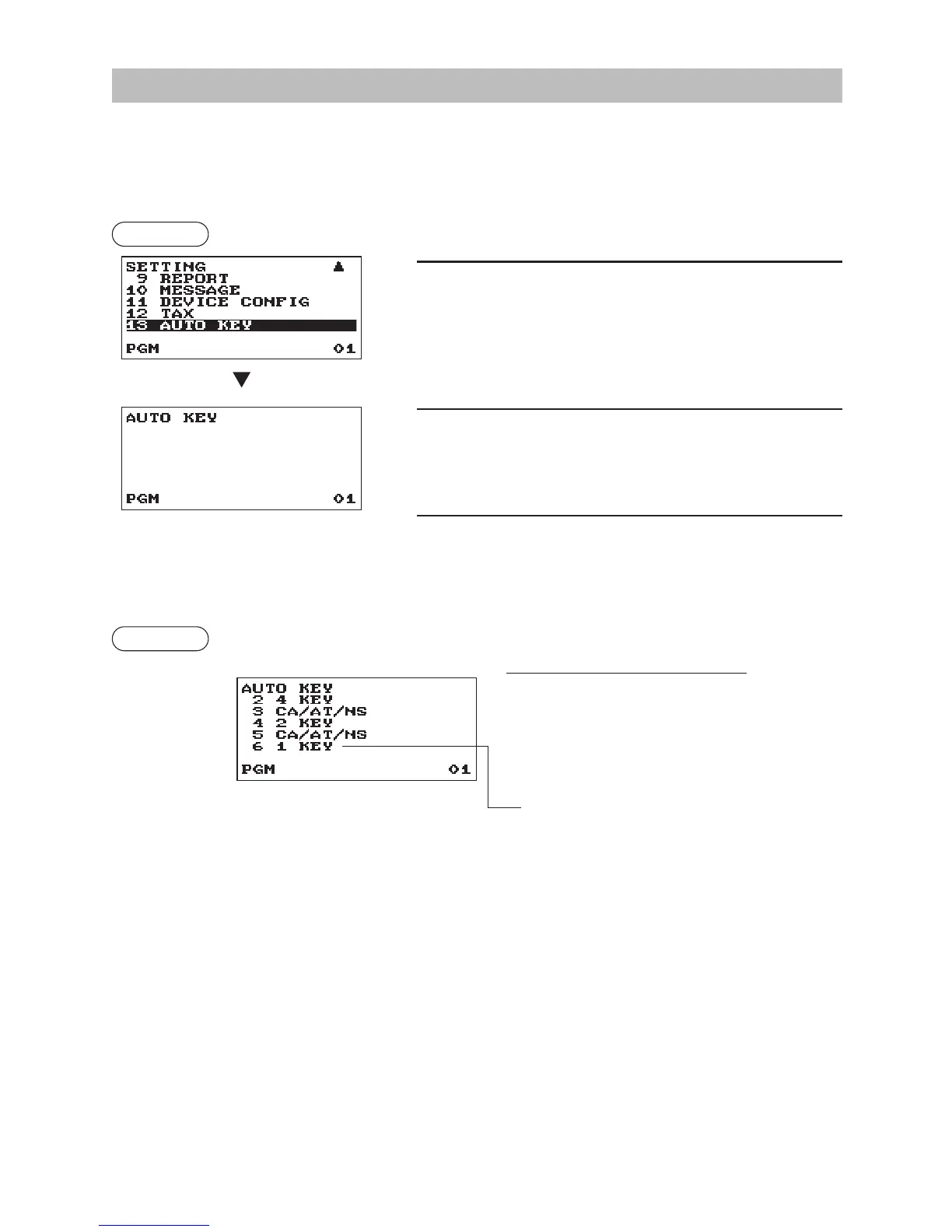
In the SETTING window, select “13 AUTO KEY.”
• The AUTO KEY window will appear.
2.
Enter the key operation sequence by any key except the
a
key.
The register allows to program up to 25 keys for the
a
key.
3.
To terminate the procedure enter the
a
key, the conrmation
window will appear for sequence data saving. Select “SAVE”
or “ABANDON” and enter the
A
key.
Example
In case of the X1 General report printing.
Keyoperation
m
4=(select X1/Z1 MODE)
A
2=(select READING)
A
1=(select GENERAL)
a
A



 To Next Page