37 | Page
OPERATION
SET THE CO
2
SETPOINT
The incubator comes from the factory with the CO
2
setpoint set to Off. Set the setpoint percentage
to the gas concentration required by your study or production protocol.
Low CO
2
(LO)
When starting with no CO
2
in the chamber, the display will show “LO” until the incubator registers a
concentration greater than 0%. A few minutes of CO
2
injections may be required to build up a
sufficient gas concentration.
End of Procedure
Navigate to the CO
2
Setpoint Adjustment mode
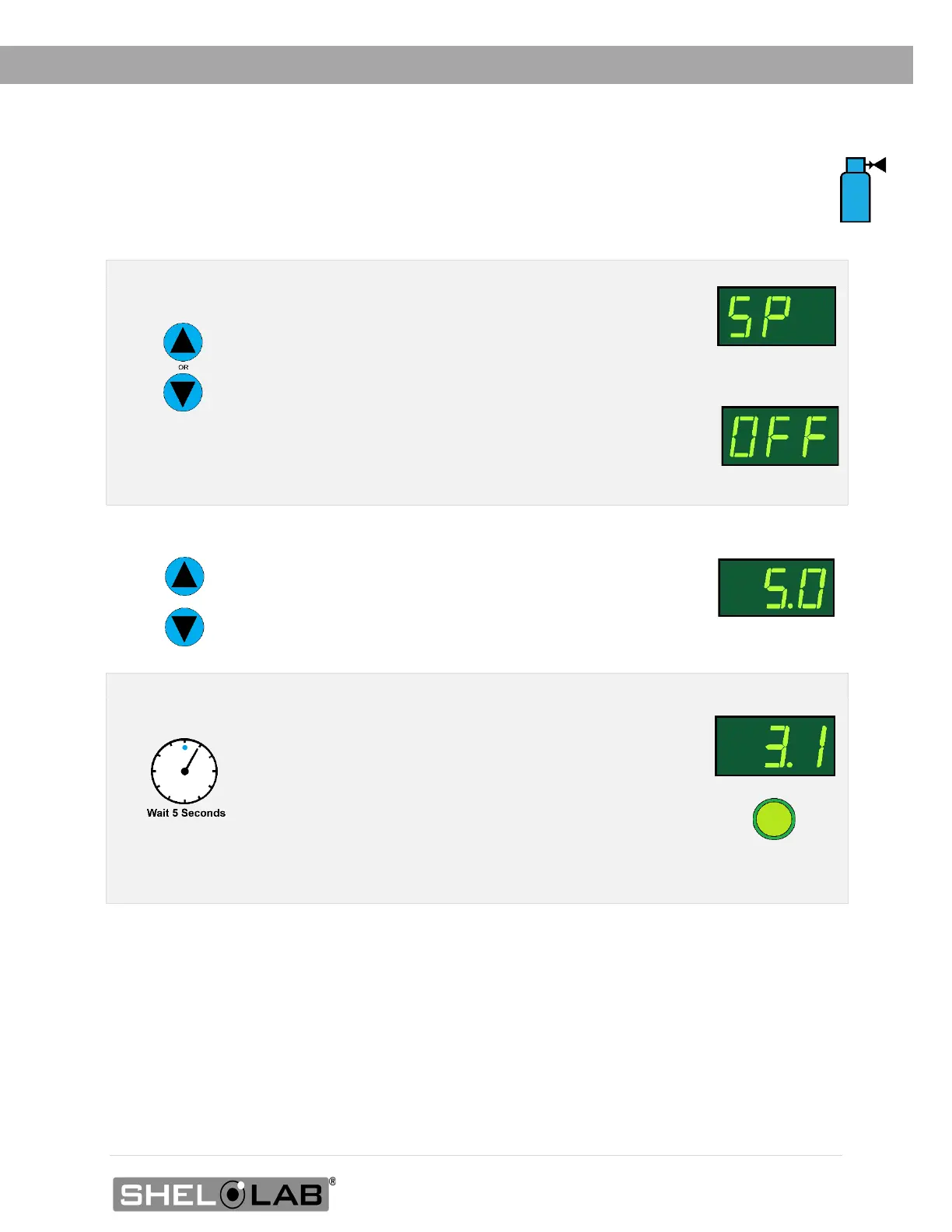
Briefly push and release either the Up or Down arrow
buttons to activate the CO
2
setpoint adjustment mode.
• The display will briefly flash the letters “SP”,
then show the flashing, adjustable CO
2
setpoint.
Note: The display will automatically exit the adjustment mode after 5
seconds of inactivity, with the last shown setpoint value saved.
Setpoint
Adjustment Mode
Initial Setpoint
2. Set the CO
2
Setpoint
Use the Up and Down arrow buttons to change the
CO
2
setpoint.
Note: To turn the CO
2
system off, set the setpoint to its
lowest setting (OFF).
New Setpoint
3. Wait for 5 seconds after entering the Setpoint
• The display will stop flashing, and the setpoint
is now saved in the controller.
• The chamber will now automatically begin
injecting CO
2
or allowing the current
concentration to decay to match your setpoint.
• The display will revert to showing the current
chamber CO
2
concentration.
CO
2
Injecting


 To Next Page