SECTION 2 – OPERATION
2-27
TWO LEVER CONTROLS
WITH OPTIONAL DRAFT CONTROL
POSITION CONTROL OPERATION
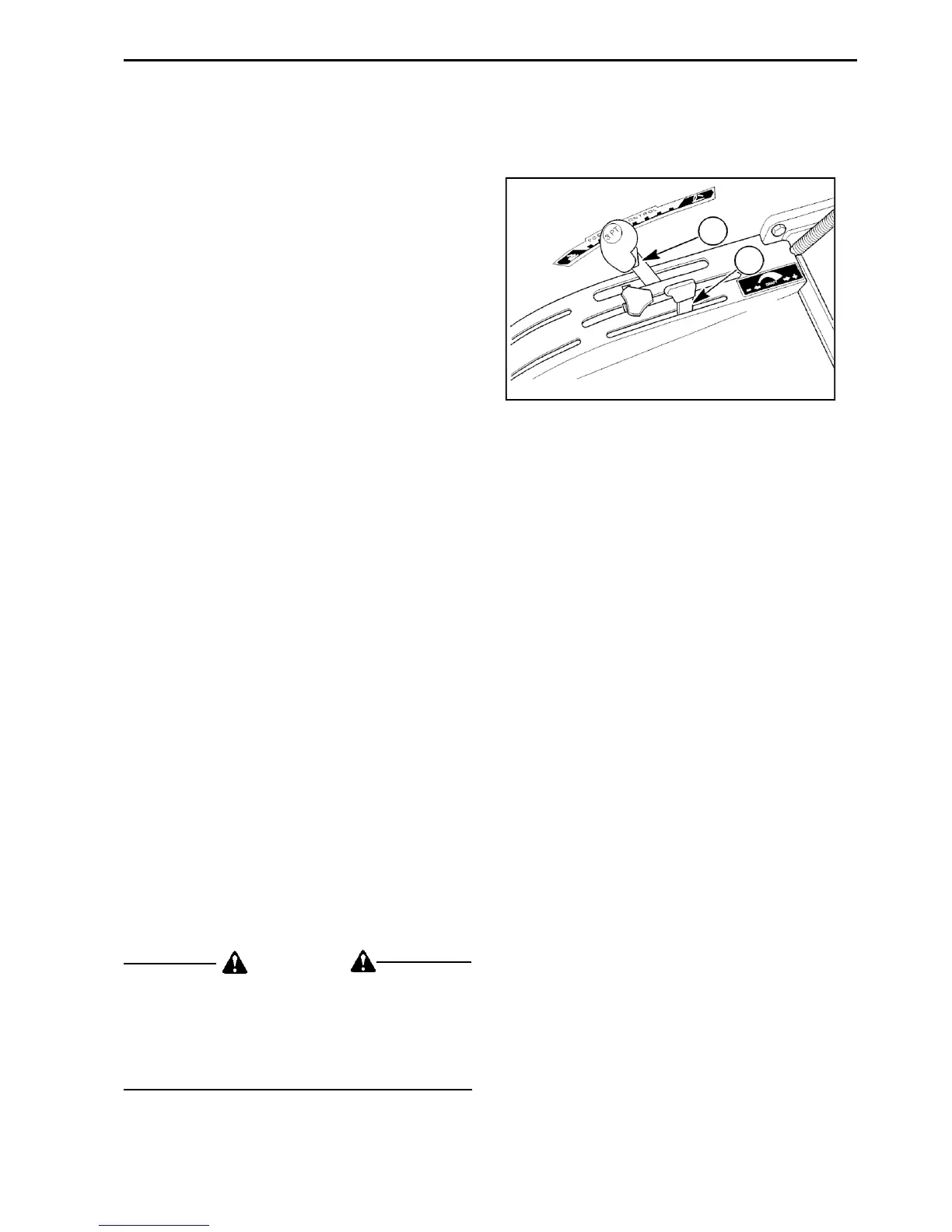
Position control is obtained by placing the draft
control lever (2) in Figure 2-51, all the way
forward and then moving the outer (Position)
control lever (1) in Figure 2-51, to position the
equipment as desired. The outer (Position) lever
is used to set the desired working height or depth.
DRAFT CONTROL OPERATION
Draft control is obtained by placing the position
control lever in the forward position. Use the draft
control to adjust the draft setting by draft control
lever positioning to rearward as desired (the lift
system will automatically maintain the selected
draft as described above).
OPERATING IN BOTH POSITION AND DRAFT
CONTROL
The position control may be used together with
the draft control as follow:
1. Set the position control lever (1) in Figure
2-51, at the maximum desire implement depth.
The hydraulic system will not lower the
implement below the pre-selected depth.
(This will also prevent “diving” which may be
encountered with light equipment, such as a
rear blade, when grading or backfilling.)
2. Position to rearward the draft control lever (2)
in Figure 2-51, for the maximum draft load
(pull) desired.
The hydraulic lift system will now provide normal
draft response within the range set by the position
control. This adjustment provides a more uniform
depth while maintaining an even pull in widely
varying soil conditions
.
WARNING
Make sure the area is clear of people before
lifting or lowering equipment.
Always lower the hydraulic lift and other
hydraulic equipment before stopping and
leaving the tractor.
1
2
Figure 2-51


 To Next Page